Turn on suggestions
Auto-suggest helps you quickly narrow down your search results by suggesting possible matches as you type.
Showing results for
We can do some troubleshooting steps to get the data from your bank, trevor34.
Before we begin, have you encountered any error messages while trying to connect your chequing and VISA accounts? Any additional information regarding this issue would be appreciated, as it can help us provide you with a more accurate resolution.
In the meantime, I recommend checking your bank's website to see if there are any notifications or ongoing maintenance that may be preventing the data from loading.
If there are no concerns from your bank's end, you can try refreshing the connection to load the data from your bank.
Here's how you can refresh your bank:
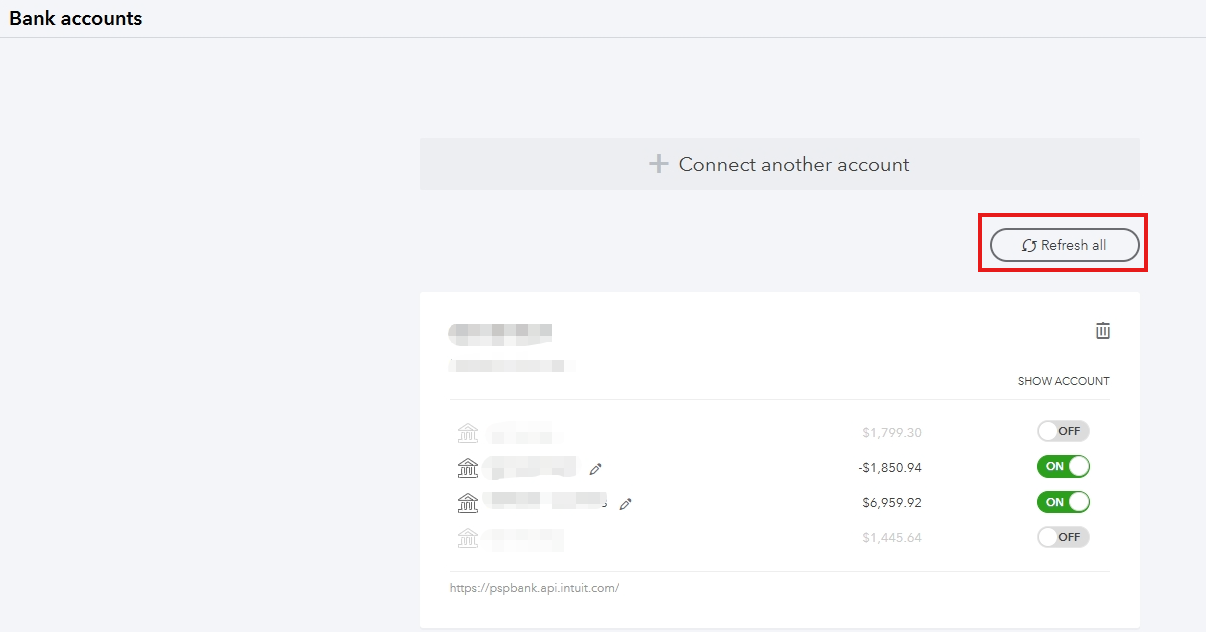
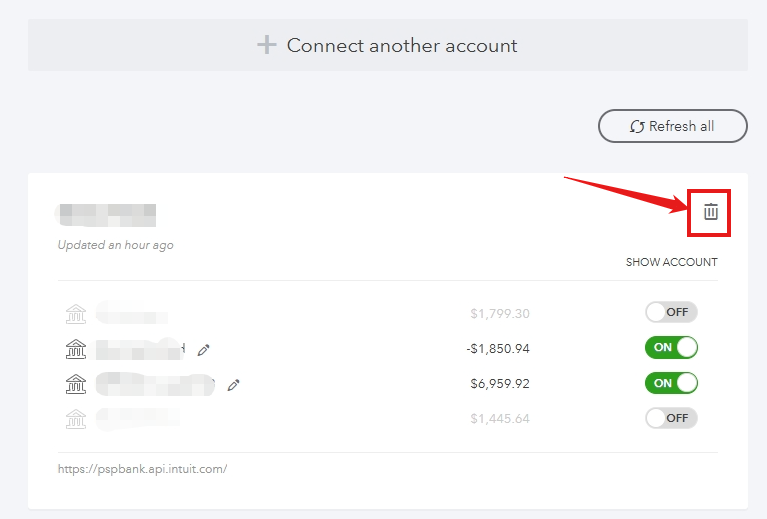
If the data still doesn't load after refreshing the bank, you can disconnect and reconnect your bank account to ensure it syncs properly with QuickBooks.
To disconnect you bank you can follow these steps:
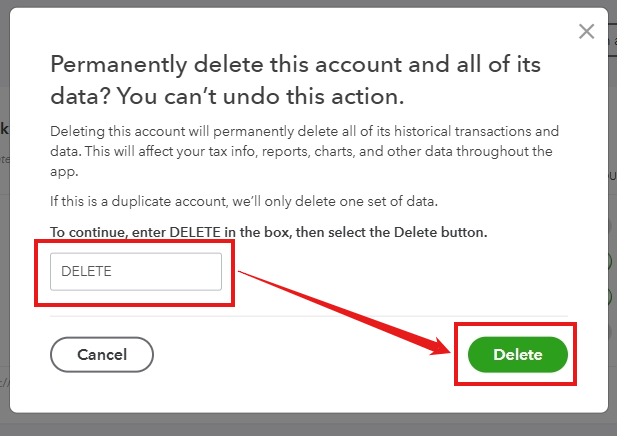
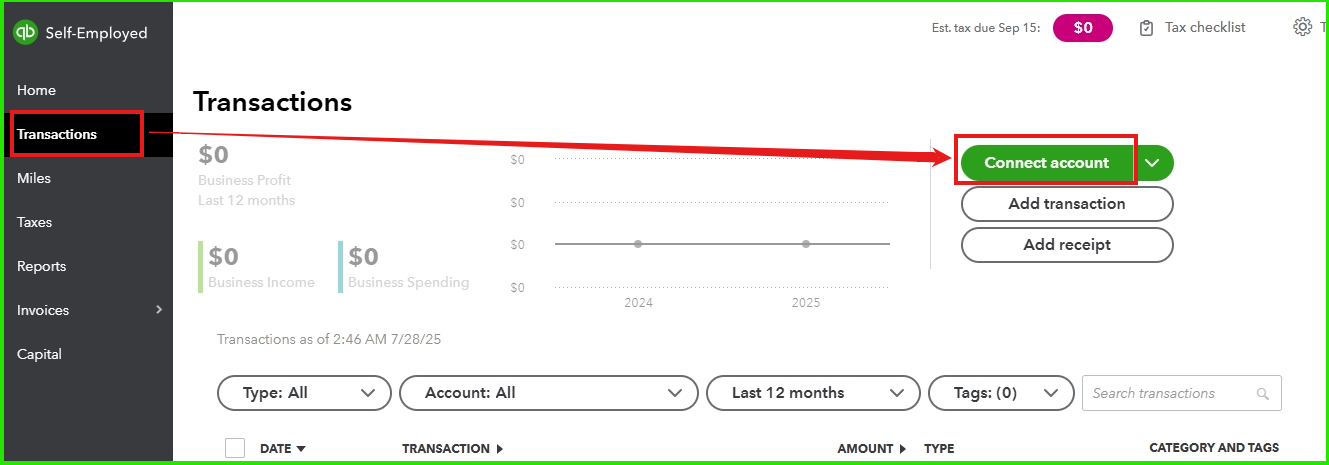
To reconnect your bank:
Let us know if you have any other questions or need more support.

