Turn on suggestions
Auto-suggest helps you quickly narrow down your search results by suggesting possible matches as you type.
Showing results for
Hello there, Barb.
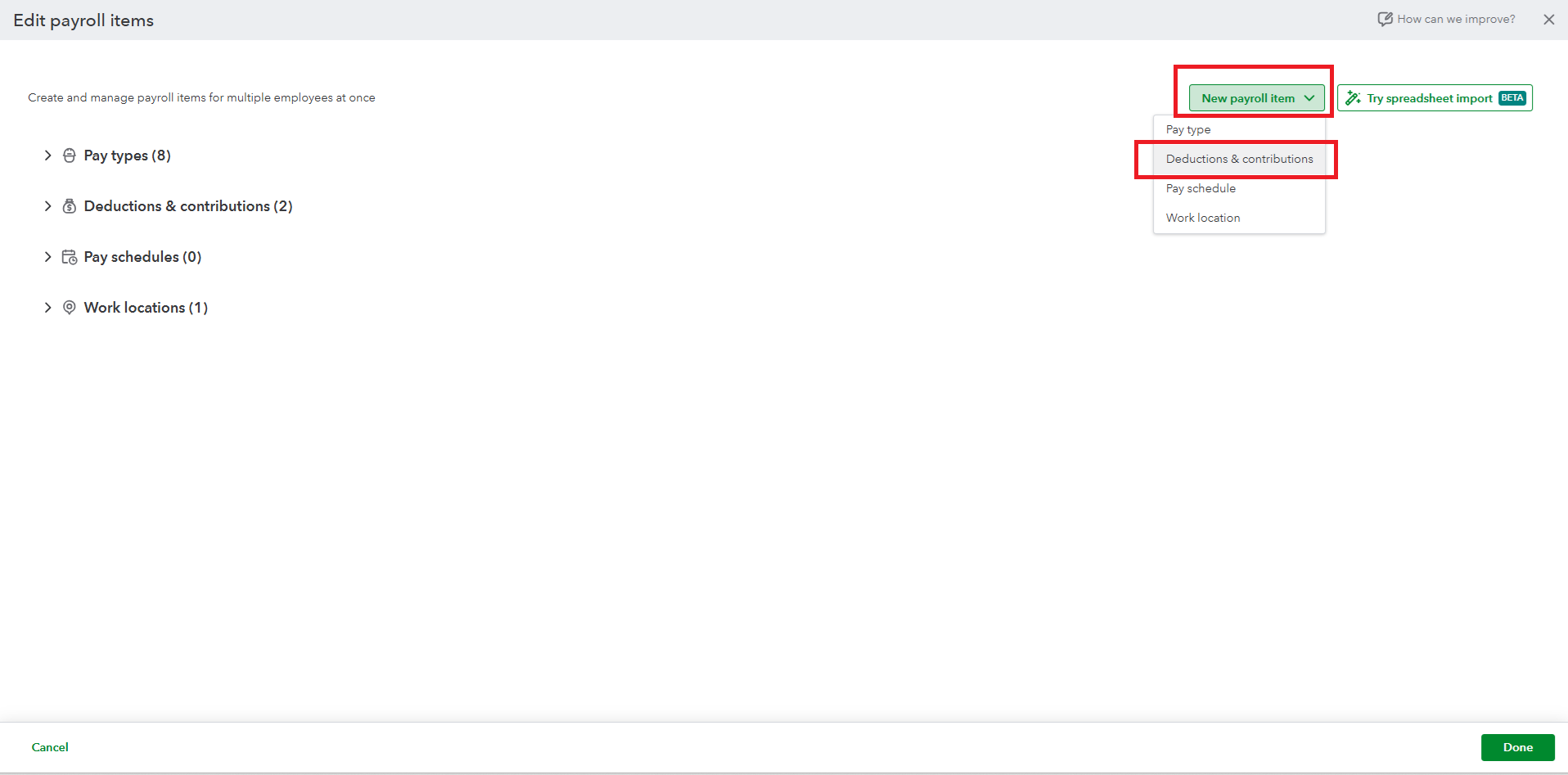
To handle after-tax deductions like employee repayments, you can create a New Payroll item and map it to a specific account. Here's how:
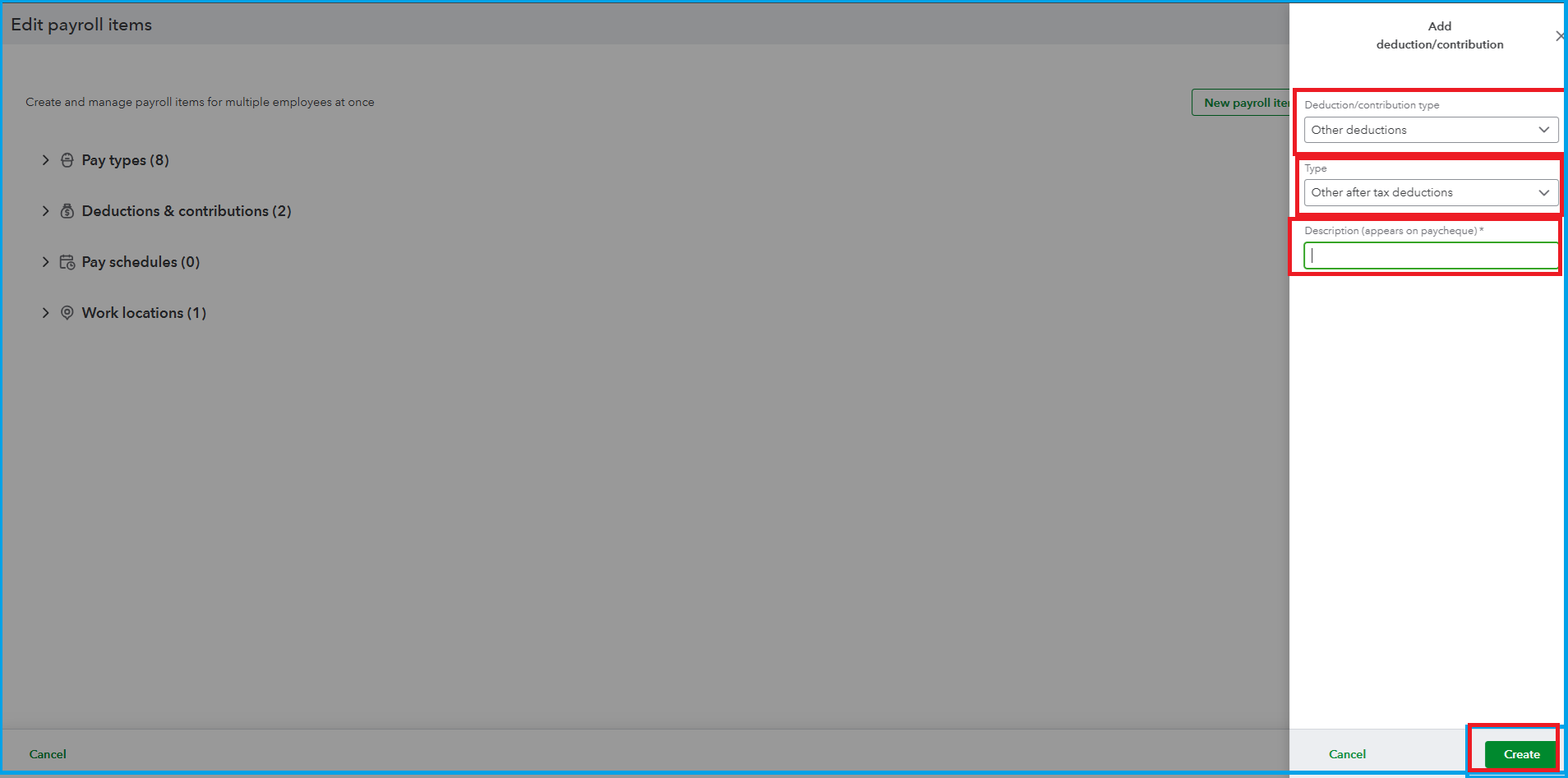
Once done, you'll need to assign the created payroll item to the specific employee. Here's how:
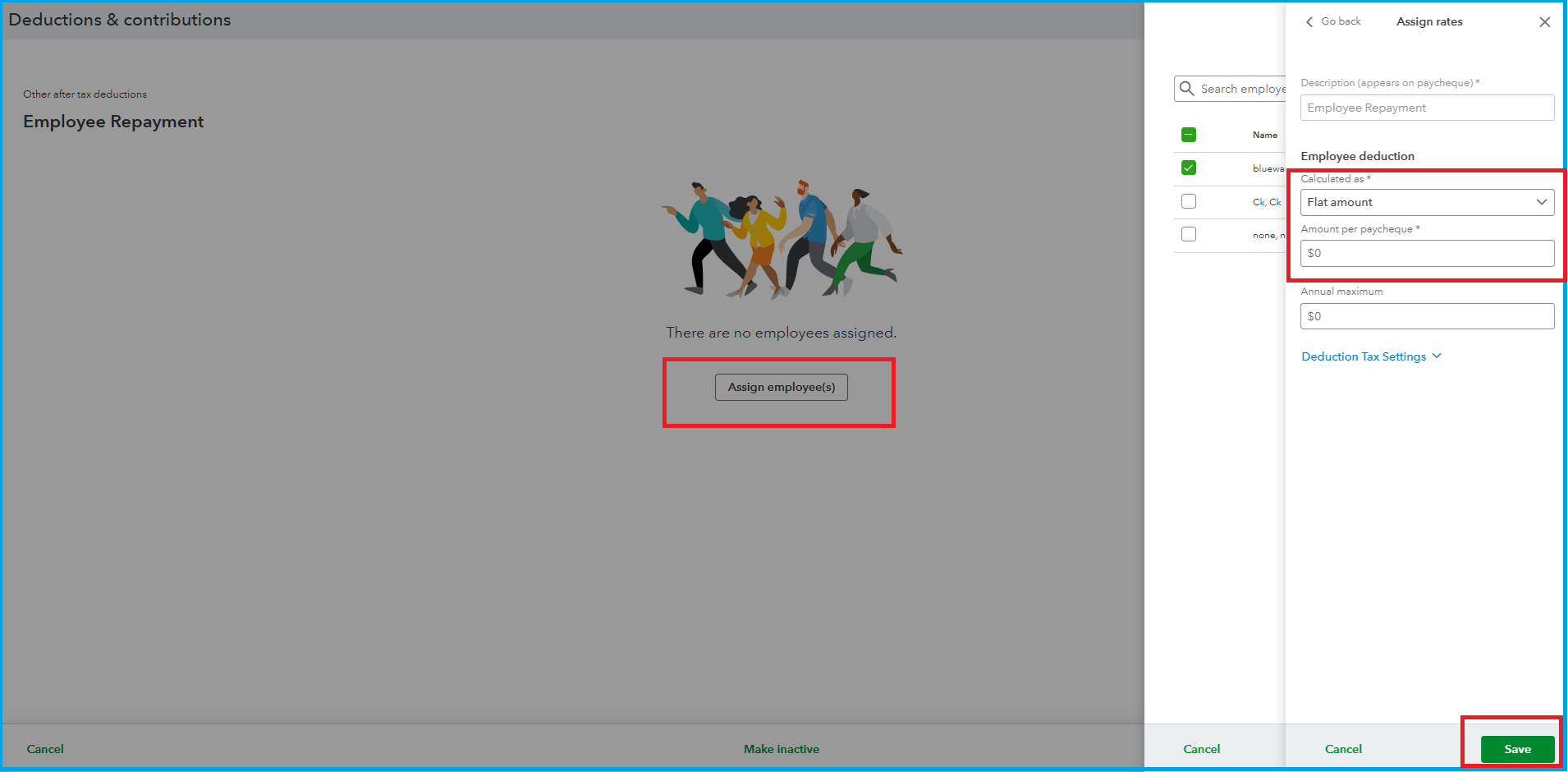
To track the money they repay, create a specific asset account in your Chart of Accounts.
If you have any further questions, please use the Reply button below. We are always here to assist you.

