Turn on suggestions
Auto-suggest helps you quickly narrow down your search results by suggesting possible matches as you type.
Showing results for
I'm not sure leased computer equipment should be recorded as a fixed asset . . . I think more questions would have to be asked. Is it an operating lease with a buy-out at the end, or is it a capital lease with a nominal $1 buy-out at the end or $0 buy-out at the end? Who is deemed to have the risk and material ownership? If you own the equipment outright at the end of the lease or have a $1 buy-out, then you assume the risk and material ownership and it is a capital lease. If you have no ownership at the end of the lease, then it could be safely called an operating lease.
If it's an operating lease, then the lease payments are simply expensed month by month, with the payment amounts and PST going to the lease expense account (not a liability account) and GST to input tax credit. Entry would be to decrease Bank account, and enter the lease expense account in the account block + applicable tax code.
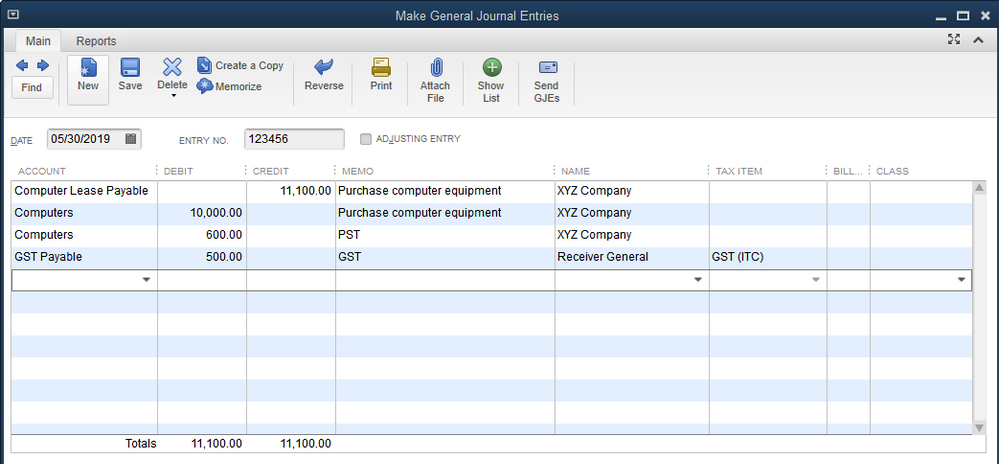
If it's a capital lease, then yes, the computer should be recorded as an asset and depreciated accordingly. Then Rustler's instructions are correct. Just to perhaps make it clearer for you @vgotha , here are the steps if it is a loan or a capital lease if GST is included in the initial loan/lease amount:
It is perfectly acceptable and probably more common to just put $10,600.00 on one line to Computers.
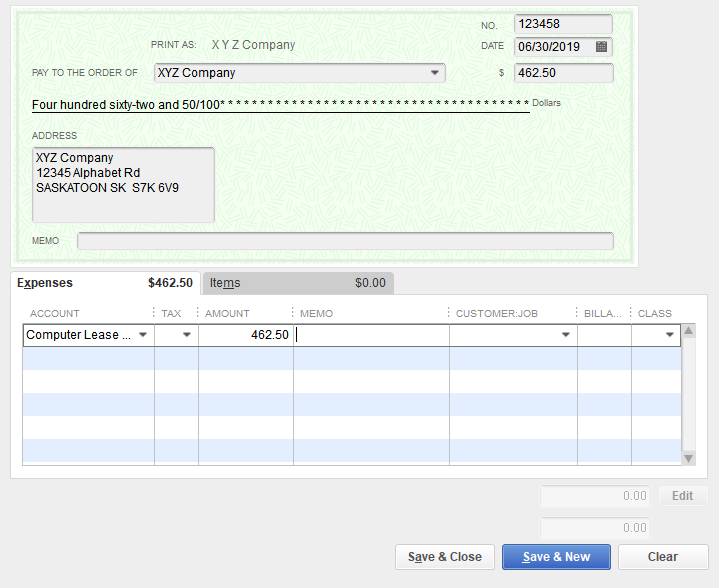
Monthly lease payments would look like this if you're paying out of your bank account (or credit card):
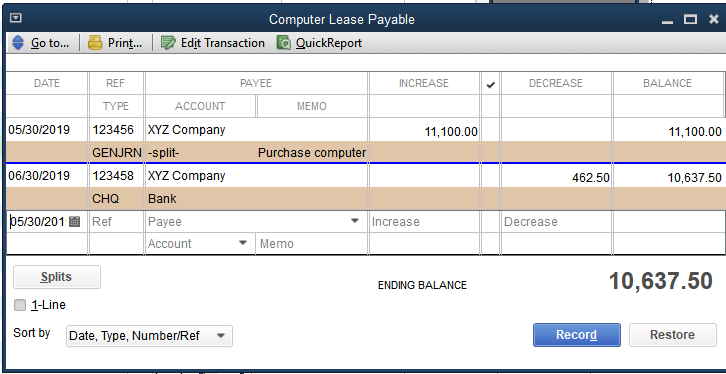
Your Computer Lease Payable register will now look like this, and will continue to decrease with each monthly payment.
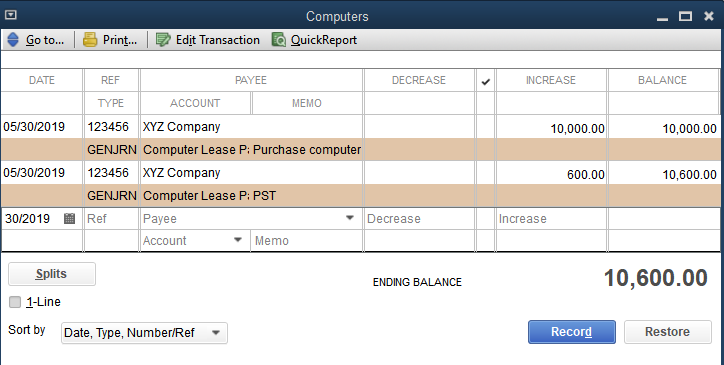
The Computer Asset account looks like this and will be reduced each year when you post your entry for Depreciation Expense (DR) and Accumulated Depreciation (CR).
The entries will be slightly different, if GST (and possibly PST) is NOT included in the total lease at inception, but rather is paid on each monthly lease payment. If this is the case, then your original journal entry would remain the same, except with no taxes, and can be entered directly into the Computer Lease Payable account register. When you enter your monthly lease payment from the bank or credit card, you simply use your tax codes to add applicable taxes to each payment.
I hope this helps - good luck!