
The lead-up to the Self Assessment deadline is always a stressful time if you’re self-employed. QuickBooks’ Self Assessment tax calculator helps you get a sense of how much income tax and national insurance you’ll need to pay this tax year when you complete your Self Assessment.
MTD for Income Tax
QuickBooks' HMRC recognised accounting solutions are here to help self-employed businesses and landlords prepare for the upcoming MTD for Income Tax changes.
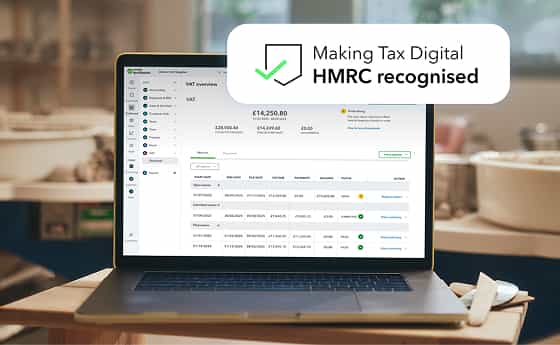
MTD for Income Tax
QuickBooks' HMRC recognised accounting solutions are here to help self-employed businesses and landlords prepare for the upcoming MTD for Income Tax changes.
- Solutions for your practiceSolutions for your clients

- Plans & Pricing
- Sign in
Need help choosing?
Speak to a QuickBooks expert to find the right product for your business
Talk to sales: 0808 304 6205
9.00am - 5.30pm Monday - Friday
Get product support
Contact support Visit support pageWhat was your self-employed profit in the 2023/24 tax year
The Self-Employment calculator calculates the Income Tax and National insurance based on the tax rates and bands in England & Northern Ireland. The rates are different in Scotland. Wales has the same tax rates and bands as England & NI for 2023/24. The information provided on this site is for illustrative purposes only and the calculations have been made based on the information you have provided. The results are an estimate of your self-employment Income Tax liability and estimated National Insurance Contributions for the tax year selected. Always consult a qualified specialist before making any major financial decisions.
Frequently asked questions
You’ll need to complete a Self Assessment tax return if any of the following criteria apply to you:
- You earn over £1,000 during the tax year through any self-employment venture
- You are a registered sole trader or run your own business
- You have earned over £1,000 during the tax year in your capacity as a corporate partner
- You earn an annual income surpassing £150,000, employed or self-employed
- You earn over £2,500 during the tax year from rental income
- You have any untaxed income over £2,500 earned during the tax year
- Capital Gains Tax Obligations: You have capital gains tax to pay
- You claim child benefit whilst being a high earner
- You are a trustee of a trust or beneficiary of a registered pension scheme
- State Pension is your sole income, and it exceeds the personal allowance
- You have received a P800 notification from HMRC indicating that you didn't pay enough tax the previous year
- You are the director of a limited company, depending on how you receive your income and whether you are already taxed through PAYE
Learn more about completing a Self Assessment here.
Income tax rates for the self-employed are the same as the rates for people employed by a company and paid a salary through payroll. If you’re self-employed, you can claim tax relief on allowable expenses, meaning you will only pay tax on your profit as a sole trader or small business.
Learn more about self-employed allowable expenses here.
When you complete your Self Assessment, you’ll be given an 11-digit payment reference number, which is typically your Unique Taxpayer Reference (UTR) with the letter K added.
You can then pay by card, bank transfer, direct debit, through your bank or building society, by cheque, or through your tax code if the amount payable is less than £3,000. You can choose to pay the amount at once or in instalments.
Learn more about paying your Self Assessment tax here. The deadline for paying your Self Assessment tax is January 31st.
Get started now
Stay informed and inspired
Subscribe to get our latest insights, promotions, and product releases straight to your inbox.
QuickBooks Making Tax Digital for VAT software is available to all QuickBooks Simple Start, Essential, Plus and Advanced subscribers. Use of QuickBooks MTD for VAT software and bridging software must be aligned with HMRC’s eligibility requirements and includes additional setup between the small business and HMRC.
QuickBooks MTD software currently supports Standard, Cash and Flat Rate schemes. QuickBooks Bridging Software supports Standard and Cash schemes. Businesses whose home currency is not GBP are currently not supported.
*Offer terms
QuickBooks Online Discount Offer Terms: Receive the discount stated above on the current monthly price for QuickBooks Online Sole Trader Plus, Simple Start, Essentials, Plus, Advanced, Payroll Core, Payroll Premium or Payroll Elite for the stated amount of months of service, starting from date of enrolment, followed by the then-current monthly price. Your account will automatically be charged on a monthly basis until you cancel. You must select the Buy Now option and you will not be eligible for a 30-day free trial. Offer valid for new QuickBooks Online customers only. No limit on the number of subscriptions ordered. You can cancel at any time by calling 0808 258 8107. Discount cannot be combined with any other QuickBooks Online offers. Terms, conditions, features, pricing, service and support are subject to change without notice. All prices shown exclude VAT.
Mobile apps: The QuickBooks Online mobile and QuickBooks Self-Employed mobile companion apps work with iPhone, iPad, and Android phones and tablets. Devices sold separately; data plan required. Not all features are available on the mobile apps and mobile browser. QuickBooks Online mobile access is included with your QuickBooks Online subscription at no additional cost. Data access is subject to cellular/internet provider network availability and occasional downtime due to system and server maintenance and events beyond your control. Product registration required.
Cancellation Terms: To cancel your QuickBooks Products subscription at any time go to Account & Settings in QuickBooks and select “Cancel.” Your QuickBooks Products cancellation will become effective at the end of the monthly billing period. You will not receive a pro-rated refund; your access and subscription benefits will continue for the remainder of the billing period.
**Products and features
Intuit Intelligence features may differ based on product. Not available with QuickBooks Sole Trader or QuickBooks Self-Employed.
Intuit Intelligence and certain other AI features are currently available at no additional cost at this time. Pricing, terms, conditions, and service options are subject to change without notice.
AI Agents (excl. VAT AI Agent): While available in all QuickBooks supported languages, the AI agent's output are currently in English-only. We recommend you review all outputs carefully.
Finance Agent: Available on QuickBooks Online Advanced only. Not available to customers with multi-currency enabled.
Beta features: Beta features have very limited availability and are subject to change. Features may be more broadly available soon.
Third party apps: Third party applications available on apps.com. Subject to additional terms, conditions, and fees.
QuickBooks Advanced Payroll: QuickBooks Advanced Payroll allows you to automatically submit information to the following pension providers: NEST, The Peoples Pension, Smart Pensions, Aviva and NOW:Pensions.
QuickBooks Payments: QuickBooks Payments allows you to access and use payment services which are provided directly to you by Adyen NV. Adyen NV is authorised by the Prudential Regulation Authority and regulated by the Financial Conduct Authority and the Prudential Regulation Authority (FRN: 779800).
Free onboarding: Free onboarding sessions are offered to all newly subscribed customers and trialists. We offer 1 session per customer and reserve the right to remove this offering at anytime. Invitations are sent via email and in-product messaging once signup has been completed. A link will be included in the message for you to book a session using our calendar tool.
Mileage tracking: Mileage tracking is available on QuickBooks Online on iOS and Android only.
VAT: Both the VAT error checker and VAT submission directly to HMRC functionality are not available in the QuickBooks Sole Trader plan.
Cash flow insights: Does not support multi-currency.
The user experience videos are for information purposes only and should not be considered legal, accounting, or tax advice or a substitute for obtaining such advice or research specific to your business. Additional information and exceptions may apply. No assurance is given that the information provided or shared in the videos are comprehensive, accurate or free of errors. Intuit does not have any responsibility for updating or revising any information presented or shared in the videos herein. Viewers should always verify statements before relying on them.
These terms apply to QuickBooks UK customers only. Bulk-pricing discount offer is valid only if you are signing up for more than one QuickBooks Online subscription with each order. View terms and conditions for multiple accounts pricing here. To inquire further about the bulk-pricing discount offer, please call 0808 304 6358.
This information is intended to outline our general product direction, but represents no obligation and should not be relied on in making a purchasing decision. Additional terms, conditions and fees may apply with certain features and functionality. Eligibility criteria may apply. Product offers, features, functionality are subject to change without notice.
QuickBooks UK support hours:
- QuickBooks Online Phone–Monday to Friday 8.00 AM to 7.00 PM
- QuickBooks Online Live Messaging–Monday to Friday 8.00 AM to 10.00 PM, Saturday and Sunday 8.00 AM to 6.00 PM
- QuickBooks Self-Employed Live Messaging–Monday to Friday 8.00 AM to 10.00 PM, Saturday and Sunday 8.00 AM to 6.00 PM
#Claims
- # Millions of customers worldwide: Based on number of global QuickBooks subscribers.
Accountants & Bookkeepers
Select Country
Call Sales: 0808 168 9533

© 2026 Intuit Inc. All rights reserved.
Registered in England No. 2679414. Address 5th Floor, Cardinal Place, 80 Victoria Street, London, SW1E 5JL, England. Intuit and QuickBooks are registered trademarks of Intuit Inc. Terms and conditions, features, support, pricing, and service options subject to change without notice.