In QuickBooks Online (QBO), you cannot restrict a certain account; the only option available is to inactivate the account, Jones960new.
Here's how:
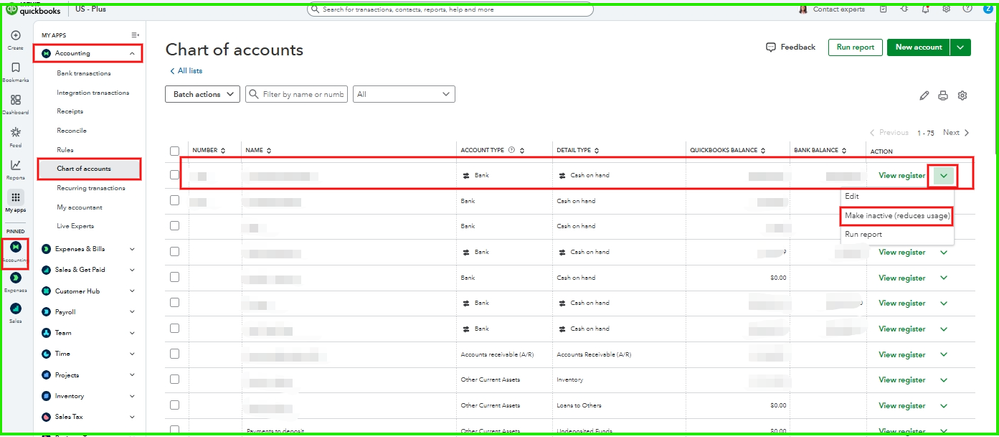
- Go to the Accounting menu.
- Select the Chart of Accounts.
- Choose the accounts that you want to make inactive.
- Then, once you choose, the drop-down will click Make inactive.
In QBO, parent accounts and subaccounts are linked. Transactions are always posted to subaccounts, but when you're looking at reports or summaries, QuickBooks rolls up all the balances of the subaccounts and shows them as one total under the parent account. This helps you see the overall balance or activity for the parent account while still keeping detailed records in the subaccounts.
Also, if the transactions are recorded in subaccounts. When you reconcile a subaccount, its balance rolls up into the parent account, which shows the combined total of all subaccounts after reconciliation.
Keep us posted if you still need further assistance.


