Welcome to the Community, Trish.
I'll provide more details below on how you can streamline billing for one customer while managing multiple ship-to addresses.
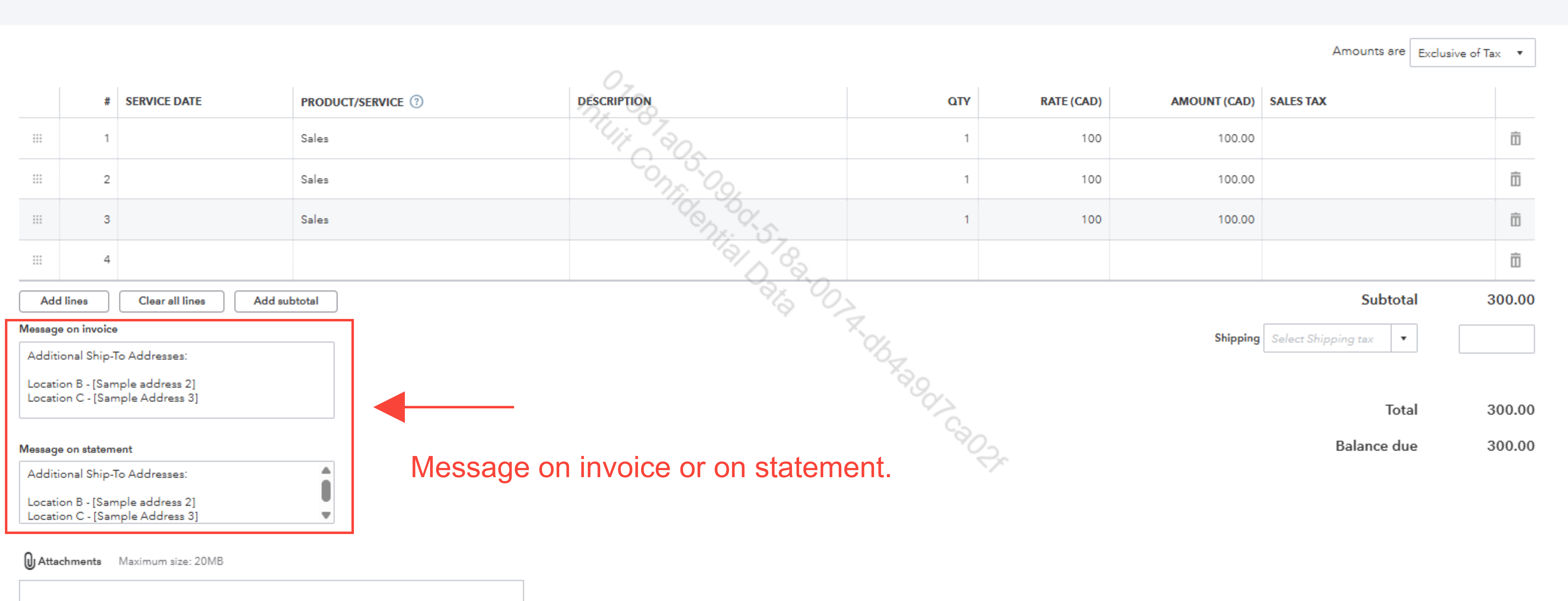
QuickBooks Online (QBO) is designed to help simplify invoicing by allowing you to track one billing address and one shipping address per transaction. If you need to include multiple shipping addresses on invoices for record-keeping or communication, you can utilize the Message on invoice or Message on statement field, or set up a custom field to manually document additional addresses. This ensures all address details are documented while maintaining clarity on your invoices.
Here's how you can set it up:
- Go to + Create, then select Invoice.
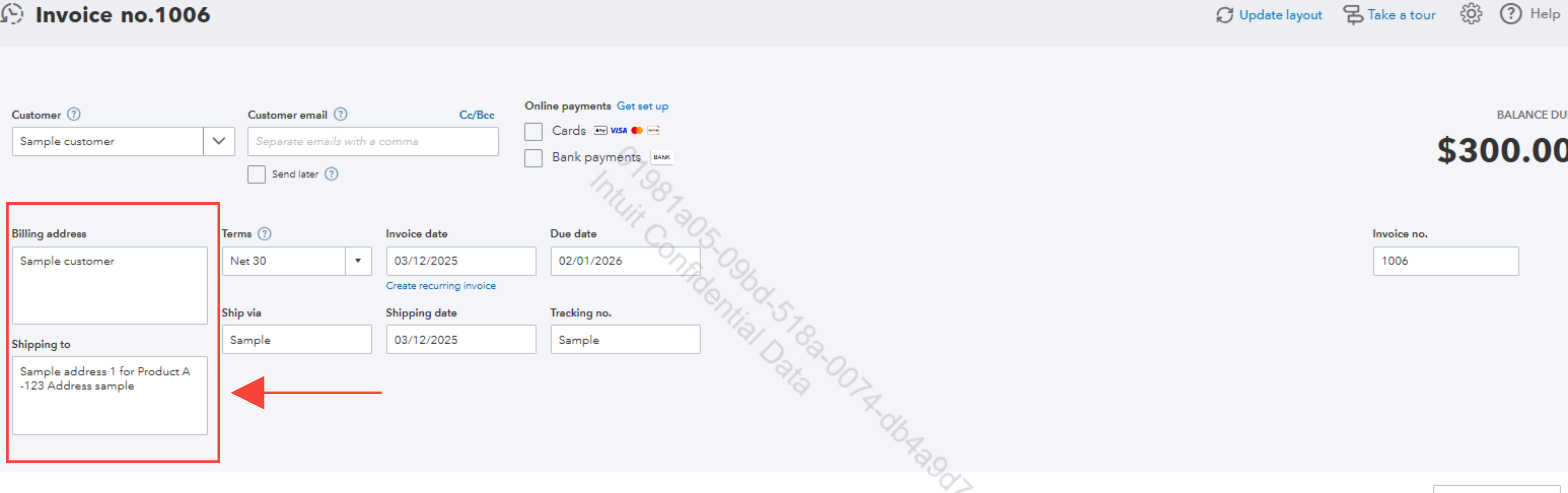
- Add the necessary customer information, including their billing address and the primary shipping address.
- Scroll down to Message on Invoice or Message on Statement field and input any additional shipping addresses.
- Add your Product/Service items and send the invoice as usual.
This workaround is useful when you need to include multiple address details on the invoice for reference, while still using QBO for centralized billing.
If you need further assistance or have additional questions, feel free to Reply down below. We’re here to help.


