You can apply the downloaded deposit to your bill by matching it in the For Review section, @sueb00.
Before anything else, make sure that the category of the open bill you created and the downloaded transaction are the same to apply the deposit successfully. If not, you can edit the bill transaction to align the entries.
Here's how:
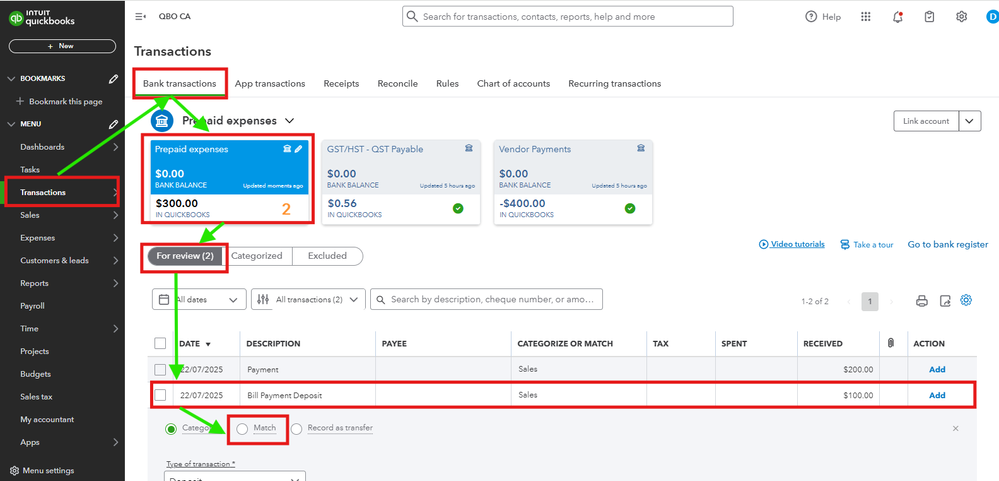
- Go to the Transactions section, and select Bank Transactions.
- Choose the correct account tile where you downloaded the deposit, and the bill is categorized.
- Find the transaction in the For Review section and click it.
- Choose Match.
- You will be routed to the possible matches. Find the bill and put a checkmark in the box beside it. Then, Match.

On the contrary, if your bill is an item-based one and you don't want to edit it to align its account category to the downloaded bank transaction, you can simply go to Pay Bills to clear it and Exclude the uploaded entry to avoid payment duplication.
Before you exclude a downloaded transaction, make sure it’s the right thing to do for your accounting. Or reach out to your accountant.
For additional questions about bill payments and deposits, don't hesitate to return here.


