Hello there, Barb.
To handle after-tax deductions like employee repayments, you can create a New Payroll item and map it to a specific account. Here's how:
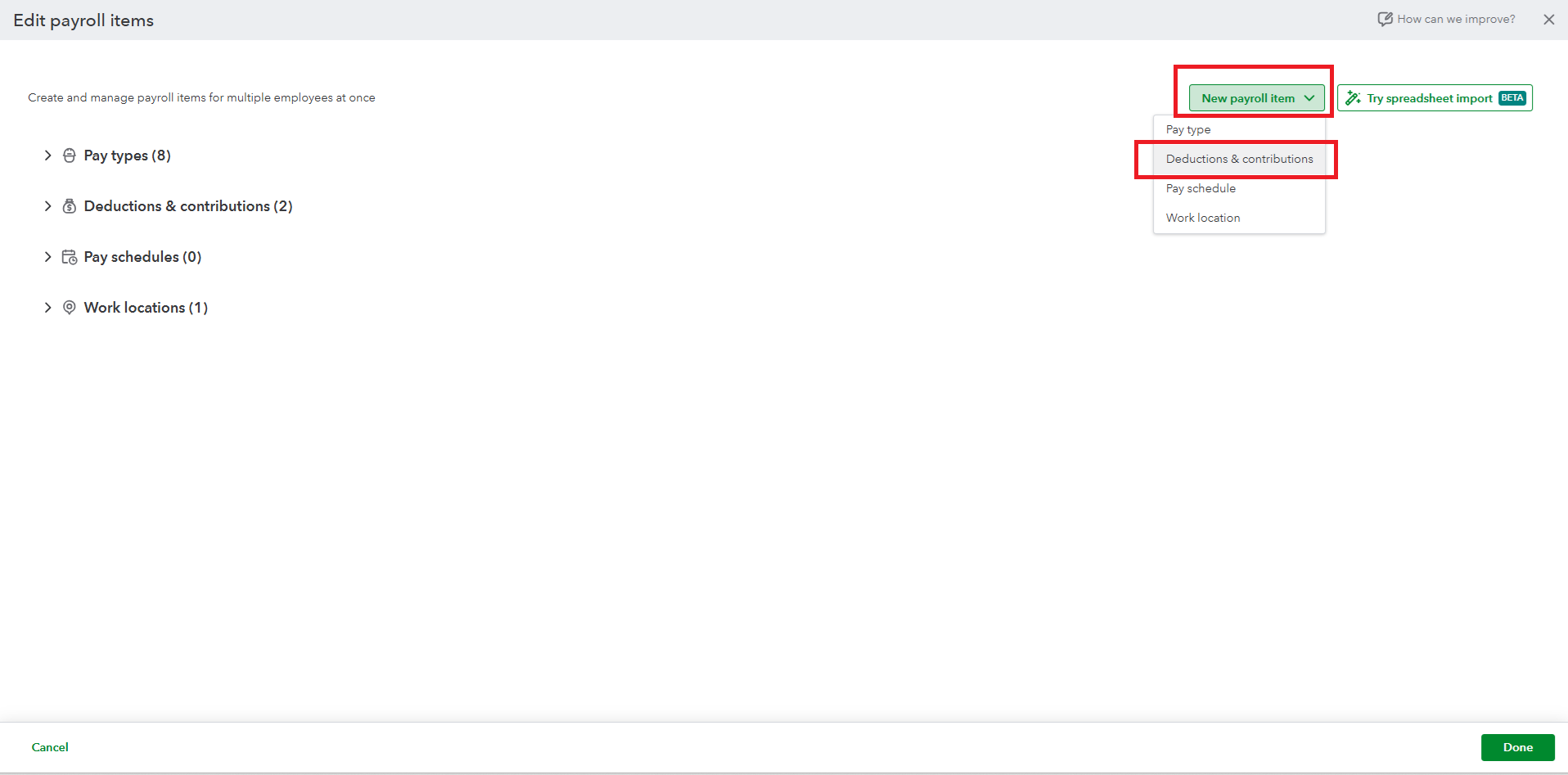
- Go to the Payroll tab, then select Employees.
- Click Edit payroll items.
- Hit the New payroll item dropdown.
- Select Deductions & contributions.
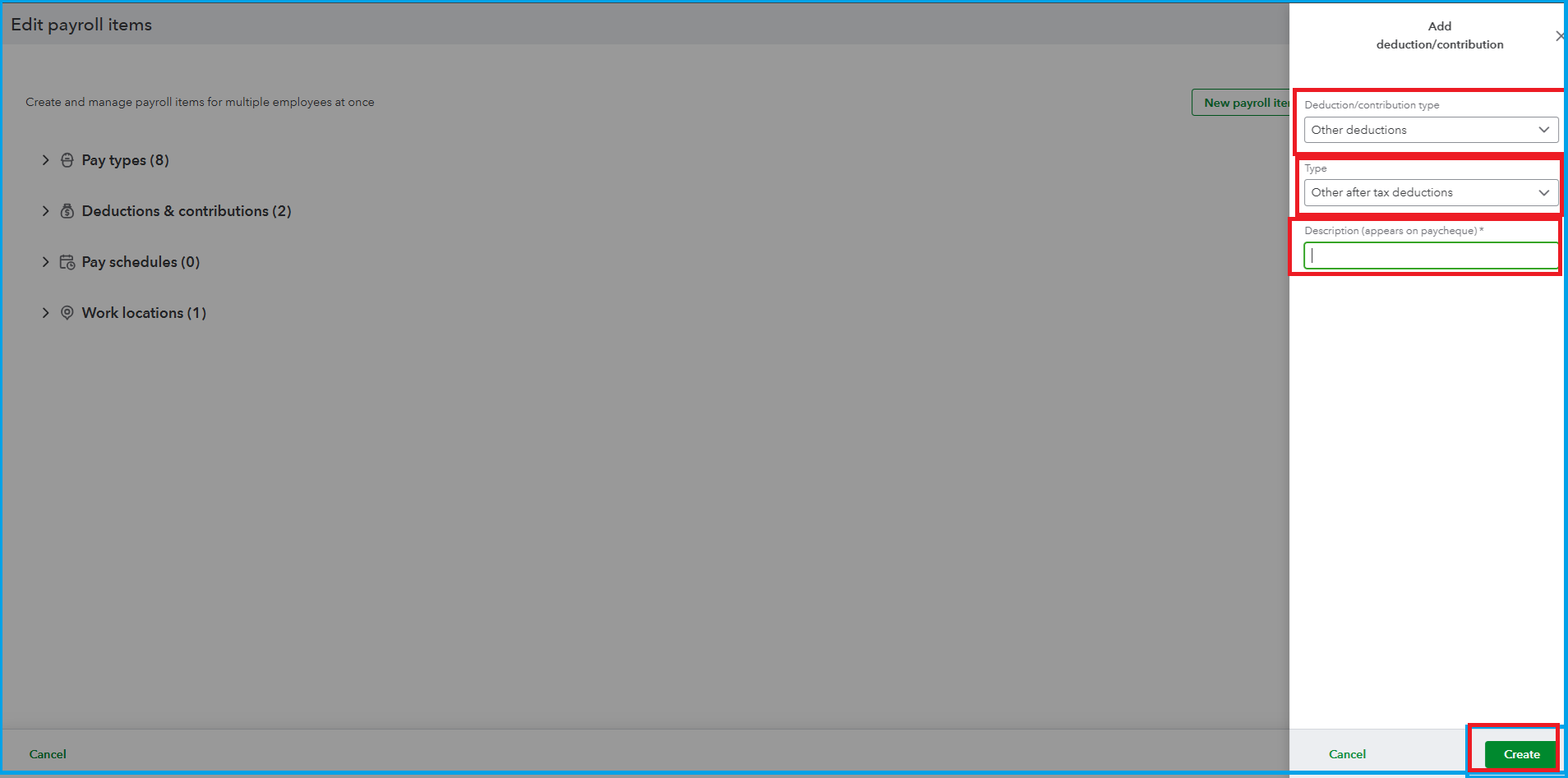
- For the Deduction/contribution type, choose Other deductions.
- And for the Type, select Other after tax deductions.
- Enter the Description, then click Create.
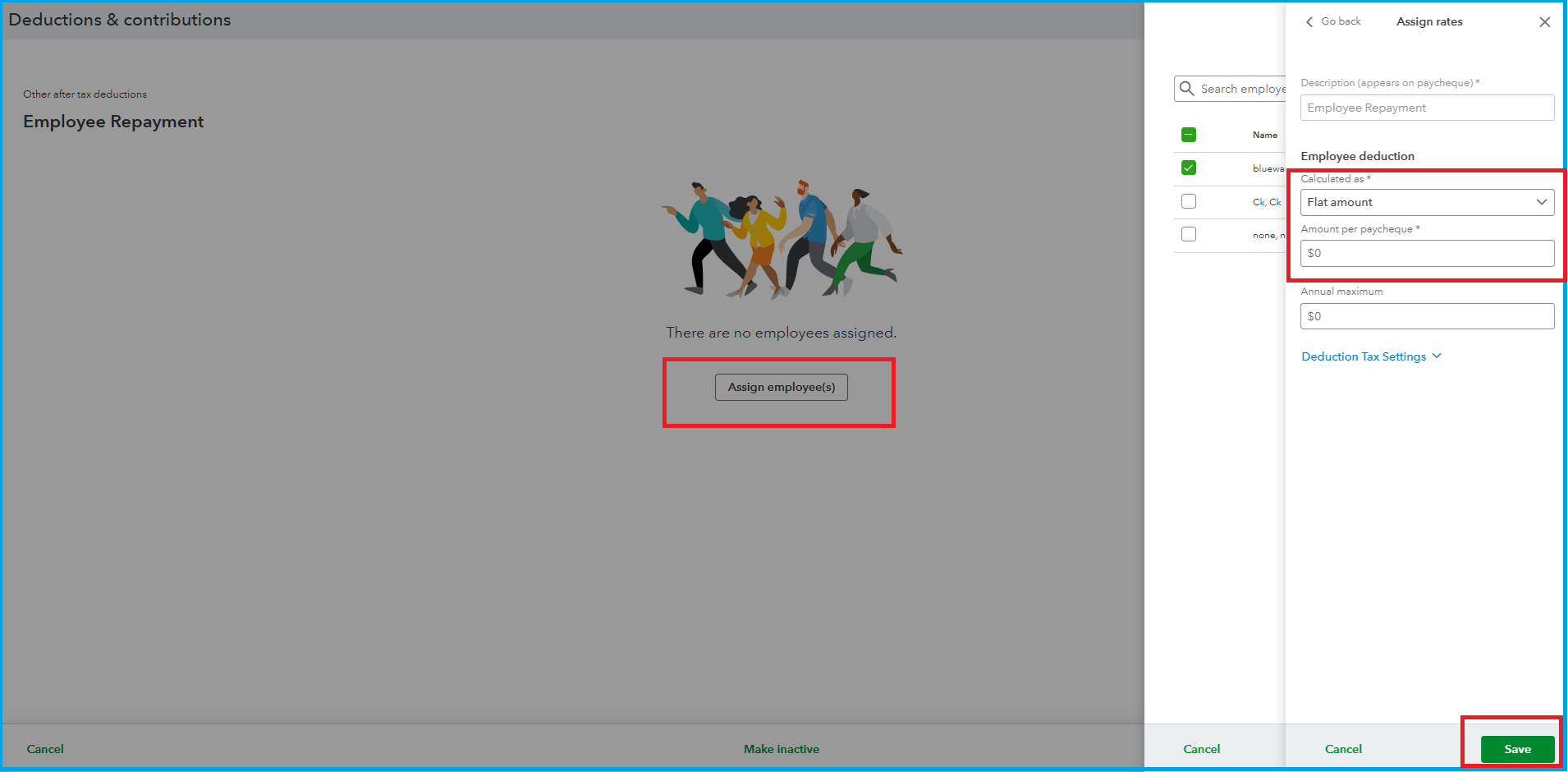
Once done, you'll need to assign the created payroll item to the specific employee. Here's how:
- Select Assign employee and hit Next.
- Enter the deduction amount.
- Click Save.
To track the money they repay, create a specific asset account in your Chart of Accounts.
If you have any further questions, please use the Reply button below. We are always here to assist you.


