I can walk you through how to go back to your previous version, Hayati.
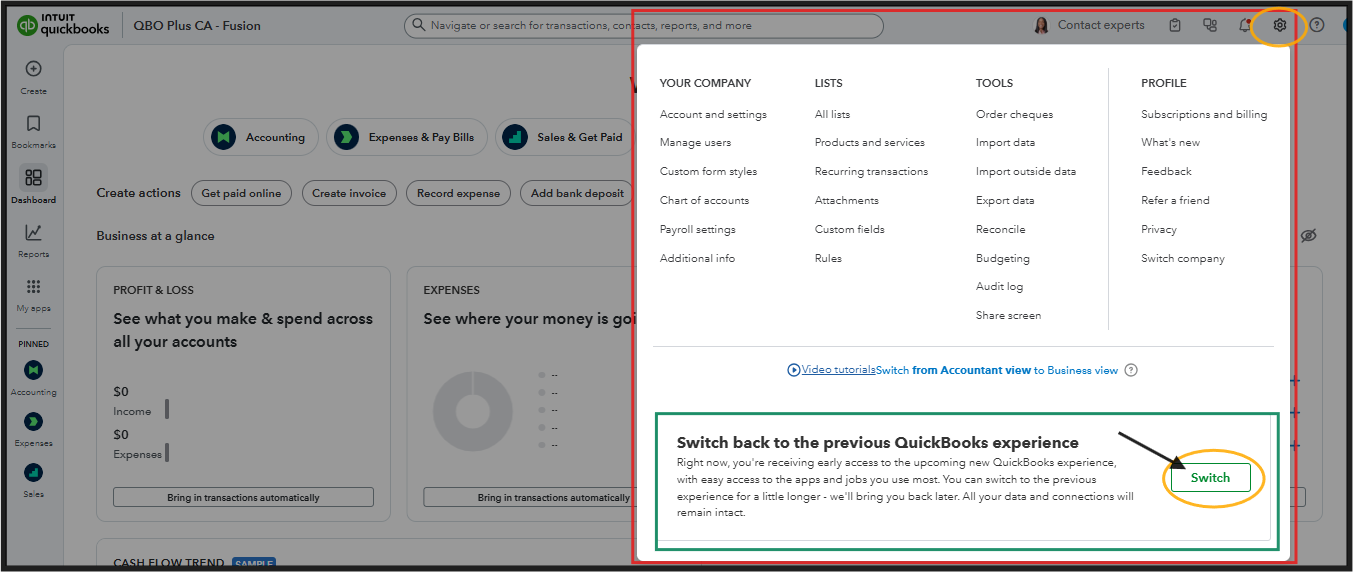
Beforehand, I'd like to know if you're referring to switching to the previous experience? If so, we can follow the steps below:
- Click on the Gear icon at the top-right corner of your QuickBooks Online screen.
- On the Switch back to the previous QuickBooks experience box, toggle the Switch button to revert to the old version.
However, if you are looking to downgrade your subscription, please follow the steps outlined below:
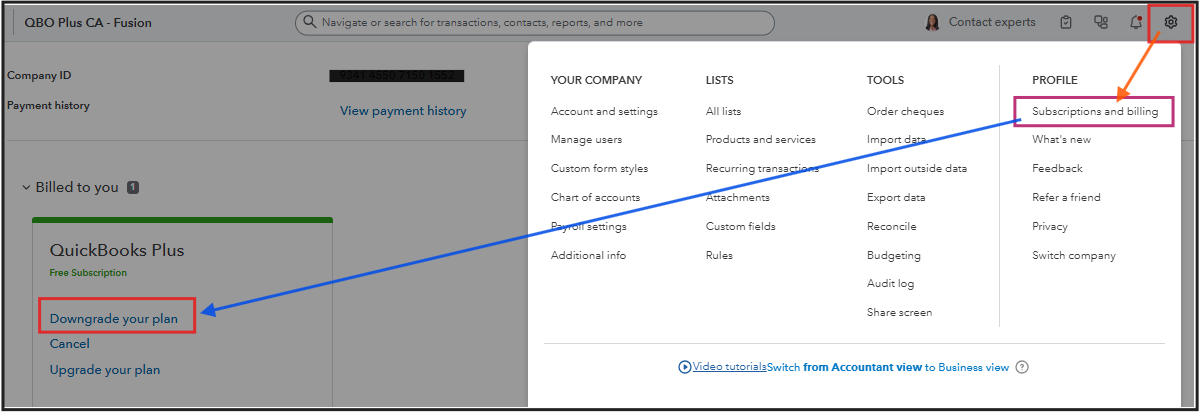
- Go to the Gear icon and select Subscriptions and billing.
- In the QuickBooks Online section, choose Downgrade your plan.
- Review the plans, select Choose plan, and follow the remaining prompts. (Note: Ensure your payment info is up-to-date before downgrading.)
You can leave a reply below if you need further assistance with anything else.


