Turn on suggestions
Auto-suggest helps you quickly narrow down your search results by suggesting possible matches as you type.
Showing results for
Hi there, @mary53.
Thank you for taking the time to follow the steps provided by my colleague.
In addition to the excellent suggestion from SIAB about reinstalling or using the Enterprise trial to isolate the issue, I recommend reaching out to our Live Support Expert team. They can review your setup in detail through a screen-sharing session to better understand and resolve the issue.
Here's how to connect with them:
For more information about our support hours, please see this article: Get help with QuickBooks products and services.
If you have any follow-up questions, please don't hesitate to click the Reply button.
Hi, no I have not tried re installing. That is a last resort and because I can not get into quick books, it has been a week since i have done a back up.
I will have to try and re install. Because I can not even get into quick books pro 2024 now I can not go to the help menu and find the contact us .
Hi, mary53. I appreciate you clearing that up, and the effort you’ve put into consistently replying to this thread.
First, reinstalling QuickBooks Desktop (QBDT) won’t affect your company file or data, it simply helps resolve issues with the application. All you need is to download the installer for your QBDT version and have your license number ready. Once that's all set, uninstall QBDT, then follow the steps in this article on how to proceed: Reinstall QuickBooks Desktop.
As for contacting our live representatives, since you’re unable to access your QBDT, you can follow the alternative steps below to connect with them:
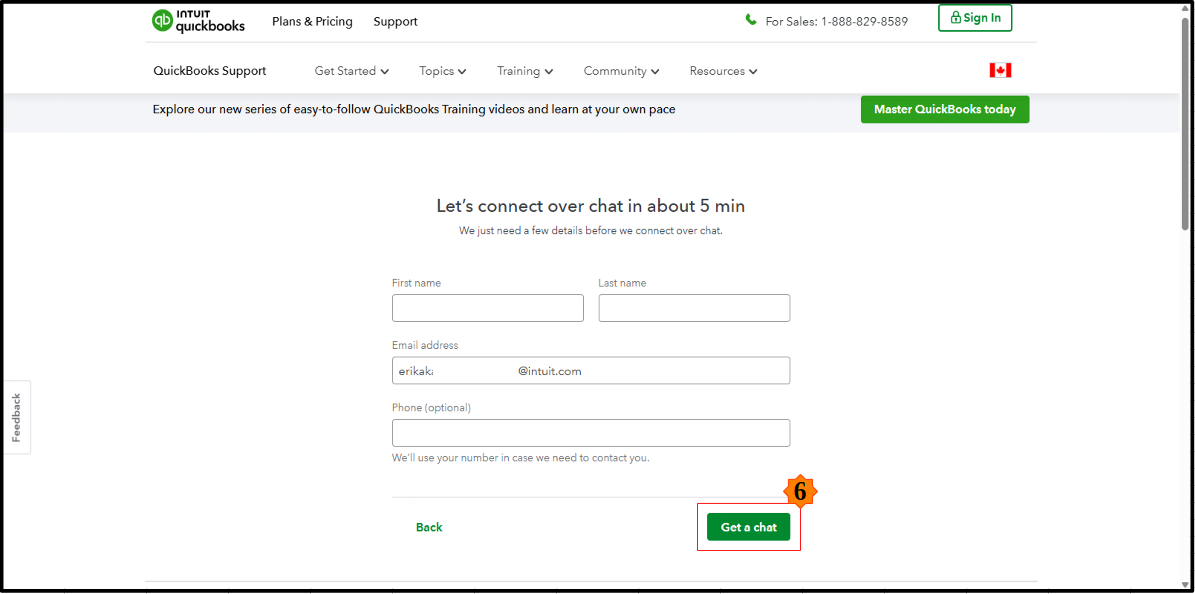
Check out their support hours to determine availability.
Please feel free to comment below if you have any follow-up questions.
Yes, every since the new payroll updates came out I have been having a problem. Still ongoing. Today I will uninstall and reinstall, just need to find my lic. number etc. Because I can not get into quick books now, need to find that. What is quick books desktop enterprise?
Hi @mary53,
I noticed you posted a similar concern on the forum about license number in QuickBooks Desktop (QBDT).
A colleague has already responded to that post. If you haven’t seen their reply yet, you can view it here: https://quickbooks.intuit.com/learn-support/en-ca/other-questions/re-uninstall-and-install-quick-boo...
Feel free to reach out to the Community anytime with questions or concerns about QuickBooks. We’re here to assist you.


You have clicked a link to a site outside of the QuickBooks or ProFile Communities. By clicking "Continue", you will leave the community and be taken to that site instead.
For more information visit our Security Center or to report suspicious websites you can contact us here


