We appreciate the time you’ve spent on fixing the issue with switching back to your previous report, Lana. I'll ensure you get the help you need to get everything working smoothly again.
You can use the Back to report summary option to return to the previous data after opening a drill-down report in QuickBooks Online. Since this option isn't working on your end even after some troubleshooting, I recommend contacting our Live Support team. They have the tools and expertise to determine the root cause of the issue for the most relevant fix.
Here's how:
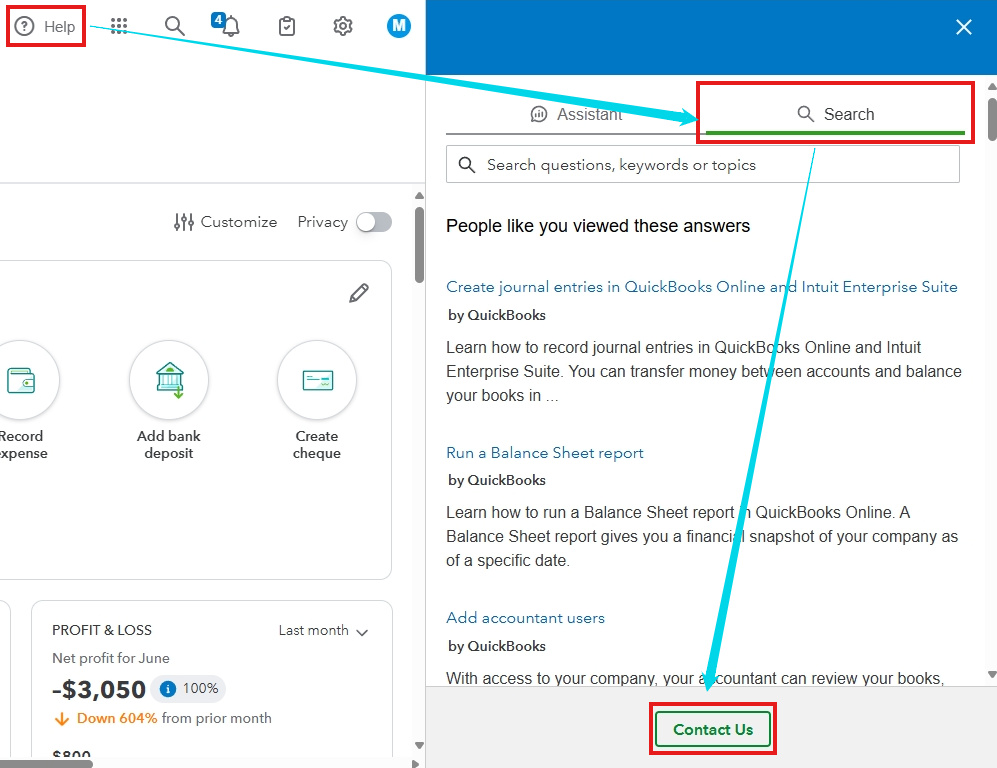
- Click the (?) Help at the top.
- Go to the Search tab, then select Contact Us at the bottom.
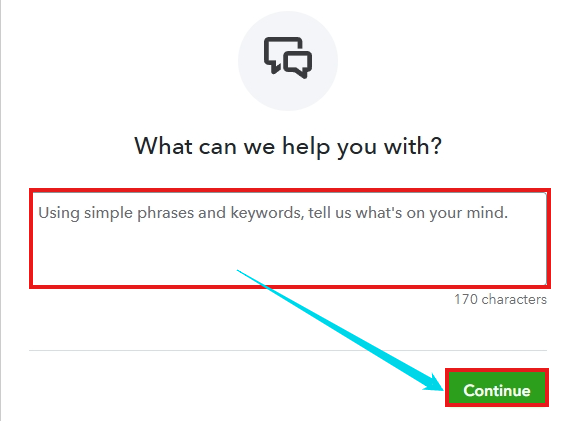
- Enter your concern using simple phrases and keywords.
- Choose how you would like to connect with an expert.
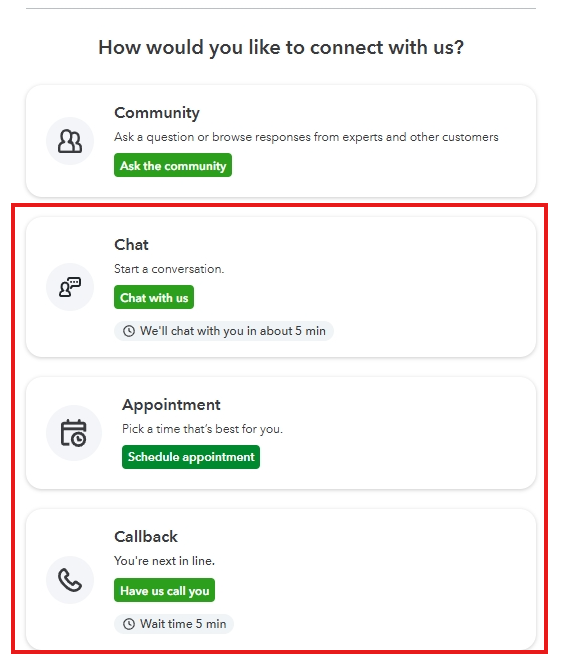
Please also be sure to check their support hours so you can talk with them at the most convenient time.
On the other hand, note that you can utilize the browser's Back button if you're opening multiple reports one after another and you want to switch back to the previous one. Here's a screenshot for visual reference:

Feel free to write down any future concerns in this thread, whether you have questions when navigating your reports or other QuickBooks Online-related queries. We're always ready and eager to assist you in the Community.


