Hi, Demolofy. To review and modify invoices older than one year in QuickBooks Online, follow these steps:
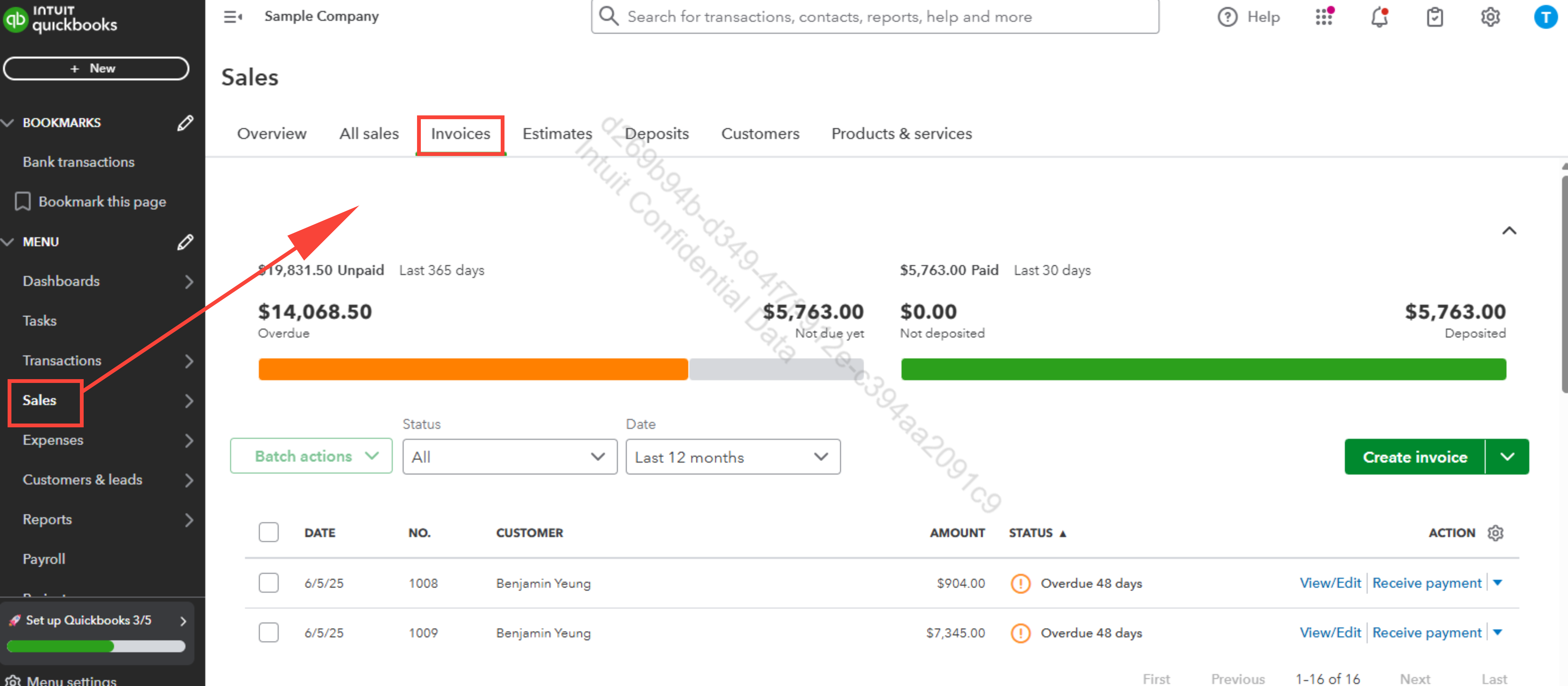
- Go to the Sales menu on the left-hand navigation bar, then select Invoices. You’ll see your list of invoices.
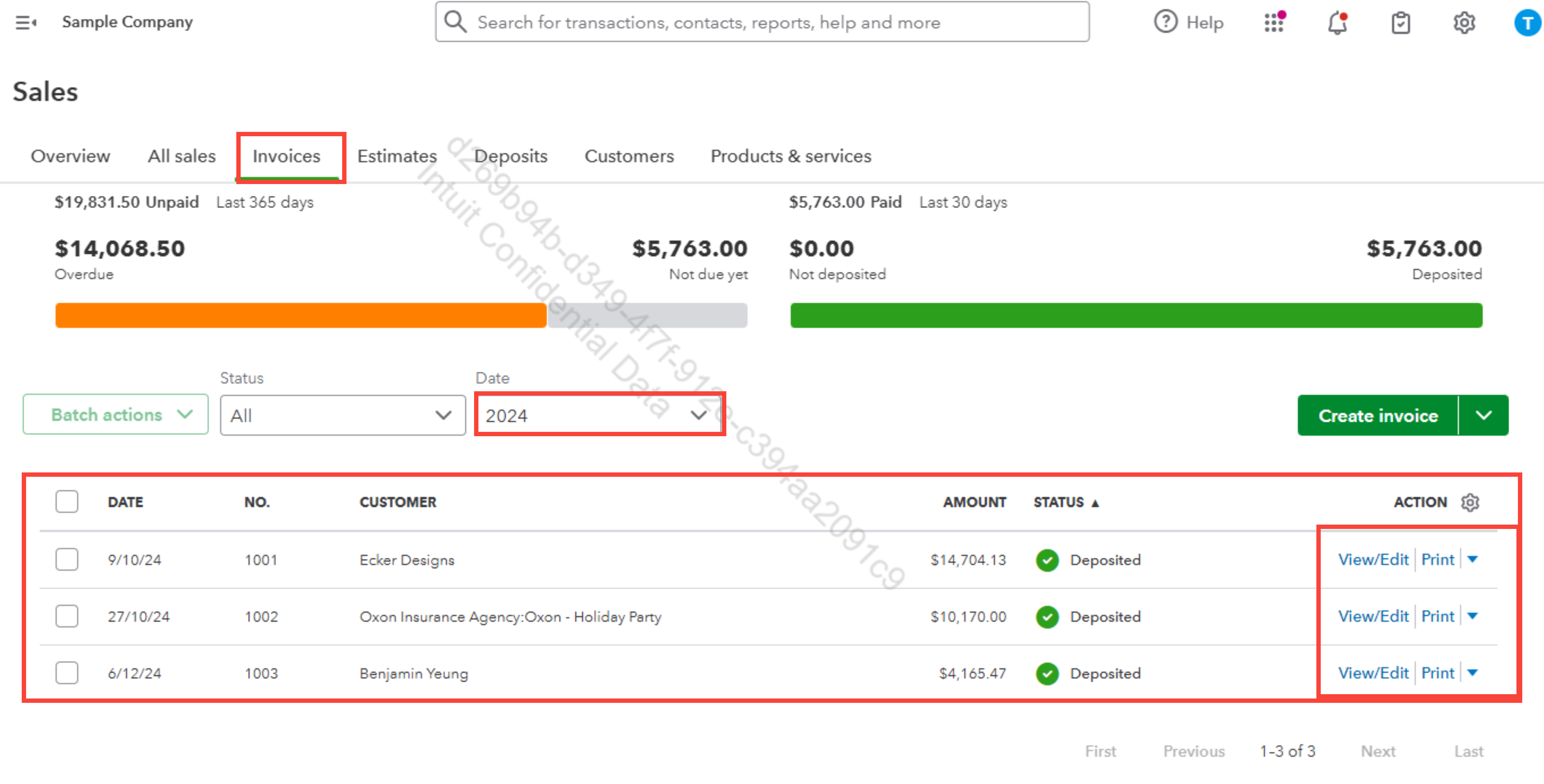
- Use the Filter option at the top. Set the date range that covers invoices older than one year. Apply the filter to view only the relevant transactions.
- Find the invoice you want to update. Click it to open.
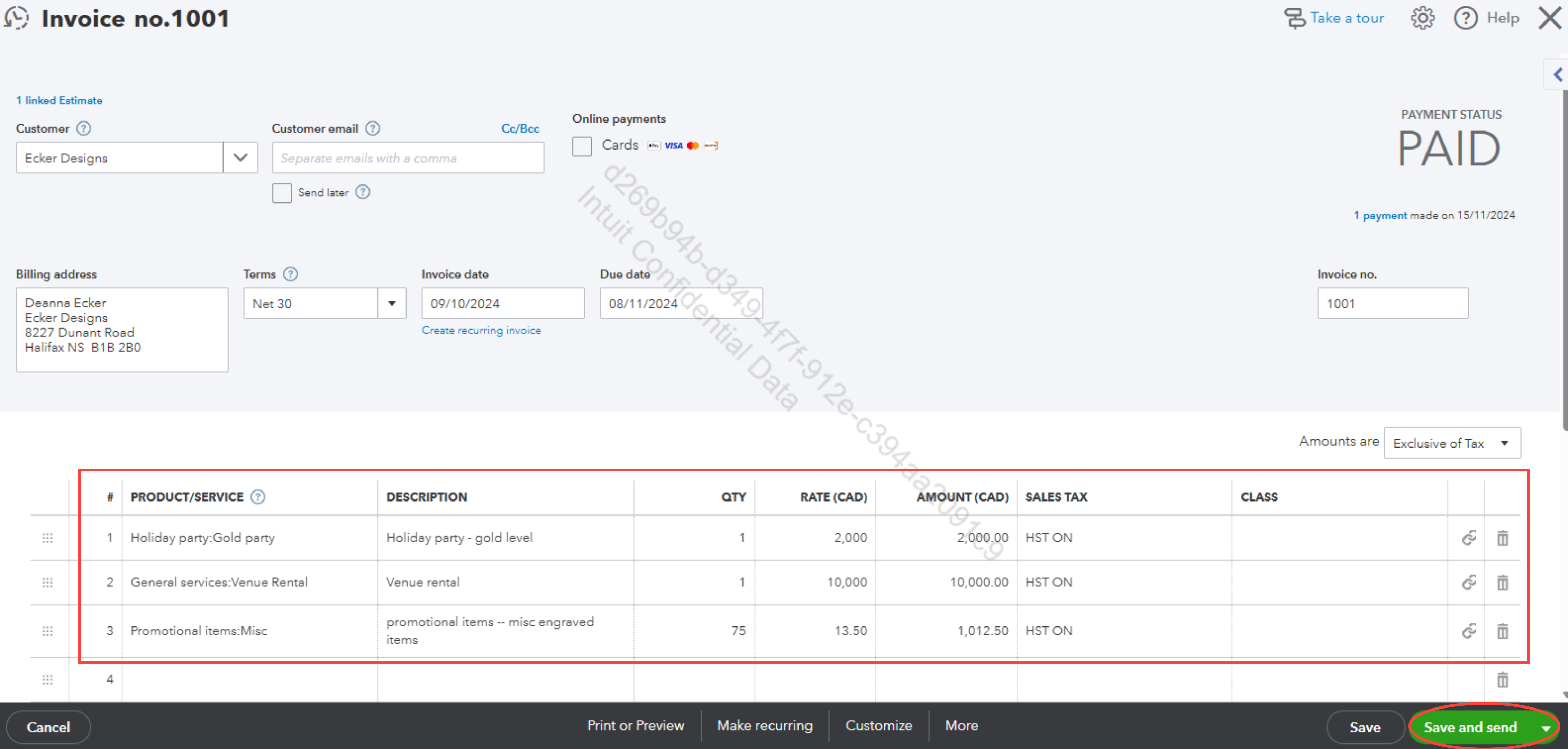
Make the required updates to the invoice, such as modifying the details, amounts, or payment status, and then click Save or Save and Close to apply the changes.
Let me know if you need anything else.


