

Making Tax Digital
Making Tax Digital (MTD) for Limited Companies explained
Simple, smart accounting software - no commitment, cancel anytime


PAYROLL


Payroll is a necessary part of running a business to ensure your teams get paid accurately and on time. Unfortunately, payroll accounting can be confusing—especially for small business owners who don’t have a dedicated department to handle these responsibilities. This is where automated payroll comes in.
In its most basic sense, automated payroll involves using dedicated payroll software to automate the process of calculating payroll - including taxes, deductions, contributions, and more.
Learn what payroll automation is, how to automate payroll, and which systems are available with this QuickBooks guide.
Payroll automation streamlines a range of complex payroll tasks, saving you time and helping to improve accuracy
Automated systems for payroll contribute to staying compliant with HMRC regulations, like tax codes, deductions and reporting.
Successfully implementing a new automated payroll process involves preparation, training—and choosing the right tool for your business needs.
Automated payroll is the process of streamlining payroll tasks with appropriate software to reduce the amount of manual work required, making payroll as efficient as possible.
There’s a lot more work involved in payroll accounting than simply sending your employees money each week or month. To remain HMRC compliant, you should follow proper record-keeping and be aware of several things that affect an employee’s take-home pay, such as:
National insurance
Benefits
Pensions
Student loans and other deductions.
These factors can change throughout the year and at each new tax year. They are also unique from employee to employee, all of which can make payroll complicated.
Automated payroll is designed to simplify each element and calculation, reducing the risk of error and streamlining the process. Importantly, it helps to free up your time too.
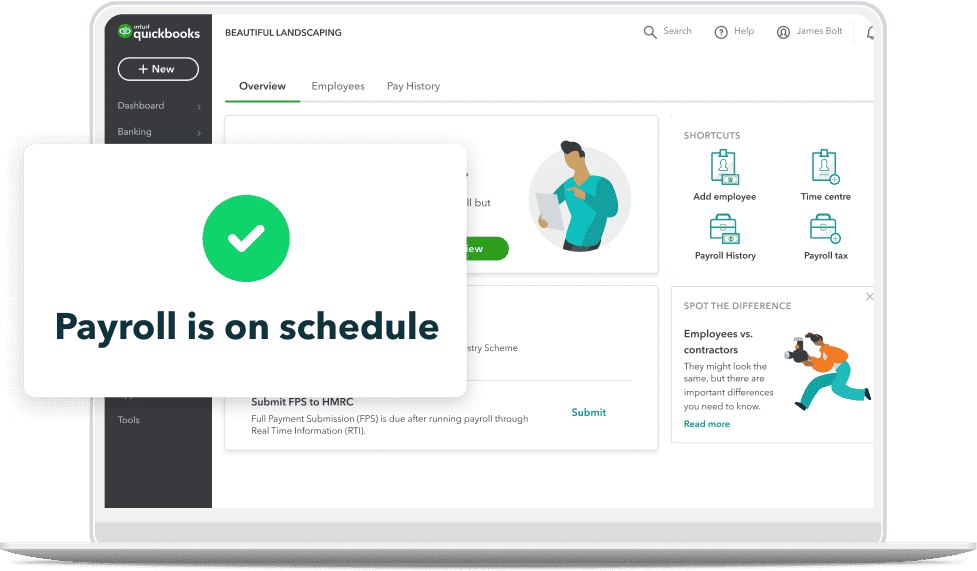
Automated payroll software handles your business and employee information related to payroll. It can run payroll-specific tasks and calculate all the necessary information required for each month (and end of year reports). At the bare minimum, it calculates payroll for you, but QuickBooks payroll software can also:
Update tax codes or student loan information
Generate payroll reports or posting journals
Send employee payslips and submit to pensions
These processes could take much longer to do without the help of dedicated software and automations, which lets you focus your efforts on business growth.
Payroll automation can handle many of the primary payroll tasks that would otherwise take time out of your day, making it an essential time-saver for companies big and small. These lengthy, challenging, or intricate activities include (but are not limited to):
Wage calculations and deductions, such as pensions and benefits
Payslip generation and pay distribution
Income Tax and National Insurance calculations
Reporting and compliance in line with current employment laws
Data entry through system integration
By learning how to automate payroll and integrating it into your existing systems and processes, you may be able to reduce compliance errors, reduce time spent on administration, and make the most out of the hours in your workday.
We’ve already mentioned that the goal of automated payroll is to speed up the process, reduce manual tasks, and save you time, but let’s take a more detailed look at all the benefits:
Running payroll manually requires a lot of time and resources that could be spent on other important business matters that need your attention. Many payroll systems can save you time and money by automating much of the process in the background.
Using automated software also eliminates the risk of human error that might happen with manual data entry for payroll calculations. Payroll systems can use advanced technology to calculate figures like deductions and overtime pay for the highest level of accuracy. They may also automatically keep up to date with changes in tax each financial year.
Your employees work hard for your business. You want to make sure they’re paid correctly and on time, and automation does just that. Automated payroll solutions help ensure that you meet payment deadlines and calculate the correct withholdings for your employees, so even when you’re busy, your team gets paid.
Taxes are undeniably complicated, but automated payroll makes it a little bit easier to navigate. Automated payroll will help with things like deducting national insurance and pensions from employees’ wages, so you don’t have to figure it out on your own. Not only will this make things easier for you, but you can also enjoy peace of mind knowing that you’re complying with HMRC regulations and tax laws.
Many automated payroll systems offer employees the freedom to view their paycheques and edit their information, reducing the direct burden on you. With the right payroll system, employees can easily view their payslips, update their personal information, and view deductions.
Digital payroll systems often use encryption that ensures sensitive data is protected. In traditional payroll processes, companies would store large amounts of employee data physically with printed spreadsheets or payslips. Digitising and automating your payroll process will allow you to securely store protected data.
Audits require you to gather a large amount of data to be compared with the records the government holds on your finances, to discover any potential discrepancies. Your company may be subject to audits for several reasons, so it’s important to be ready.
Holding a digital record of your payroll will allow you to easily access and organise your data, meaning you can be prepared for these audits whenever they happen.
Payroll automation, while incredibly helpful, can be affected by a number of important factors you should be aware of. While not an exhaustive list, these can include things such as:
Inaccurate data entry or incorrect data. While payroll automation can help with consistency, if you’re feeding it poor quality data then the output could cause problems.
Unsynchronised HR systems. As above, differences in data between your existing systems can lead to incorrect results from automated activities. It’s important to synchronize your other HR systems to make sure the flow of information between them is working.
Employee training. Untrained employees can lead to errors or underutilisation of payroll systems, so it’s important to make sure the right on-boarding and instructions are given.
System transitioning and set-up. Moving from existing or legacy systems can be a challenge for companies implementing new software, with plenty of potential pitfalls.
Cost/investment. Not all payroll systems are made equal, and some may be out of budget for smaller companies. Take the time to review your options to find the right plan for your business.
If you’re ready to automate your payroll, then you might be wondering how to go about doing it. There will be variations according to the software you choose, but it will likely follow these steps:
Before you dive in and automate your payroll, it’s important to examine your current processes to understand what you want to address or change. That way, you can determine what is most beneficial for you. You might want to consider things like compliance, data transparency, efficiency, introducing more benefits, increasing accuracy, or boosting regulatory compliance.
Each payroll software solution available vary slightly from the next. With different user interfaces, functions, and costs, it can be hard to find the right one for you. Think about what your top priorities are as a business and pick the tool that best meets those demands.
For example, it might be important for to you to be able to combine payroll into your accounting software so your financial decisions can be made from a single source of information. In this case you would need to choose payroll software that is integrated with your accounting system—like QuickBooks.
Consider things such as the size of your organisation, the potential cost of the payroll solution, projected future growth, as well as your team's skill level with these platforms.
If you already use payroll software but are looking to switch, read our article on switching payroll companies.
To maximise the accuracy and efficiency of a payroll automation system, you need to collect, collate and organise any data. Once you’re certain the data is clean, it’s then ready to transfer. This is a vital step: remember, payroll automation runs on what it is fed. Poor quality data could lead to incorrect outputs, like pay inaccuracies or compliance issues.
Once your data is ready, you’ll then need to add it to your payroll software. Your provider will guide you through what information they require, but this will typically include details such as:
Your business details—such as your employer PAYE reference number and number of employees.
Your employees’ details—their national insurance numbers and bank details, as well as contributions, student loan plans, etc.
Payroll records—such as all salary and wages payments, staff leave and absences, copies of all PAYE coding notices (P9T) which have been received, in addition to other required documentation.
With QuickBooks, you can seamlessly import your accounting and payroll data using spreadsheets. If you’re switching from another payroll solution, you should be able to export your payroll data as a CSV or an FPS, which can easily be imported into your new solution.
Bear in mind that it can often be easier to wait until the end of the tax year before moving to a new payroll system. You can then start the new tax year using your new payroll platform, without potentially running into problems with data export or transfer.
Try to make sure there’s plenty of time for your team to familiarise themselves with the new software. This could involve basic functions, updating records, setting up new automations, setting preferences or running reports. If you’re leading on the transition to an new automated payroll system, it’s important that you yourself have a good understanding of how it works.
Keep digital records, submit quarterly updates to HMRC, and finalise your Income Tax at the end of your accounting period with Intuit QuickBooks.
Explore plans & pricing
While you might be keen to take your new, automated payroll process for a whirl, you may want to hold off on the grand reveal for a moment. It’s important to curate a test environment to experiment with and configure your new system. This can help you determine failure points, ensure it all works correctly, and be certain that it meets your needs. If not, you can adjust without disturbing the live environment and possibly causing complex real-world problems.
It’s important to be transparent when it comes to people’s pay, so informing your employees of the change can be helpful. It means if their payslips look different, they won’t be confused or concerned about the change. If your solution provides an employee portal, giving your employees access will allow them to access and update their own data.
As we’ve mentioned, different payroll software providers will feature different things in their products. It’s important to find the one that meets your business’ requirements.
Firstly, consider what you’re looking for from your payroll system, and you can prioritise features from there. Some things you might wish to prioritise are:
PTO (paid time off) tracking
Employee data management
Reporting
HMRC recognised software
Time and attendance tracking
Employee self-service access
Software integrations
Same-day direct deposit
24/7 support
Cloud-enabled
Mobile app
Pension auto-enrolment
Automation for pay runs, pension distributions, tax code updates and more
In addition to these features, you might also want to ask yourself a couple of questions to gauge if it’s the right fit. Questions to ask could include:
Which parts of the payroll system are automated?
Will this automated payroll system work with my current HR software or processes?
Will this software work with the size of my company?
Can this software keep up with my growing business? Are there user/employee caps that would impact my business as I scale?
Does this system include all the features that are important to me?
Will using this automated payroll system save my business time and money?
Does this solution fit into my current business budget?
Does this software enable cloud accessibility for remote access and backup?
Does it integrate with my accounting software?
Is the cost structure transparent and favorable, or are there hidden/add-on fees I need to consider?
In what ways can I contact customer support? Do they have chat/phone, or only email/web articles?
Once you’ve answered the above questions, you should have a better idea of which payroll system is right for you.
Automating payroll can be beneficial for businesses of all sizes. Regardless of the number of employees, managing payroll is often time-consuming without the right tools. But switching over to automated payroll can help to ease the workload and free up resources for your business.
You might be holding off due to budgetary concerns; after all, many small businesses find themselves strained in the first few years. However, while manual payroll may work if you have a just a few employees, keeping up with it will become increasingly difficult—and inefficient—as your business grows.
That’s why it may be beneficial to set up automated payroll before you get to a point where you’re overwhelmed, and things start slipping through the cracks.
QuickBooks prides itself on offering affordable solutions for small businesses. Check out our plans and pricing here.
As well as improving your general payroll processes, implementing automated payroll comes with other benefits to your wider organisation.
During the employee transfer process, you will need to manually input a large amount of data, particularly if you are transferring multiple staff members.
The data required to transfer a new employee is required by several departments, such as payroll, HR, and legal, but data entry is repetitive and prone to errors.
Thankfully, by automating your payroll process, not only will there be fewer opportunities for clerical errors, but you can also automatically send digital employee records to relevant departments to ensure a smooth transfer process.
Salary reviews are a necessary process for several reasons, such as promotions, pay rises, business-wide financial reviews, or in companies where salaries are regularly adjusted, such as sales.
This process will be made easier when payroll has been automated, allowing you to access and collate financial data from accurate digital records.
Your tax reporting process can be made easier with payroll automation, by allowing easy data transfers that can be synchronised across several systems and departments within your company.
Maintaining an accurate record of tax is essential to producing accurate tax reports, helping you avoid unnecessary audits or investigations from HMRC.
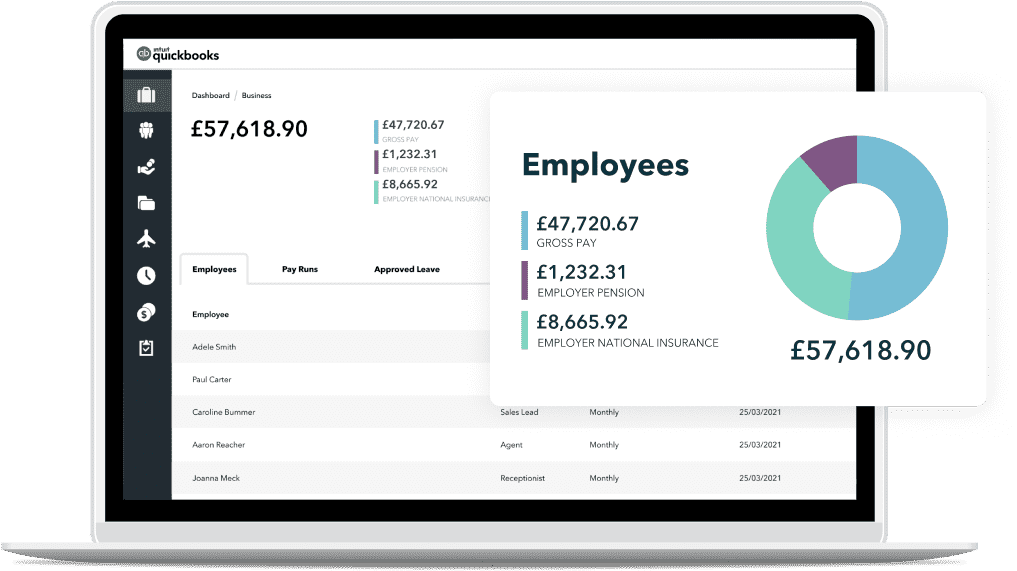
QuickBooks’ payroll software is designed to make payroll smooth and easy for small businesses. It integrates with our accounting software and other financial tools so you can keep all your finances in one place—and easily accessible at the click of a button.
Directors and first-time employers can choose our Payroll Core to easily manage their payroll in one place.
For larger teams or medium-sized businesses, Payroll Premium offers time tracking, insights and automation.
Our ultimate all-in-one payroll platform, Payroll Elite, goes a step further with features for client billing, and project tracking and profitability.
Automatically set up pay runs, submit to multiple pensions, update tax codes and generate reports—helping you understand and run your business efficiently.
We offer two solutions to help you automate payroll in a way that's right for your business.
Perfect for: director-only businesses and small employers who need speed and simplicity.
HMRC-recognised
Automatic pay runs
Pay employees weekly and/or monthly
Generate payslips
Calculate statutory maternity, paternity and sick pay
Perfect for: employers who need HR features and the in-depth analysis of customisable reports.
Everything in Core Payroll, plus:
Timesheets
Choose any payroll frequency
Employee portal & HR features
Calculates 5 statutory payments
Automatic pension submissions to 5 pension providers
Learn more about Advanced Payroll
In today’s world, just about everything can be automated. So why shouldn’t your payroll be automated too?
Need help with your payroll processes?
Find an accountant or bookkeeper near you.
[Retain Graphic]
Introducing and learning how to use automated payroll isn’t reserved for large businesses; smaller companies can benefit too. Many solutions, such as QuickBooks, can scale with the size of your enterprise. That means you can benefit from increased accuracy and time savings at all business sizes. Just choose a solution that’s suitable for your company and needs.
To successfully implement an automated payroll system, you need to ensure you have accurate records of your employees’:
personal details
salary or hourly pay rates
up-to-date bank account details
records of any benefits or deductions.
Additionally, you should prepare any employee earnings for the year to date, employee earning for the year to-date, PTO (paid time off) balances and any other historical data. You may also need to have company information such as PAYE employer reference number and absence records to hand.
Yes, you can create a robust and cost-effective payroll solution with Excel, which could work for microbusinesses or freelancers. However, this can be a time-consuming method with a high risk of human error. As your business grows, you may find this method hard to scale, making automated payroll solutions a suitable long-term option.
The information on this website is provided free of charge and is intended to be helpful to a wide range of businesses. Because of its general nature the information cannot be taken as comprehensive and they do not constitute and should never be used as a substitute for legal, accounting, tax or professional advice. We cannot guarantee that the information applies to the individual circumstances of your business. Despite our best efforts it is possible that some information may be out of date. Any reliance you place on information found on this site or linked to on other websites will be at your own risk.
This information is intended to outline our general product direction, but represents no obligation and should not be relied on in making a purchasing decision. Additional terms, conditions and fees may apply with certain features and functionality. Eligibility criteria may apply. Product offers, features, functionality are subject to change without notice.
Share:
Subscribe to get our latest insights, promotions, and product releases straight to your inbox.
9.00am - 5.30pm Monday - Thursday
9.00am - 4.30pm Friday

