Turn on suggestions
Auto-suggest helps you quickly narrow down your search results by suggesting possible matches as you type.
Showing results for
Avertissement: Cela a été initialement publié en anglais et traduit à l'aide d'un traducteur en ligne. Vous pouvez voir la version anglaise ci-dessous.
Oui, vous pouvez modifier le compte pour le rabais dans la section Compte et Paramètres de votre compte QuickBooks en ligne, @bossemichele.
Voici comment faire :
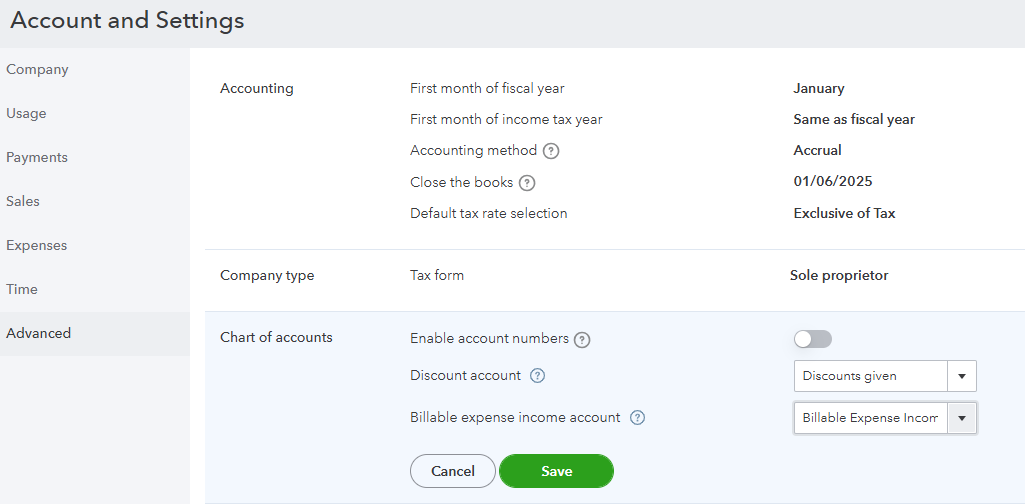
Lorsque vous recevez un paiement de facture, consultez cet article pour connaître les étapes détaillées afin d'enregistrer l'argent reçu: Enregistrer les paiements de factures dans QuickBooks en ligne.
Commentez ci-dessous si vous avez des questions supplémentaires sur la gestion des factures dans QuickBooks en ligne.
This was originally posted in English and translated using an online translator. You can see the English version below.
Yes, you can change the account for the discount from the Account and Settings of your QuickBooks Online account, @bossemichele.
Here's how:
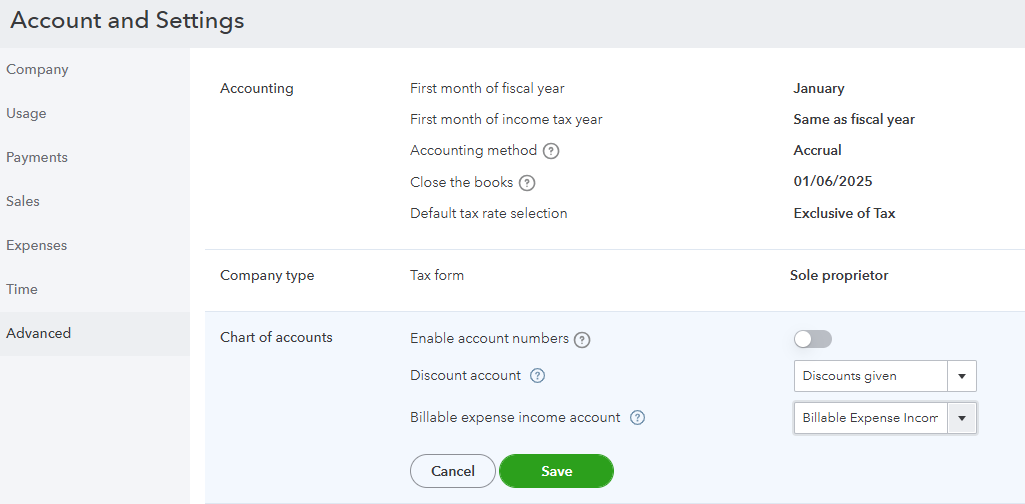
When you receive an invoice payment, refer to this article for the detailed steps in recording the money you received: Record invoice payments in QuickBooks Online.
Comment below if you have additional questions about managing invoices in QuickBooks Online.
Merci pour la réponse!
Est-ce que vous savez si c'est possible d'ajouter une Classe aux rabais ?
Oui, vous pouvez y parvenir en créant un élément de service de réduction sur vos factures, Bossemichele.
Voici comment vous pouvez le faire :
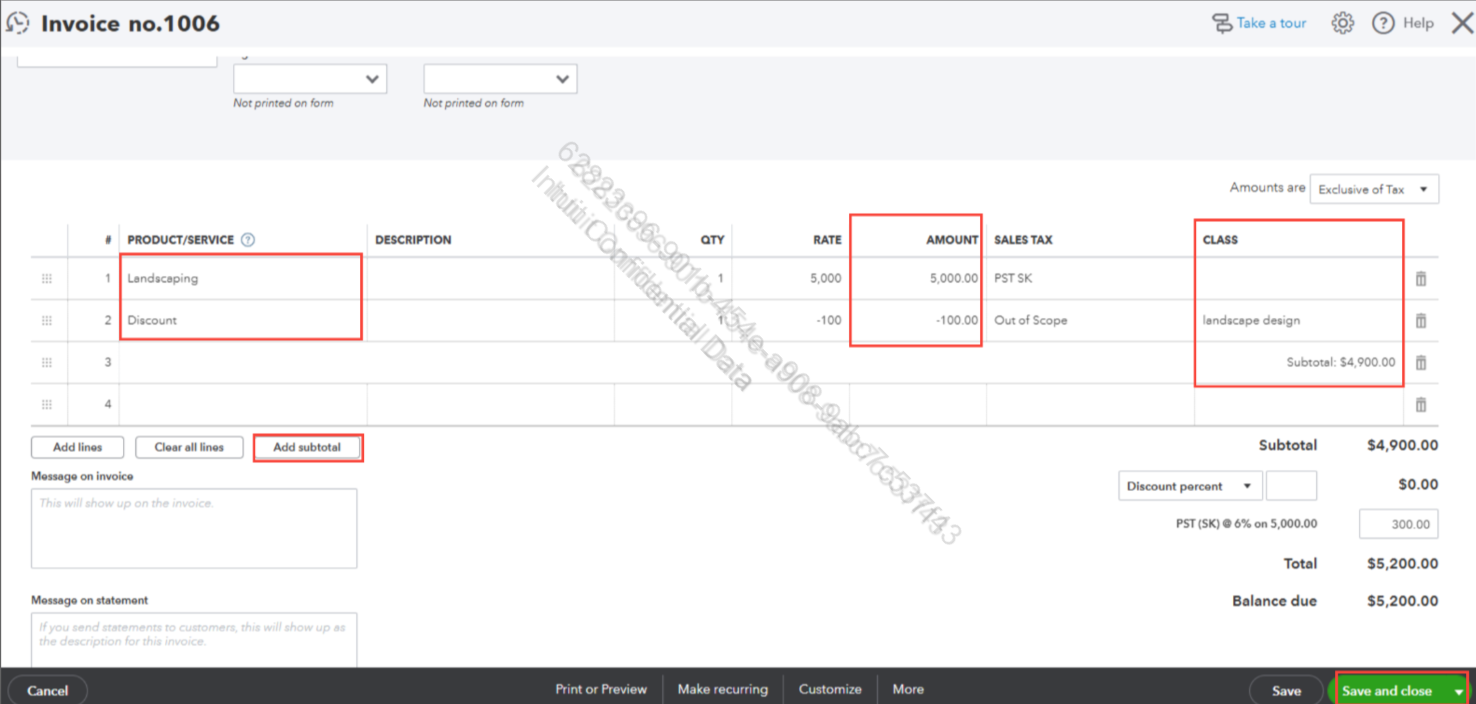
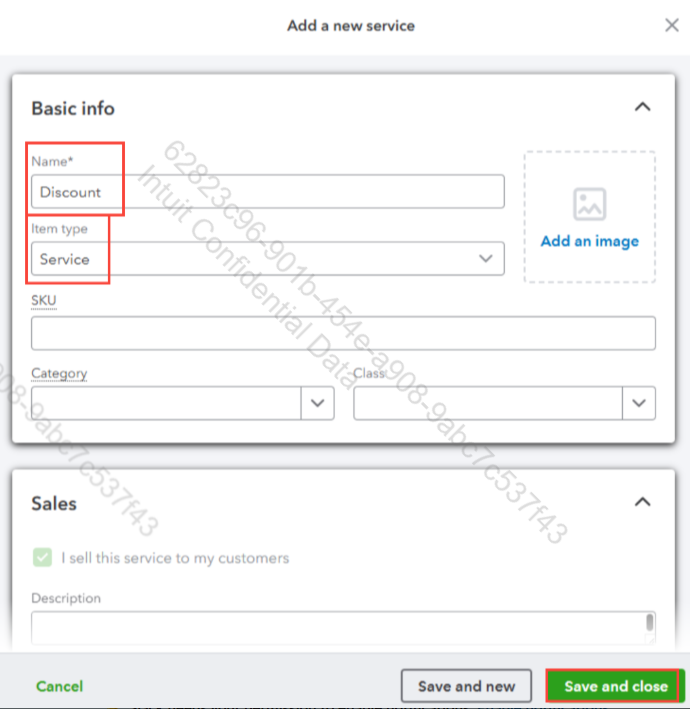
QuickBooks Online vous permet d'attribuer des classes ligne par ligne sur les factures. Vous pouvez désormais attribuer une classe à l'article de service à prix réduit, comme vous le feriez pour n'importe quelle autre ligne.
De plus, si vous souhaitez enregistrer un paiement partiel pour une facture, vous pouvez vous référer à cet article comme guide futur: Enregistrer un paiement partiel.
Contactez-nous si vous avez d’autres questions sur QuickBooks.
Avertissement : Veuillez noter que j'ai utilisé notre outil de traduction français-anglais pour comprendre et résoudre votre préoccupation.
Yes, you can achieve this by creating a discount service item on your invoices, Bossemichele.
Here’s how you can do it:
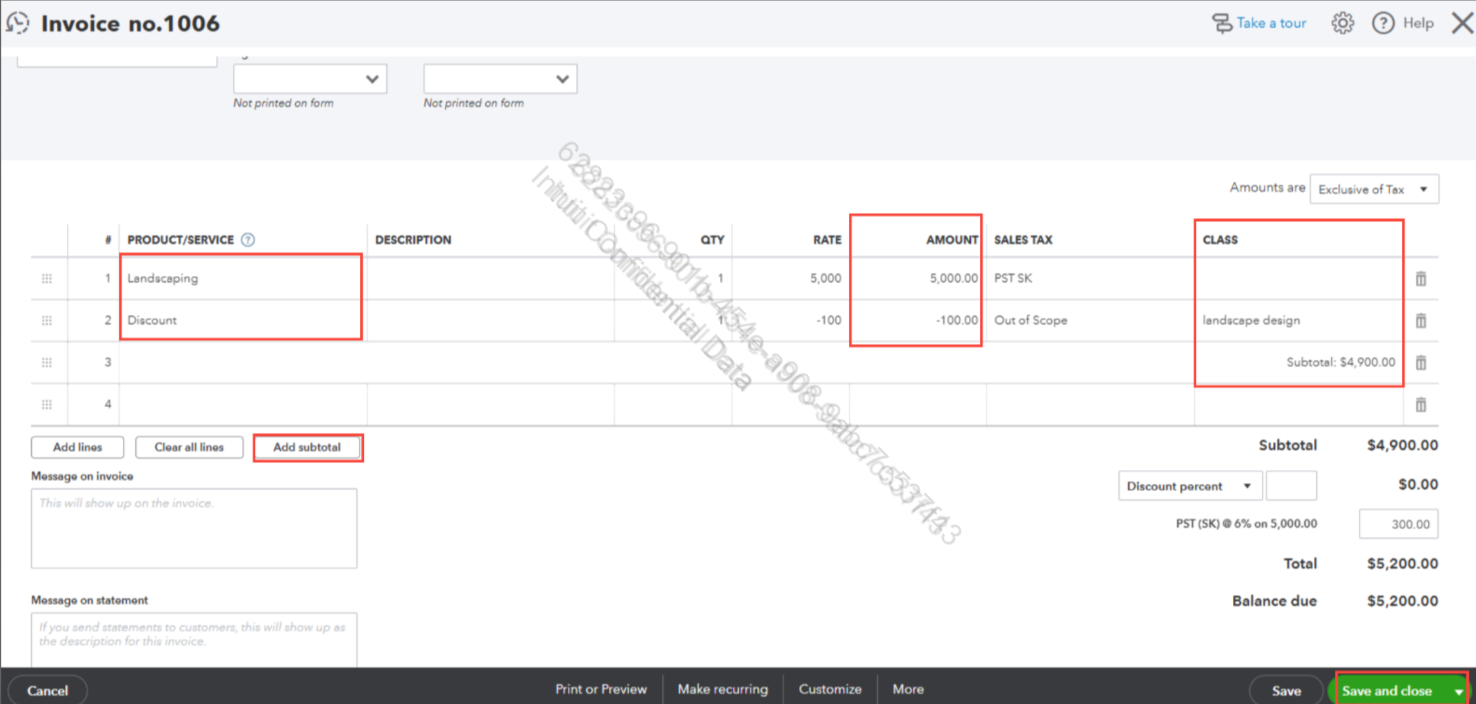
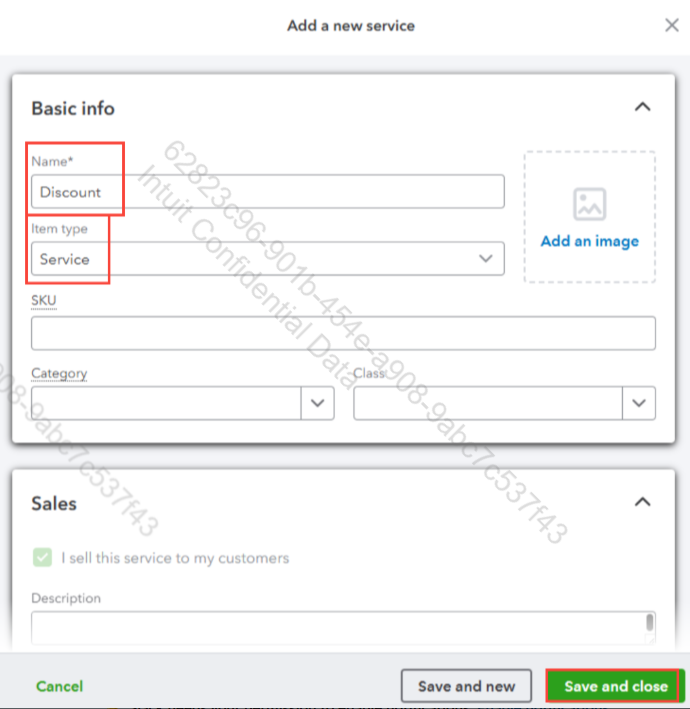
QuickBooks Online allows you to assign Classes line-by-line on invoices. You can now assign a Class to the discount service item, just like you would to any other line item.
Also, if you want to record a partial payment for an invoice, you can refer to this article as your future guideline: Record Partial Payment.
Get back to us if you have further questions about QuickBooks.
Disclaimer: Please note that I have utilized our French-to-English translation tool to comprehend and resolve your concern.


You have clicked a link to a site outside of the QuickBooks or ProFile Communities. By clicking "Continue", you will leave the community and be taken to that site instead.
For more information visit our Security Center or to report suspicious websites you can contact us here


