Hello, @calle.
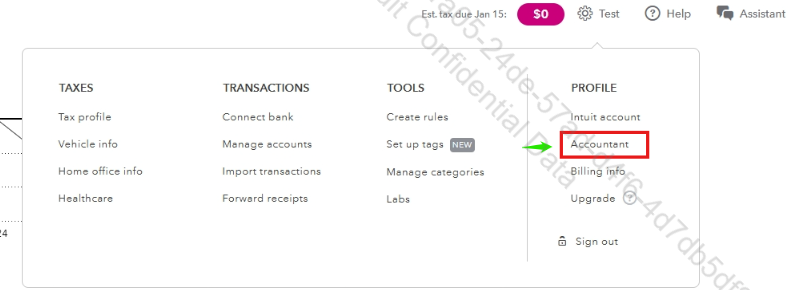
You can add your accountant to your QuickBooks Self-Employed (QBSE) account by going to the Gear icon on the upper right corner of your screen.
The next steps are as follows:
- Click on Accountant under PROFILE.
- Select Invite firm.

- Input the First name, Last name, and Email of your accountant.
- Hit Save once done.

You can try opening QBSE on a different supported web browser if the Accountant option doesn’t show.
If the issue persists, you can contact our live support team.
Here’s how:
- Go to the Help button in the top-right corner.
- Click Contact Us.
- Provide a brief description of your concern and Continue.
- Choose between Chat with us or Have us call you as your preferred option.
You can check our support hours to see when assistance is available and ensure you receive help promptly.
We encourage you to leave a reply below if you have further questions regarding QBSE.


