Woman using tablet in modern office lounge
Payroll

What is a pay period? A guide for Canadian employers


Key Takeaways

  • A pay period is the recurring time frame used to track hours worked and calculate employee wages.

  • Canadian employers typically choose between weekly, biweekly, semi-monthly, and monthly pay schedules.

  • There are different revenue recognition models established by ASPE, IFRS, and GAAP in Canada.

  • Your pay period affects overtime calculations, payroll processing, and how frequently payroll deductions are calculated for CRA remittance.

  • Choosing the right pay schedule requires balancing compliance, cash flow, administrative workload, and employee needs.


  • If you’re asking what a pay period is, you’re likely setting up payroll or reviewing your current pay schedule. In Canada, a pay period determines how often employees are paid and how wages are calculated under provincial employment standards. It influences how hours are recorded, how overtime is calculated, and how consistently employees receive their earnings. Choosing the right structure reduces payroll mistakes and creates predictable paydays your team can rely on.

    This guide breaks down how pay periods work, the most common pay schedules used across Canada, and what to consider when selecting one for your business. You’ll also learn how you can use QuickBooks Payroll to simplify scheduling and manage payroll with confidence.

    What is a pay period ?

    A pay period is the recurring time frame used to track hours worked and calculate employee wages. For example, if your pay period runs from January 1 to January 14, all hours worked during that period are included in the corresponding paycheque.

    Each pay period has a defined start and end date. During that cycle, employees earn regular wages, overtime, and other eligible earnings that must be calculated accurately.

    Because payroll is calculated within each pay period, the structure you choose affects how overtime and statutory holiday pay are calculated and how payroll deductions are computed and recorded.

    While CRA remittance deadlines are based on your remitter type, your pay period determines how often payroll is calculated and how frequently deductions are prepared for CRA remittance.

    Pay period definition with QuickBooks illustration

    Pay period vs. pay cycle vs. pay date

    When processing payroll, it helps to distinguish between these related terms:

    • Pay period: The specific range of dates during which employees work and earn wages.
    • Payroll cycle (or pay cycle): The time after the pay period ends when payroll is calculated and processed.
    • Pay date: The day employees receive their pay.

    The payroll process follows this sequence:

    Pay period ends → Payroll is processed (pay cycle) → Pay date

    Common pay period types

    Canadian employers typically choose from four pay period structures: weekly, biweekly, semi-monthly, and monthly. Each option determines when employees are paid and how your payroll calendar is organized. Below is a side-by-side comparison of the four pay period structures:

    Pay Period Types
    Pay period type Pay periods per year Pros Cons
    Weekly
    (Every week)
    52 Frequent pay supports hourly staff; simpler overtime tracking. Higher administrative workload; more frequent payroll runs.
    Biweekly
    (Every two weeks)
    26 (occasionally 27) Balanced processing schedule; predictable cadence. Occasional 27th pay period; disrupts standard annual payroll budgeting.
    Semi-monthly
    (Twice per month. E.g., 15th and last day)
    24 Fixed pay dates; common for salaried roles. Overtime calculations can be more complex; pay periods don't align evenly with weeks.
    Monthly
    (Once per month)
    12 Fewer payroll runs; lower administrative frequency. Longer gap between paycheques; may impact employee cash flow.

    Weekly pay period

    A weekly pay period means employees are paid once per week, for a total of 52 pay periods per year. 

    For example, if your pay period runs Monday to Sunday, all hours worked during that week are calculated for that paycheque. The tradeoff is that payroll must be processed every week, which increases administrative effort.

    Biweekly pay period

    A biweekly pay period means employees are paid every two weeks, usually resulting in 26 pay periods per year.

    For example, hours worked from January 1 to January 14 would be included in the next scheduled payday. In some calendar years, this structure can result in 27 pay periods, which requires advance planning.

    Semi-monthly pay period

    A semi-monthly pay period means employees are paid twice per month on fixed dates, such as the 15th and the last day of the month, for a total of 24 pay periods per year. 

    For example, earnings from the 1st to the 15th are paid on the mid-month payday. Because these periods don’t align evenly with weeks, overtime calculations can be more complex.

    Monthly pay period

    A monthly pay period means employees are paid once per month, resulting in 12 pay periods per year. 

    For example, all hours worked in March would be paid on the designated monthly payday. The tradeoff is a longer gap between paycheques, which may affect employee cash flow.

    The right pay period depends on how your business operates and the needs of your team. Consider whether frequent pay makes sense for your workforce, how payroll affects your cash flow, and how each structure influences overall employee costs.

    A person sitting in front of a laptop computer.

    Payroll made easy

    Simplify your payroll processes and taxes with QuickBooks - effortlessly complete forms and quickly run payroll with auto payroll and direct deposit.

    Key factors to consider when choosing a pay schedule

    The pay schedule you choose affects how you process payroll and how money moves through your business. Here’s what to consider before making a decision.

    Provincial employment standards

    Each province and territory sets minimum pay frequency requirements and deadlines for issuing wages under its employment standards legislation. Your pay schedule must comply with local rules and align with CRA remittance obligations.

    Although remittance deadlines are determined by your remitter type, a consistent pay schedule makes it easier to calculate deductions accurately and stay organized ahead of required remittance dates. Payroll software that automatically calculates statutory deductions and prepares remittance summaries can help support compliance and reduce manual errors.

    Employee preferences

    Pay frequency can influence how employees manage their finances. Some prefer more frequent pay to cover recurring expenses. While others are comfortable with semi-monthly or monthly pay, especially if their bills follow fixed cycles.

    Whatever structure you choose, consistency matters. A predictable pay schedule helps employees plan ahead and builds trust. Using payroll software to automate calculations and direct deposits helps ensure employees are paid accurately and on time, regardless of frequency.

    Cash flow management

    Your pay schedule affects how often funds leave your business. Weekly payroll creates more frequent outflows, while monthly payroll allows longer gaps between payments.

    Selecting a structure that aligns with your revenue cycle can help stabilize cash flow. Payroll reporting tools that provide visibility into upcoming pay runs and deduction totals make it easier to forecast expenses and plan ahead before remittance deadlines arrive.

    Administrative costs and workload

    More frequent payroll runs increase processing time and administrative effort. Manual calculations can also increase the risk of errors in overtime, statutory pay, and deductions.

    Pro-tip: Automated payroll systems like QuickBooks Payroll reduce repetitive calculations, generate required reports, and simplify recordkeeping. This improves efficiency and can help control overall payroll processing costs while maintaining accurate deduction tracking.

    Industry practices

    Many industries follow common pay cycles. Construction and retail often use weekly or biweekly schedules, while professional services may prefer semi-monthly or monthly pay.

    Aligning with industry norms can help meet employee expectations. Flexible payroll software allows businesses to create and manage multiple pay schedules within one system if different employee groups require different structures.

    Comparison of $70,000 Salary Across Pay Periods

    Simplify your payroll scheduling with QuickBooks

    Once you understand what a pay period is and which schedule fits your business, the right payroll system can make payroll processing more efficient across every pay cycle.

    With QuickBooks Payroll, you can set up pay schedules, automatically calculate CPP, EI, and income tax deductions, and prepare payroll remittance summaries within the same system. By keeping scheduling, deduction calculations, and remittance tracking in one place, you can reduce manual work and stay organized within your required remitter deadlines.

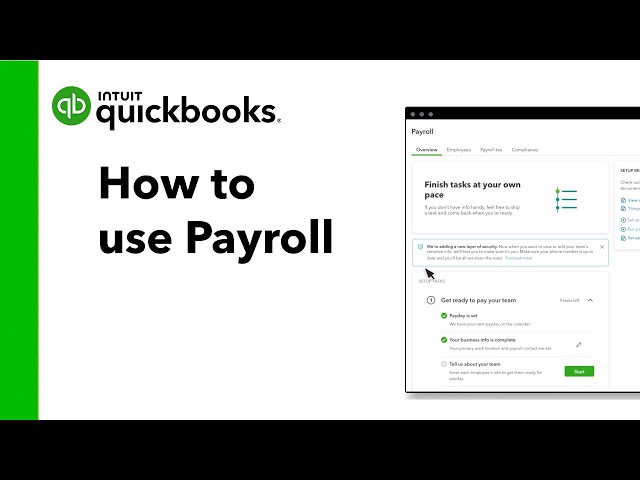
    See how QuickBooks Payroll supports payroll management and helps you stay aligned with compliance requirements.

    Frequently asked questions

    Disclaimer

    Money movement services are provided by Intuit Canada Payments Inc.

    This content is for information purposes only and should not be considered legal, accounting or tax advice, or a substitute for obtaining such advice specific to your business. Additional information and exceptions may apply. Applicable laws may vary by region, province, state or locality. No assurance is given that the information is comprehensive in its coverage or that it is suitable in dealing with a customer’s particular situation. Intuit does not have any responsibility for updating or revising any information presented herein. Accordingly, the information provided should not be relied upon as a substitute for independent research. Intuit does not warrant that the material contained herein will continue to be accurate nor that it is completely free of errors when published. Readers should verify statements before relying on them.

    We provide third-party links as a convenience and for informational purposes only. Intuit does not endorse or approve these products and services, or the opinions of these corporations or organizations or individuals. Intuit accepts no responsibility for the accuracy, legality, or content on these sites.


    Related Articles

    Your privacy

    We collect data when you use our website to improve its performance. Doing so also helps us provide a secure, personalized experience. Select 'Accept cookies' to agree or 'Cookies settings' to choose which cookies we use. You can change your preferences anytime by clicking the 'Manage cookies' link in the footer.

    Choose your cookie preferences

    Some cookies are needed to make our website work and can't be turned off. But we need your consent to use others that are not essential. You can make your choices below and update them at any time using the 'Manage Cookies' link. To find out more, visit our Cookies Policy.

    These cookies are necessary for the site to function. They also help us keep your data safe.
    These cookies allow us to enhance your experience and remember your preferences, region or country, language, and accessibility options.
    These cookies tell us how customers use our website. We study and organize this data to help us optimise our content and provide you with personalised experiences.
    These cookies help us provide you with relevant communications and ads in our products and on other sites.

    Looking for something else?

    Get QuickBooks

    Smart features made for your business. We've got you covered.

    Firm of the Future

    Expert advice and resources for today’s accounting professionals.

    QuickBooks Support

    Get help with QuickBooks. Find articles, video tutorials, and more.