Help your clients get more visibility and control
QuickBooks Desktop** gives you and your clients visibility across their business so you can help them improve decision-making, efficiency, and productivity.
Call 800-458-3175 to learn more and find a plan that’s right for you.

QuickBooks Desktop Accountant

Now your clients won’t be interrupted by product updates. QuickBooks Desktop Accountant installs them quietly in the background.** Plus, they can learn what product updates are available, and when, so they can decide when to install.

Save time by viewing key reports with zoom functionality that improves readability. Optional printed grid lines also make reports easier to view. Plus, you can use both of these features on a specific report without impacting global settings for all reports.
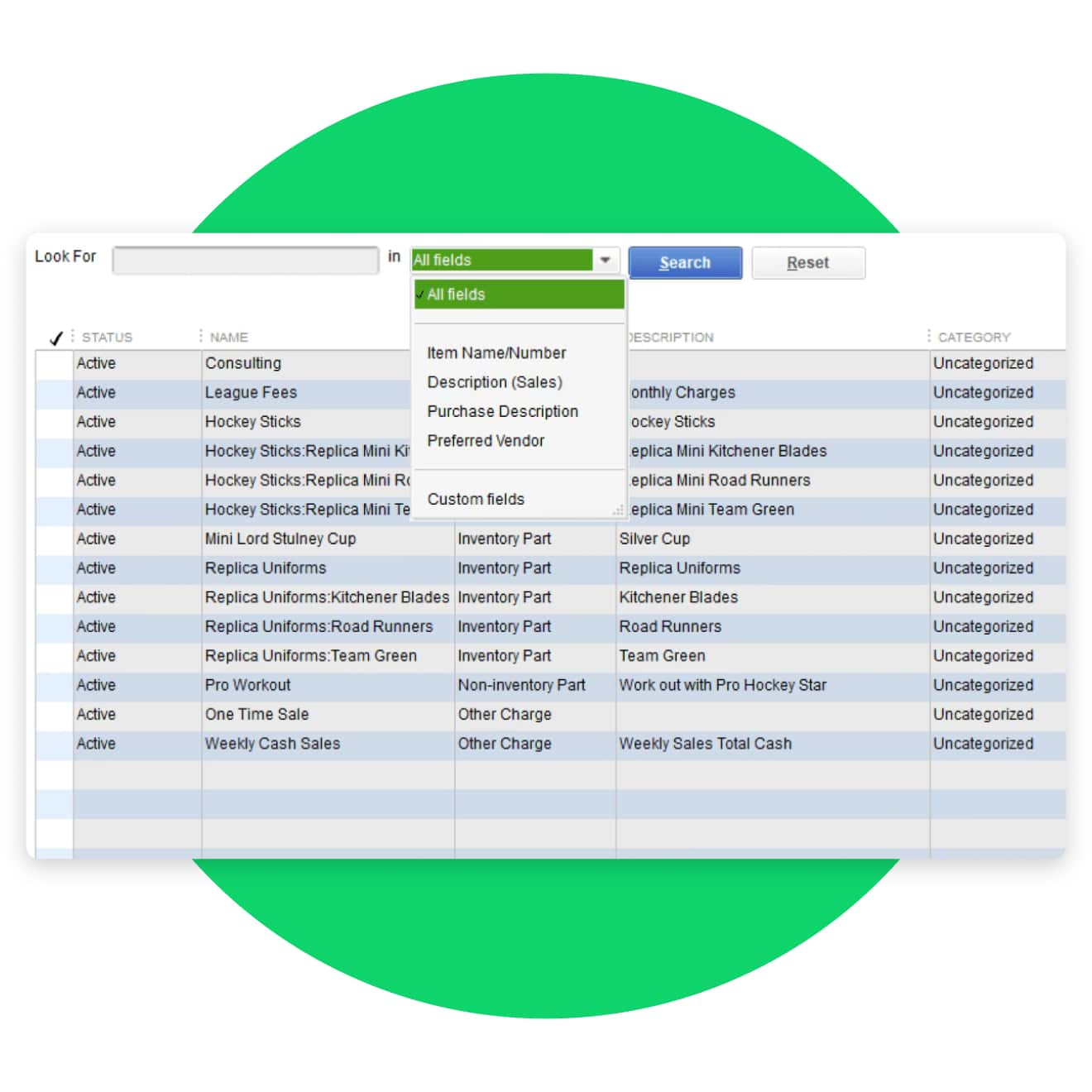
Save time using the new search feature for lists containing classes, price rules, payroll schedules, other names, templates, and all customer and vendor profiles. Edit lists using keyword searches.
More to love in QuickBooks Desktop Accountant

Powerful productivity
Take action from anywhere with Accountant Toolbox
Get quick access to your most essential tools so you can make your day-to-day feel a whole lot lighter.
- Access your Accountant Toolbox** from your clients’ QuickBooks Pro or Premier, remotely or in a hosted setup.
- Find and fix entry errors fast with Client Data Review.
- Delete, void, or reclassify hundreds of transactions at once.
- Write off multiple invoices in one screen.

Client collaboration
Their books. Your schedule.
With Accountant’s Copy, you and your clients don’t have to plan work around each other.
- Transfer files seamlessly instead of having to save your work to a computer or thumb drive.
- Work on your own copy of your client’s files, even if clients are working at the same time.**
- Your adjustments are merged quickly and easily.

Work flexibility
Find your sweet spot
Make it easier to view and access multiple client files and work how you’re most comfortable.
- Tailor your office for enhanced efficiency and productivity with multi-monitor mode.**
- Save time by working in two company files at the same time with multi-instance.**
- Locate items, accounts, and clients faster with search auto-fill.
- Search a range of values to help recall transaction amounts.
QuickBooks Desktop Enterprise Accountant
Manage customer prepayments**
Save time by easily recording and tracking customer prepayments on estimates and sales orders. Then automatically apply the payments when sales orders are converted to invoices and reconcile them as a current liability instead of as negative accounts receivable. Keep track of all your ongoing projects with a single report. And give customers peace of mind with proof of payment via print or email.
Inventory Turnover report
Improve your profitability by gaining clear insight into what's selling and when. Leverage key metrics like Turnover Ratio and Turnover Days to understand your inventory performance so you can make timely decisions to optimize quantities on hand, sales prices, and reorders. Sort and filter to get a quick snapshot of where your inventory turnover stands.
Link sales orders with purchase orders
Speed up order fulfillment by linking sales orders with associated purchase orders. Increase customer satisfaction by providing product delivery timeframes through a consolidated report. Manage your inventory more efficiently by quickly identifying inbound delivery dates for sales order items.
Everything your growing clients need to succeed

Productivity that grows with your clients
Your clients’ businesses may be getting more complex, but your workflow shouldn’t. QuickBooks Enterprise is built to seamlessly pivot between accounting tasks, at scale.
- Up to 40 simultaneous, full-access users and 1 million list items**
- Anytime, anywhere access**
- Enhanced Payroll**
- Multi-entity combined reports**
- Preferred rates for credit card payments**
- Multi-currency

Advanced capabilities, accelerated potential
Desktop Enterprise doesn’t stop at accounting. With an array of advanced tools, you and your clients can streamline and manage their entire business in one place.
- Advanced Inventory:** FIFO inventory costing, mobile barcode scanning, order tracking and management from a single dashboard
- Advanced Reporting: Over 200 custom and standard reports to give clients insight into taxes, job-costing, profitability, and more
- Advanced Pricing:** Automated price changes for more control with less labor

The right tools for their job
You wouldn’t give a wrench to a lawyer or tracing paper to a plumber. With Desktop Enterprise, your clients can customize solutions for success in their industry.
- Custom user permissions for up to 115 activities and 14 pre-defined roles
- Unique Enterprise editions for: manufacturing, wholesale, contracting, accounting, professional services, nonprofit, and retail
- More than 200 third-party apps, including your preferred e-commerce solutions, integrated with QuickBooks Desktop Enterprise**
Call sales to learn more about discounted pricing for your clients: 800-458-3175
Desktop Enterprise training resources
Gain the skills and confidence to support your mid-market clients, all on your schedule.
Self-paced training
Sign in to QuickBooks Online Accountant to access self-paced courses for your firm.
Training videos
For team members or clients with an active QuickBooks Desktop Enterprise subscription.
QuickBooks Desktop Enterprise Certification
Earn your QuickBooks Enterprise badge and add expertise to your firm and credibility to your marketing.
Powerful work, pro perks
ProAdvisor Premier and ProAdvisor Enterprise software bundles include QuickBooks Accountant Desktop.* Get the software and training you need to maximize productivity, and complete the QuickBooks Desktop Certification to demonstrate your expertise.
ProAdvisor Premier Software Bundle
$1499/yr*
per user
ProAdvisor Enterprise Software Bundle
$2399/yr*
per user
QuickBooks Desktop training and certifications

QuickBooks Desktop Accountant
Customer support**
QuickBooks Enterprise Accountant Edition
QuickBooks Desktop Mac Plus
QuickBooks Desktop training and certifications
ProAdvisor Premier Software Bundle
$1499/yr*
per user
ProAdvisor Enterprise Software Bundle
$2399/yr*
per user
QuickBooks Desktop Accountant
ProAdvisor Premier Software Bundle
$1499/yr*
per user
ProAdvisor Enterprise Software Bundle
$2399/yr*
per user
Customer support**
ProAdvisor Premier Software Bundle
$1499/yr*
per user
ProAdvisor Enterprise Software Bundle
$2399/yr*
per user
QuickBooks Enterprise Accountant Edition
ProAdvisor Premier Software Bundle
$1499/yr*
per user
ProAdvisor Enterprise Software Bundle
$2399/yr*
per user
QuickBooks Desktop Mac Plus
ProAdvisor Premier Software Bundle
$1499/yr*
per user
ProAdvisor Enterprise Software Bundle
$2399/yr*
per user
To learn more and purchase ProAdvisor Bundles or QuickBooks software for your clients, contact sales at 800-458-3175.
QuickBooks Accountant Desktop system requirements
System and browser requirements
- Client: Windows 10 (64-bit) , or Windows 11 (64-bit), update/version supported by Microsoft. Windows 8.1, Windows 10 S mode, Windows 11 IOT, and Linux are not supported.
- Server: Windows Server 2016, 2019, or 2022 (Regular or Small Business Server)
- 2.4 GHz processor
- Client RAM: 8GB RAM; 16GB RAM recommended; Server RAM (for multi-user support): 8GB (5 users)
- 2.5 GB disk space recommended (additional space required for data files); Solid State Drive (SSD) recommended for optimal performance
- Plus subscriptions, Workforce, and online features require internet access
- QuickBooks Desktop App access is included with Desktop subscriptions. Must be installed on a camera-enabled mobile device using Android 6.0 or iOS 14 or later
- Product registration required
- Optimized for 1280×1024 screen resolution or higher. Supports one Workstation Monitor, plus up to 2 extended monitors. Optimized for Default DPI settings.
- Google Chrome recommended
Integration with other software
- Microsoft Word and Excel integration requires Office 2016-2021, or Microsoft 365 (64-bit)
- E-mail Estimates, Invoices, and other forms with Microsoft Outlook 2016 - 2019, Microsoft 365 (64 bit), Gmail™, and Outlook.com®, other SMTP-supporting email clients. Integration with QuickBooks POS 19.0.®, other SMTP-supporting email clients. Integration with QuickBooks POS 19.0.
- Transfer data from Quicken 2016-2022, QuickBooks Mac/Mac Plus 2021-2024 (US only) and Microsoft Excel 2016 - 2021, Microsoft 365 (64-bit)




