A person holding a laptop computer in her hands.
accounting

Business efficiency vs. effectiveness: A guide for scaling businesses


Key Takeaways

  • AI in accounting can help automate invoicing, reconcile accounts, and reporting, saving you time and reducing errors.

  • AI provides you with real-time financial insights, forecasts, and fraud detection to help you make better business decisions.

  • QuickBooks features built-in AI that streamlines bookkeeping, identifies errors, and simplifies financial reporting.

  • Even when you use AI responsibly, you still need to check your bookkeeping for accuracy, privacy, and compliance.


  • Artificial intelligence (AI) is no longer a phenomenon of the future when it comes to accounting. It’s quietly transforming how business owners manage their finances every day. From automating invoices to detecting errors early, AI in accounting can help you work faster and smarter.

    According to the latest QuickBooks research, 62% of business owners use AI every month to save time, improve productivity, reduce costs and get paid faster. The best AI-powered accounting tools automatically handle the manual work you may still do, freeing up time to grow your business.

    Find out how accounting AI can benefit your business, where to use it, and what to keep in mind as you choose the right AI-powered software for your


    What is AI in accounting?

    AI in accounting uses machine learning and data-driven automation to handle tasks that once required hours of manual work. These AI-driven systems spot patterns, make predictions, and learn from the data you share, becoming better over time at supporting you.

    AI can, for example, automatically sort transactions, reconcile bank feeds, and flag unusual entries that could signal errors or fraud. QuickBooks uses AI agents to match receipts, suggest expense categories, provide cash-flow projections, and more in seconds.

    Will AI replace accountants? That’s not very likely. AI tools can take over the repetitive work you do by hand, but accountants and bookkeepers can provide you with the strategic financial analysis and human oversight that software can’t. 

    More now than ever, artificial intelligence can act as your trusted AI accountant and bookkeeper, speeding up the entire accounting process, so financial professionals can grab this financial baton and run with it to give you the best business accounting and bookkeeping tips.

    A picture of a robot with a picture of a person.

    Benefits of AI in accounting 

    AI for accountants, bookkeepers, and business owners can help you keep your books up to date and generate custom reports automatically, making everything about managing your finances much easier. 

    By incorporating AI accounting tools into your business, you should see these benefits significantly improve your bottom line:

    • Automated repetitive tasks: AI takes care of time-consuming tasks like data entry, invoicing, and bank reconciliation, reducing the volume of work you have to do manually and the chance of making mistakes.
    • Increased bookkeeping accuracy: AI automatically detects manual entry mistakes, preventing costly errors and fraudulent transactions in real time.
    • In-depth financial insights: You have access to automated reports and dashboards that can identify financial trends, forecast cash flow and analyze your expenses in real time, equipping you to make more informed decisions.
    • Streamlined reporting: AI can automatically prepare financial statements, like performance summaries and balance sheets, with templates, helping you complete your month-end closes faster.

    These benefits can help you save time and ensure the reliability of your financial data. This way, you can make business decisions backed by clean, trustworthy information.


    note icon Start small by automating one time-consuming task, like data entry. Once you see the results, you’ll feel more comfortable integrating AI into your bookkeeping process.

    How is AI used in accounting?

    The use of AI-driven applications is growing fast. Companies across Canada now use AI-driven accounting tools to focus less on time-consuming, everyday administrative tasks and more on untapped business growth opportunities.

    When it comes to double-entry accounting, most business owners use AI-powered automation to:

    • Detect fraud instantly: AI and accounting work together to scan your transaction data automatically for telltale signs of fraud.
    • Provide forecasts and insights in real time: AI-driven analytics can project your revenue, expenses, and cash flow based on your past performance alone.
    • Identify and eliminate costly errors: Automated checks identify unusual or mismatched data entries before they become expensive problems.
    • Manage invoices and expenses: Smart accounting software like QuickBooks can read receipts and invoices, extract important transactions, and post them immediately.
    • Guarantee tax compliance: AI-driven accounting systems can help you keep your GST/HST/PST reporting accurate, spot tax breaches, and produce reliable audit trails.

    With QuickBooks, you have instant access to built-in AI and machine learning algorithms that can automatically detect bookkeeping anomalies and provide custom AI prompts that help you stay on top of your finances and ahead of every tax deadline.

    A laptop computer with a map and a map marker on it.

    Common AI challenges and considerations 

    Although the potential for AI to streamline, simplify, and transform accounting is huge, this technology still has its limits and challenges. Knowing them can help you use artificial intelligence responsibly and effectively. 

    Before you integrate AI into your accounting process, here are a few key considerations to keep in mind:

    • Data quality: AI is only as reliable as the information you provide. If you feed AI incomplete or inaccurate data, the results could be incorrect.
    • Data privacy and security: It's very important to safeguard your client and business data. Opt for AI-powered accounting software like QuickBooks to encrypt your data, comply with international tax rules, and see exactly how the AI models behind the scenes are trained.
    • Regular human oversight: Monitor even the best AI-driven tools regularly.  You and your accountant should check AI-generated reporting for errors and discrepancies before taking any action.
    • AI adoption and training: Your team needs enough time to fully adopt the AI-driven accounting system you choose.  Training your staff can help everyone feel more comfortable with AI.

    So, should you use AI in accounting? Yes, definitely, but responsibly. The best approach is to start small, monitor the results closely, and gradually expand your use as you get more comfortable with artificial intelligence.

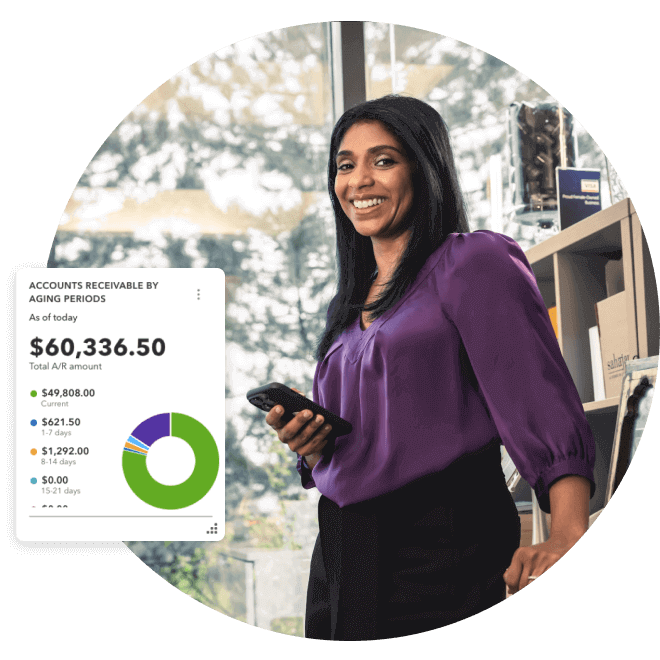
    Sahajan Beauty owner stands by the shelf with a confident smile and mobile in hand. A pop-up screenshot showing accounts receivable by aging periods.


    Work smarter, not harder

    Automate and organize your business on any device everywhere you go with QuickBooks Online.

    Simplify your accounting with QuickBooks 

    AI in accounting is reshaping how companies operate, automating processes to keep finances organized and uncover financial insights that drive growth. The best accounting software can do it all, seamlessly incorporating AI into how you manage the financial side of your business.

    QuickBooks is AI-powered to help you track revenue, categorize expenses, amortize assets, reconcile bank statements, and generate reports automatically. It’s one of the best examples of artificial intelligence in accounting today.

    To see how AI can simplify your finances and boost your bottom line, explore what QuickBooks accounting software offers businesses today.

    Disclaimer

    Money movement services are provided by Intuit Canada Payments Inc.

    This content is for information purposes only and should not be considered legal, accounting or tax advice, or a substitute for obtaining such advice specific to your business. Additional information and exceptions may apply. Applicable laws may vary by region, province, state or locality. No assurance is given that the information is comprehensive in its coverage or that it is suitable in dealing with a customer’s particular situation. Intuit does not have any responsibility for updating or revising any information presented herein. Accordingly, the information provided should not be relied upon as a substitute for independent research. Intuit does not warrant that the material contained herein will continue to be accurate nor that it is completely free of errors when published. Readers should verify statements before relying on them.

    We provide third-party links as a convenience and for informational purposes only. Intuit does not endorse or approve these products and services, or the opinions of these corporations or organizations or individuals. Intuit accepts no responsibility for the accuracy, legality, or content on these sites.


    Your privacy

    We collect data when you use our website to improve its performance. Doing so also helps us provide a secure, personalized experience. Select 'Accept cookies' to agree or 'Cookies settings' to choose which cookies we use. You can change your preferences anytime by clicking the 'Manage cookies' link in the footer.

    Choose your cookie preferences

    Some cookies are needed to make our website work and can't be turned off. But we need your consent to use others that are not essential. You can make your choices below and update them at any time using the 'Manage Cookies' link. To find out more, visit our Cookies Policy.

    These cookies are necessary for the site to function. They also help us keep your data safe.
    These cookies allow us to enhance your experience and remember your preferences, region or country, language, and accessibility options.
    These cookies tell us how customers use our website. We study and organize this data to help us optimise our content and provide you with personalised experiences.
    These cookies help us provide you with relevant communications and ads in our products and on other sites.

    Looking for something else?

    Get QuickBooks

    Smart features made for your business. We've got you covered.

    Firm of the Future

    Expert advice and resources for today’s accounting professionals.

    QuickBooks Support

    Get help with QuickBooks. Find articles, video tutorials, and more.
