✕
Don't Miss Out

90% Off

Save big on QuickBooks plans

Person calculating finances with laptop and paperwork
Self-employed

Spreadsheets vs. Accounting Software: What’s Best for Solopreneurs?

Key Takeaways

  • Spreadsheets can work for simple bookkeeping, but manual data entry, invoice tracking, and reconciliation take more time as business activity grows.
  • Accounting software can automate invoicing, expense tracking, bank reconciliation, and GST/HST calculations. Starting with it early can help keep records organized and save time, even with a small client list.
  • Choose software with CAD invoicing, payment tracking, GST/HST reporting, and features that can support future growth. It can prepare sales tax figures, but filing and remitting remain separate steps with the CRA.

Most solopreneurs start out tracking their finances in a spreadsheet, but many find that the demands of scaling and running a business eventually require them to make the switch to small business accounting software. So how can solopreneurs find the right opportunity to switch? Often, it’s less about how long you’ve been in business, and more about looking for the practical signs covered below.

Spreadsheets and accounting software: What’s the difference?

Spreadsheets and accounting software handle many things differently, from how you enter data to how well each one scales. Here’s a side-by-side comparison of how the two often line up:

FeatureSpreadsheetsAccounting Software
CostFreeMonthly subscription
Data EntryManualAutomated, with bank feeds
Invoices & PaymentsManual templates, manual trackingBuilt-in invoicing, online payments, status tracking
GST/HSTManual calculation and trackingCalculated by tax code, summarized in reports
ReconciliationManual comparison against statementsBuilt-in reconciliation workflow
ReportingManual, built from scratchAutomated reports (profit, cash flow, tax summaries)
GrowthGets harder to manage as volume increasesScales with more clients, transactions, or employees

When are spreadsheets enough for a solopreneur?

Spreadsheets tend to work well in the early stages of a business. A small number of clients, simple pricing, and no GST/HST registration all keep the manual workload light. At this scale, entering a transaction or using an invoice template takes little time, and a spreadsheet offers full control without subscribing to more expensive software.

What are the signs you’ve outgrown spreadsheets?

These are some patterns you’ll often notice when spreadsheets are no longer getting the job done:

  • You enter the same information in several places, such as once in an invoice, again in a tracking sheet, and again for taxes
  • Invoice follow-ups and payment tracking take too much time, especially once you’re juggling more than a handful of clients
  • Receipts and expenses are difficult to match, particularly when they’re spread across emails, photos, and paper
  • You frequently find formula errors or conflicting file versions, often after multiple edits or shared access
  • Preparing financial reports and GST/HST records requires substantial manual work, rather than pulling from data you’ve already entered
  • Your business needs more detailed reporting or support for hiring, which a spreadsheet isn’t built to handle
Six-step guide to accounting software migration
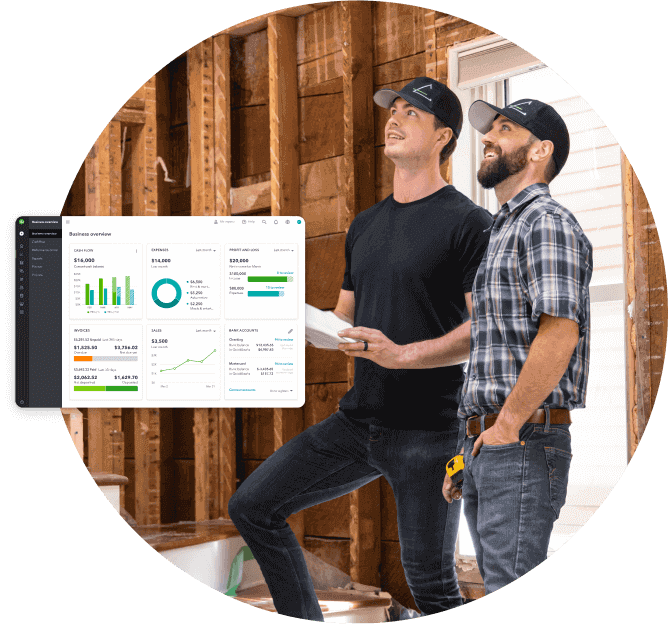
Shift accessibility construction owners working on site, a pop up of QuickBooks overview screen.

Your business finances — simplified

See your business finances all in one place, from bookkeeping to taxes, invoicing, payroll and time tracking.

Is accounting software worth the cost?

Comparing a spreadsheet to paid software means weighing two different kinds of cost: time versus a subscription fee. The sections below break down both sides.

Compare the full cost of each option

A spreadsheet carries no subscription cost, but it isn’t free in practice. That cost shows up instead as the time spent entering, checking, and reconciling data by hand. Accounting software charges a monthly fee, and in exchange, it gives you tools to automate many of those same tasks, potentially including bank feeds, invoice tracking, and tax calculations.

Consider the value of your bookkeeping time

Whether that trade is worth it depends on what your time is worth, and how much of it bookkeeping currently takes up. A few hours a month spent manually reconciling and chasing invoices carries a real cost, even with no software subscription attached. That’s time not spent on client work or finding new business.

How can solopreneurs manage monthly invoices and payments affordably?

There are three common approaches, and the right one depends on the volume and complexity of the invoices you’re handling:

  • Spreadsheets with invoice templates work at low volume, with no cost beyond your own time
  • Dedicated invoicing tools add CAD support and basic payment tracking, often with a free tier, though they may or may not connect to your broader bookkeeping
  • Accounting software with invoicing built in combines sending invoices with recording the resulting income, and tends to pay off once volume or tax tracking needs grow

Software can help you handle routine bookkeeping, but it doesn’t replace professional advice for complex questions. A tricky tax situation or a major business decision is still worth a conversation with an accountant, even when day-to-day tracking is fully self-managed.

What should Canadian solopreneurs look for in accounting software?

Not every accounting platform covers the same ground. The features below are the ones most relevant to a self-employed business owner operating in Canada.

Canadian dollar invoicing and payment tracking

Invoices should default to CAD, and the software should let clients pay directly from the invoice. Payment status should be visible at a glance, without cross-checking a separate record.

GST/HST calculations and reporting

Software can calculate GST and/or HST on your invoices and purchases, then summarize what you’ve collected and paid in a report you can use to complete your return. Note, however, that although the software helps you prepare and review your sales tax figures, filing and remitting is a separate step completed directly with the CRA. It isn’t done automatically on your behalf.

Expense tracking, bank reconciliation and reporting

Look for bank feeds that import and track transactions automatically, along with a reconciliation workflow that helps you confirm accuracy rather than simply importing data. Reports should let you summarize income, expenses, and profit with minimal manual work on your end.

Room to grow and add payroll when needed

If you expect to bring on employees or contractors, look for software that scales into payroll rather than requiring a separate system later. QuickBooks Online, for example, offers payroll as an add-on that connects directly to the same books. That means hiring doesn’t require starting a second platform from scratch once a GST/HST-registered freelance business grows past solo work.

How to switch from spreadsheets to accounting software

Moving to accounting software is more straightforward than it might seem, and your existing records don’t need to be left behind. Here’s the process most solopreneurs follow.

  1. Export your existing records from your spreadsheet, including client details, past invoices, and transaction history
  2. Choose a plan that matches your current volume, rather than the one with the most features
  3. Connect your bank and credit card accounts so transactions begin importing automatically
  4. Import your historical data, or start fresh from your most recent reconciled balance
  5. Set up your expense categories and tax codes, matching how you’ll report them at tax time
  6. Run both systems in parallel for one cycle to confirm your new setup matches your spreadsheet before retiring it

Switching tools doesn’t mean losing your financial history. A short overlap period is usually enough to confirm the new system is accurate before you stop updating the spreadsheet for good.

Six-step guide to move from spreadsheets

How Intuit QuickBooks can support your move beyond spreadsheets

QuickBooks Online brings invoicing, expense tracking, bank reconciliation, and GST/HST tracking into one system, with plans that scale from a single freelancer up to a business with employees and payroll. Ready to move past spreadsheets? QuickBooks Lite covers invoicing, expense tracking, and GST/HST reporting built for solopreneurs who are making the switch.

Frequently asked questions

Disclaimer

This content is for information purposes only and should not be considered legal, accounting or tax advice, or a substitute for obtaining such advice specific to your business. Additional information and exceptions may apply. Applicable laws may vary by region, province, state or locality. No assurance is given that the information is comprehensive in its coverage or that it is suitable in dealing with a customer’s particular situation. Intuit does not have any responsibility for updating or revising any information presented herein. Accordingly, the information provided should not be relied upon as a substitute for independent research. Intuit does not warrant that the material contained herein will continue to be accurate nor that it is completely free of errors when published. Readers should verify statements before relying on them.

We provide third-party links as a convenience and for informational purposes only. Intuit does not endorse or approve these products and services, or the opinions of these corporations or organizations or individuals. Intuit accepts no responsibility for the accuracy, legality, or content on these sites.


Your privacy

We collect data when you use our website to improve its performance. Doing so also helps us provide a secure, personalized experience. Select 'Accept cookies' to agree or 'Cookies settings' to choose which cookies we use. You can change your preferences anytime by clicking the 'Manage cookies' link in the footer.

Choose your cookie preferences

Some cookies are needed to make our website work and can't be turned off. But we need your consent to use others that are not essential. You can make your choices below and update them at any time using the 'Manage Cookies' link. To find out more, visit our Cookies Policy.

These cookies are necessary for the site to function. They also help us keep your data safe.
These cookies allow us to enhance your experience and remember your preferences, region or country, language, and accessibility options.
These cookies tell us how customers use our website. We study and organize this data to help us optimise our content and provide you with personalised experiences.
These cookies help us provide you with relevant communications and ads in our products and on other sites.

Looking for something else?

Get QuickBooks

Smart features made for your business. We've got you covered.

Firm of the Future

Expert advice and resources for today’s accounting professionals.

QuickBooks Support

Get help with QuickBooks. Find articles, video tutorials, and more.