Hello, Bonnette723.
You can cancel your QuickBooks subscription in the Gear icon under Subscriptions and Billing.
Here's how:
- Go to the Gear icon.
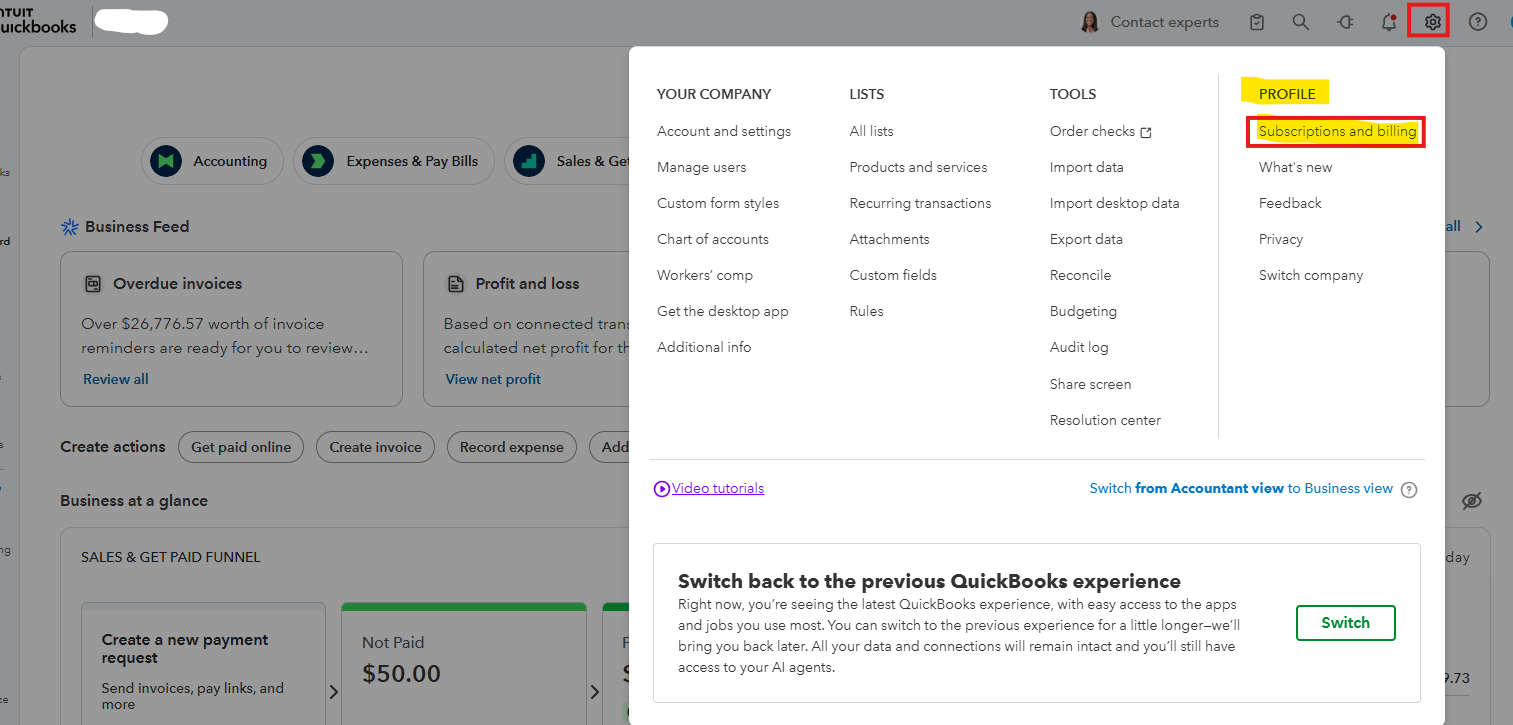
- Under Profile, select Subscriptions and Billing.
- Click Cancel.
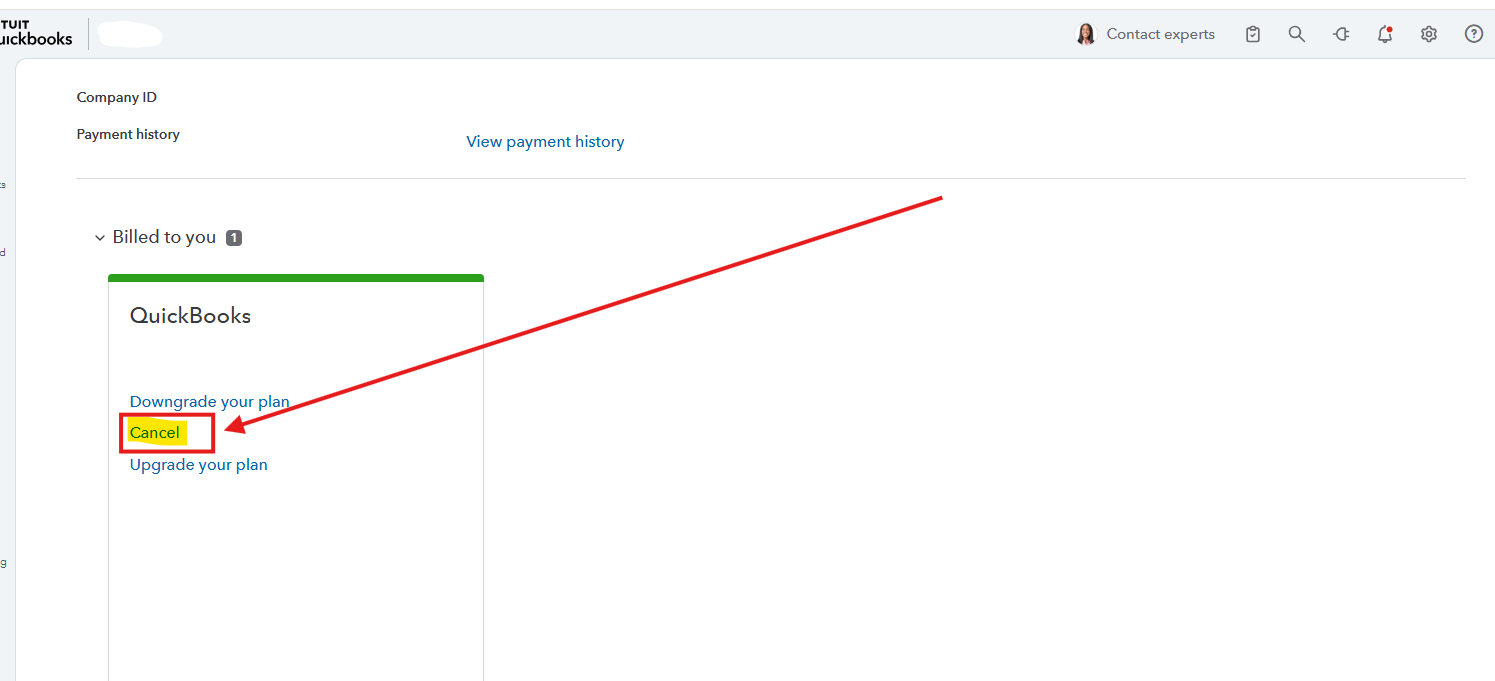
- Follow the on-screen steps.
If you cancel your QuickBooks subscription, you will have read-only access to your data for one year. After a year, you'll need to resubscribe to regain access to your data.
About the refund, the process depends on where you bought the product. Refer to this article for simple steps on how to request a refund for your specific situation: Request a refund for your product.
Let us know in the comments if you have any other questions about QuickBooks.


