Yes, Mary. You can charge your customer via their saved CC or checking details.
This is possible if you have QuickBooks (QB) Payments activated. If none, you can check out this article to apply for an account: Accept customer payments. Please know that this service is subject to eligibility criteria and application approval.
Once approved, set up your QBO configuration for your QB Payments transactions. Then, double-check the customer's payment method information through their profile:
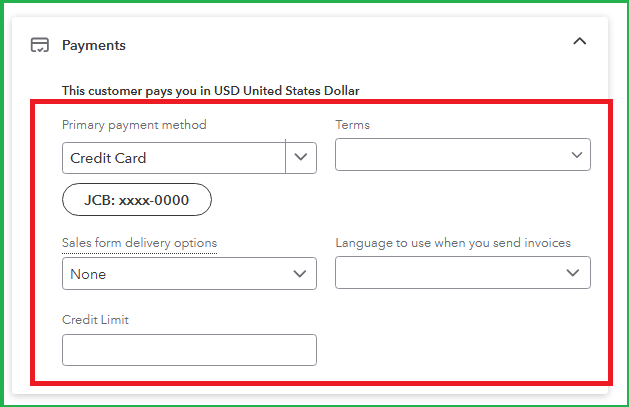
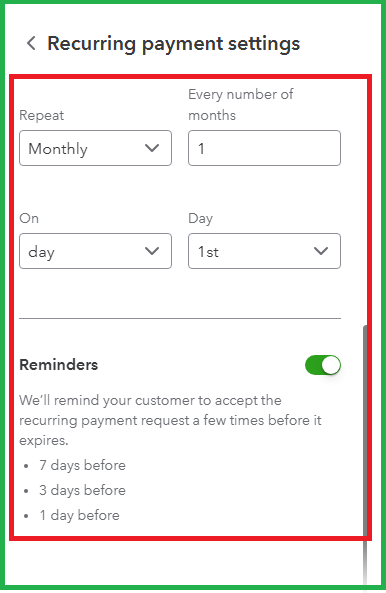
After that, create a recurring payment template and enter your customer's payment method details. Then, set it to monthly so you can charge them accordingly. Here's how:
- Go to the Gear icon, then Recurring transactions.
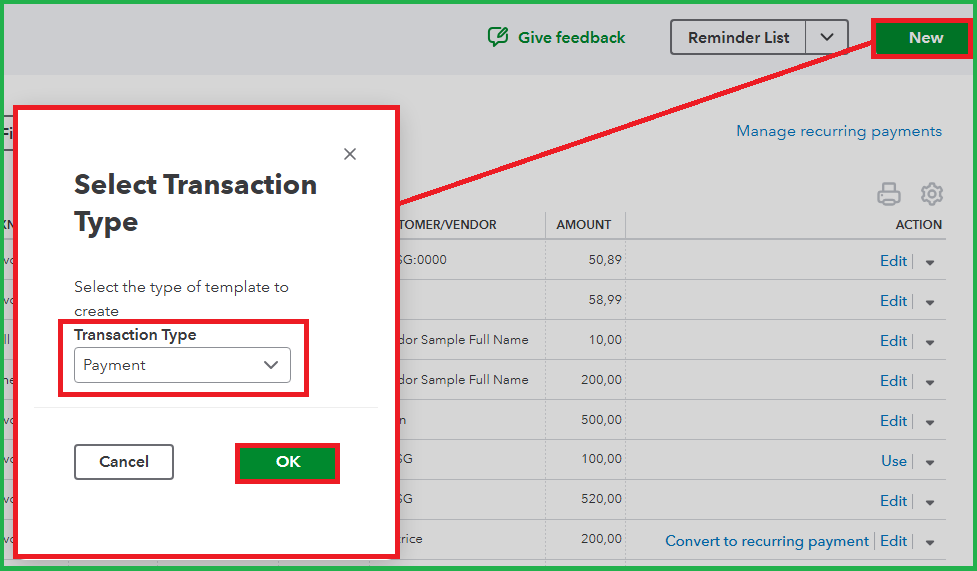
- Click the New button and select Payment in the Transaction Type dropdown.
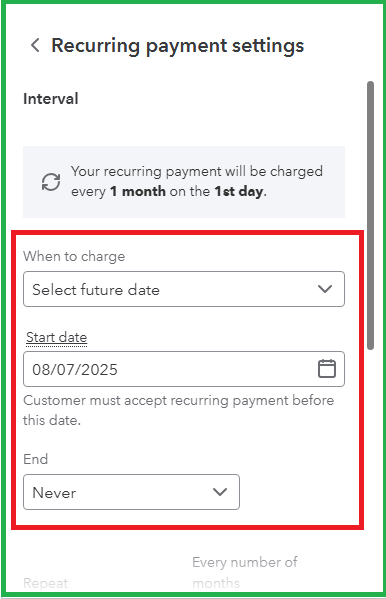
- Enter the appropriate Customer and set up the Recurring payment settings accordingly.
- Choose the Product/service item.
- Input the quantity (QTY), Rate, and Amount.
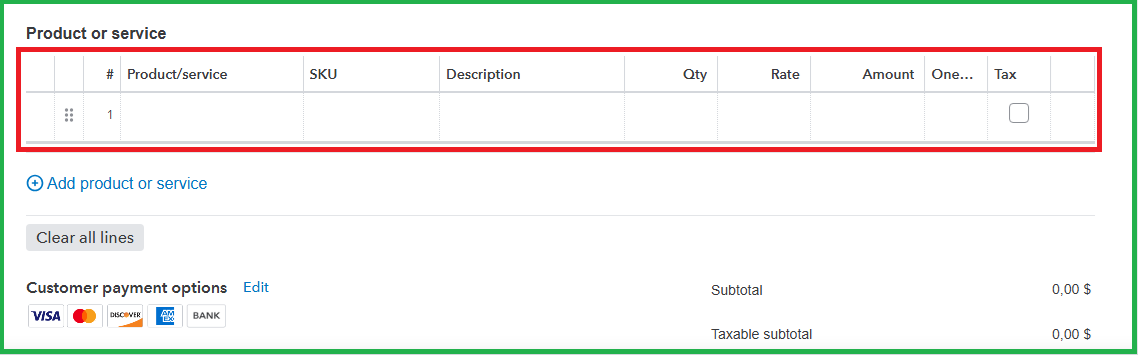
- Complete the rest of the form, and once done, tick Save and close or Review and send.
You can also consider setting up Autopay instead, which you can apply to a recurring invoice. It can let your customers pay their invoices automatically using their preferred payment method. Check out this link for more details: Set up Autopay for recurring invoices.
Feel free to choose the option that suits your needs. If you have follow-up questions, click the Reply button.


