I can help you with your request to delete your QuickBooks account, @ciscor73.
Since your request could mean two different things, I'll provide steps for both scenarios: cancelling your subscription (stopping payments) and permanently deleting your data (erasing it from our systems).
If you wish to cancel your QuickBooks subscription,you can do that on the Subscriptions and billing page. Please note that after cancellation, you'll only have read-only access to your data for one year.
Here's how:
- Go to the Gear icon and select Subscriptions and billing.
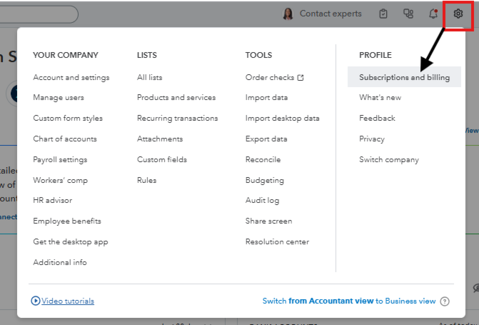
- Find your product and click Cancel.

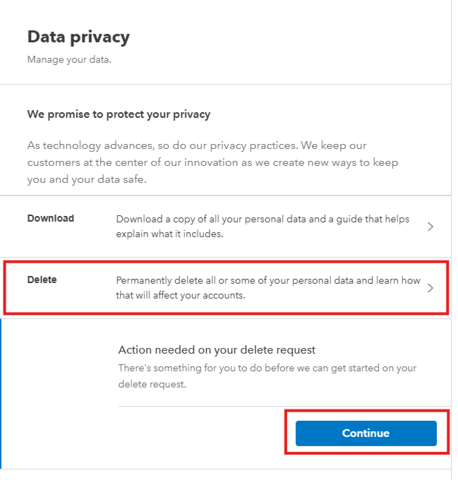
However, if you want to permanently remove all of your information from Intuit's system, you can use the Data & Privacy tab.
Here's how:
- Click your Profile icon next to the Help (?) icon.
- Click on Manage your Intuit account.
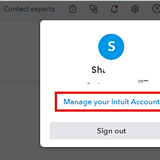
- Go to the Data & Privacy tab.
- Choose the Delete option.

- Click Continue and follow the on-screen steps to confirm.
Feel free to reply below if you have further questions.


