You can cancel your QuickBooks subscription in the Gear icon, James. Let me show you how.
Once you cancel your QuickBooks subscription, you will have read-only access to your data for one year. After a year, you'll need to resubscribe to regain access to your data. To proceed, follow the steps below:
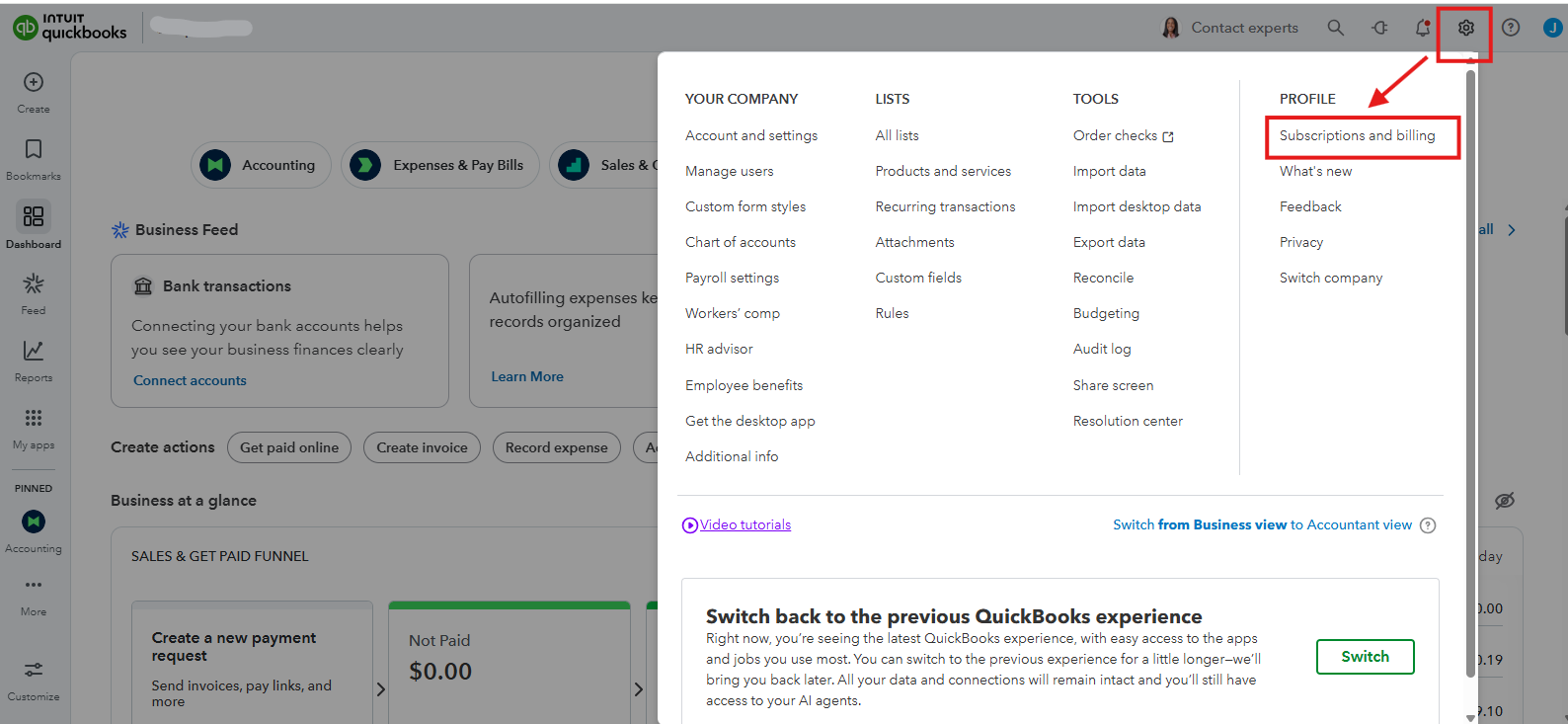
- Go to the Gear icon.
- Under Profile, select Subscriptions and Billing.
- Click Cancel.
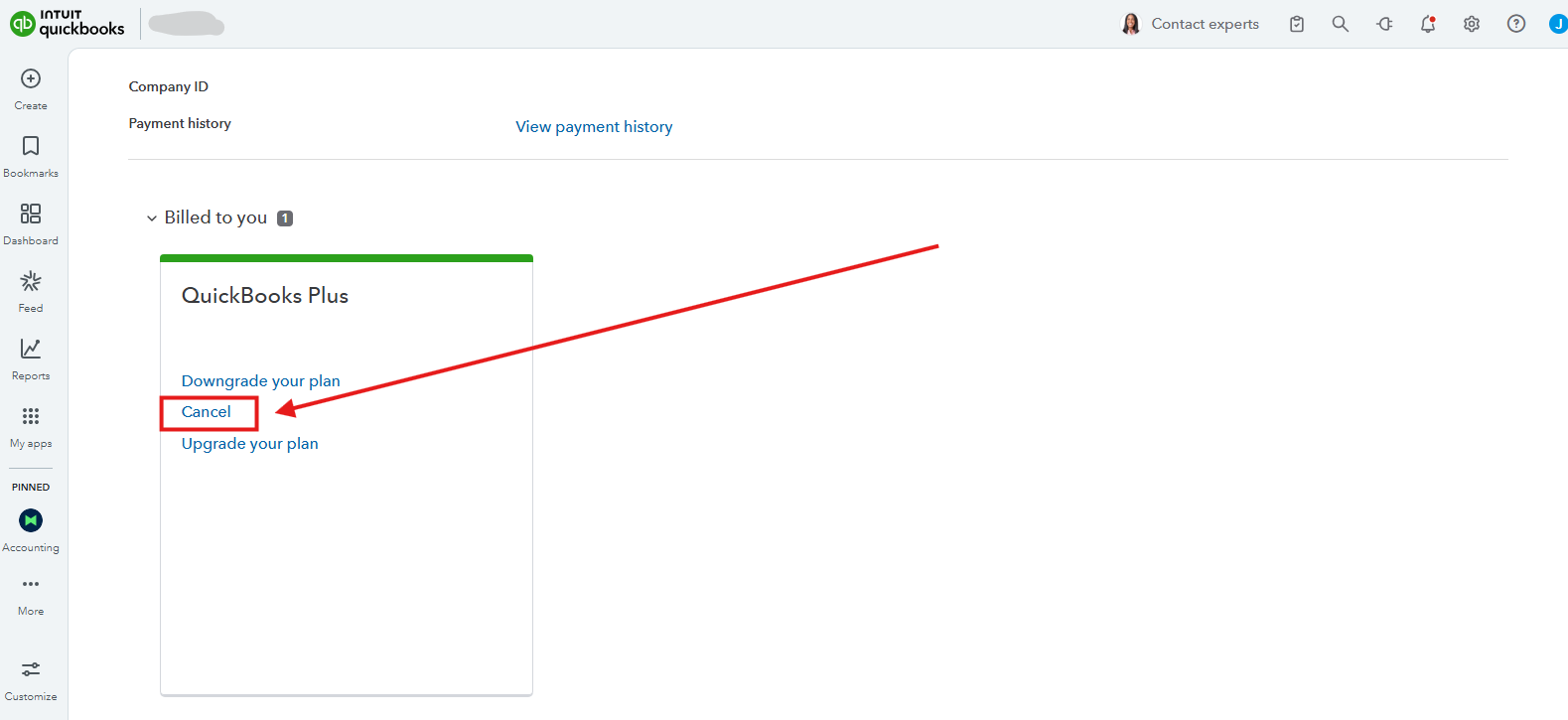
- Follow the on-screen steps.
If you have questions about QuickBooks, let us know in the comments below.




