Welcome to the Community, Site.
QuickBooks Online (QBO) allows you to restore a deleted department by going to All lists in the Settings.
Here’s how:
- Go to the Gear icon.
- Select the All lists under the LISTS column.
- Scroll down until you find Departments.
- Click the small Gear icon at the top right of the list and ensure Include inactive is checked.
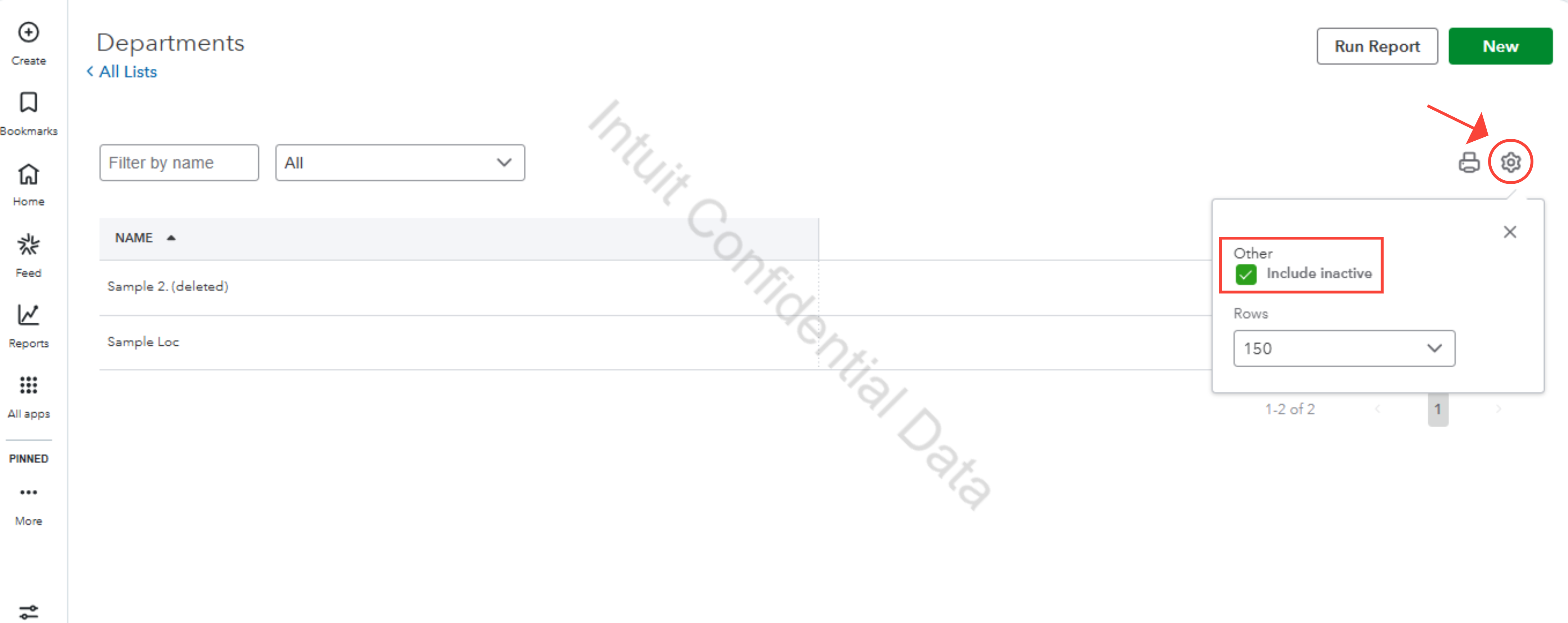
- Select the deleted department, then click Make active.
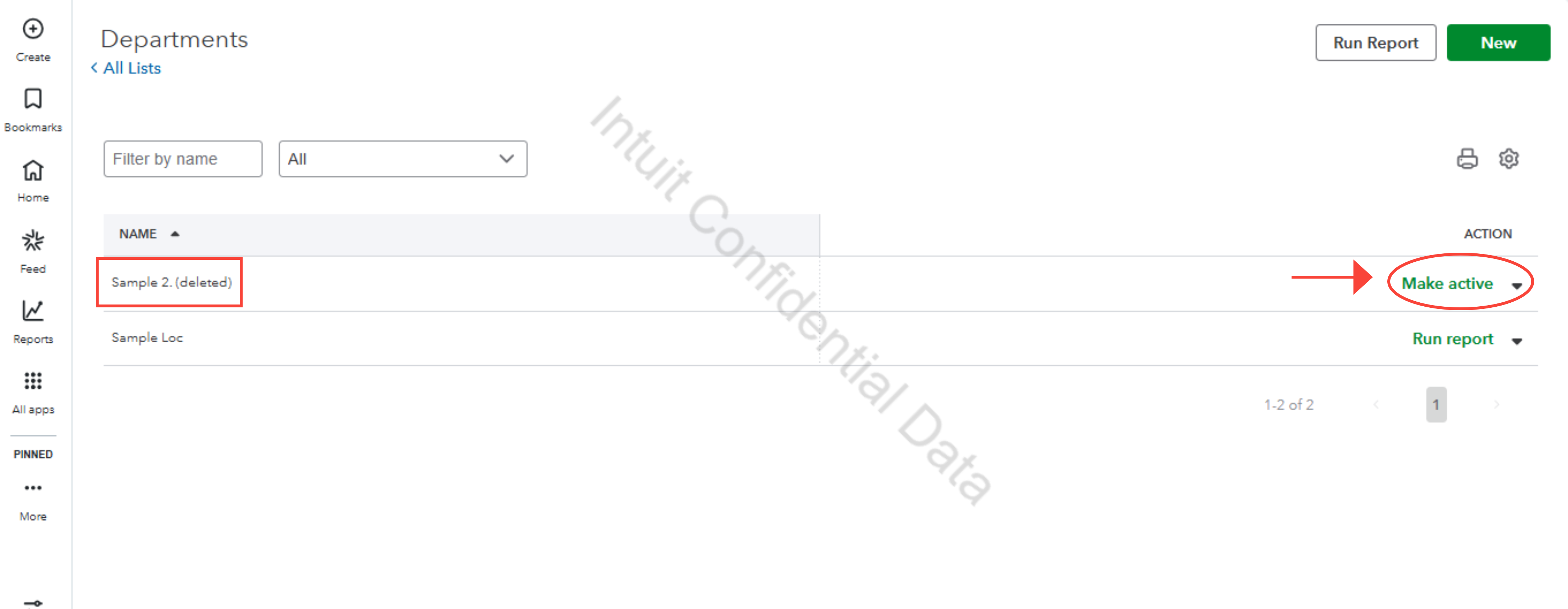
Once done, you can now start recording a deposit.
Could you clarify what you mean by department user? Do you mean a customer or a vendor user?
If you’re referring to something else, don’t hesitate to leave a message below. We're here to assist.


