If you already have a QuickBooks Online (QBO) account and want to resubscribe, you can do so by going to the Subscriptions and billing section, Joseph.
Here’s how:
- Log in to your QBO account.
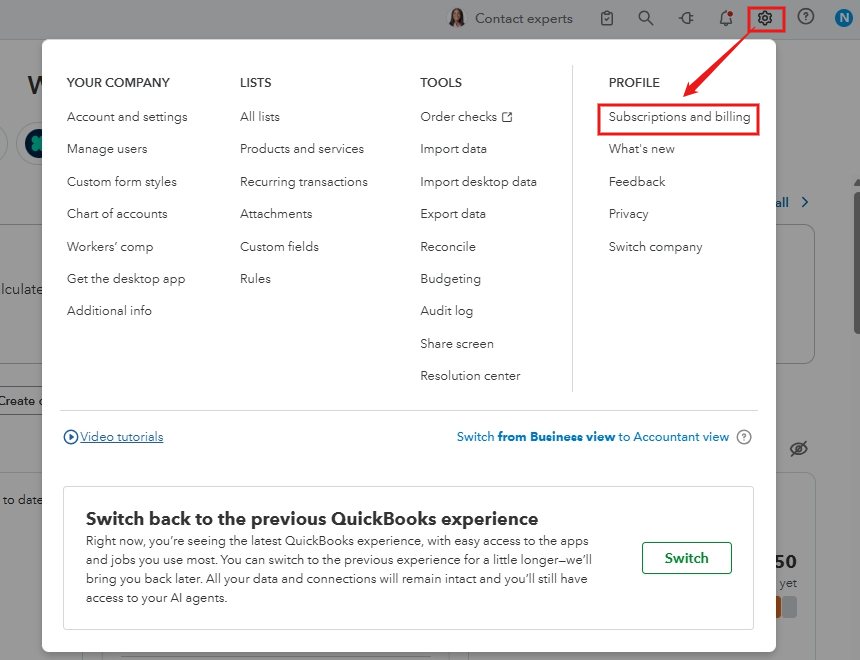
- In the upper right corner, click the Gear icon.
- Select Subscriptions and billing.
- Click Resubscribe, then enter the updated billing information.
- Hit Subscribe.
On the other hand, if you’re new or interested in subscribing to another plan, you can visit this website to choose one: QuickBooks Online Plans and Pricing.
You can also check out our QuickBooks Live Expert Assisted service if you need assistance with setting up your account. They can offer guidance and help you streamline your business.
You can always revisit this thread if you have any additional questions about QuickBooks.


