Hi there, Lemon.
I'll lay down a few steps to help you print your invoice seamlessly in QuickBooks Online (QBO).
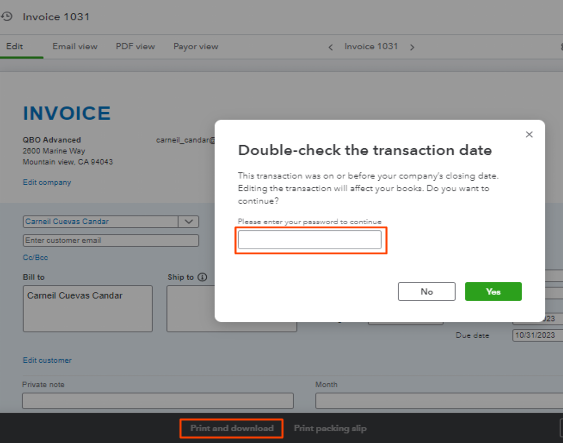
Beforehand, have you closed your books? It prevents accidental changes to your accounting data. When opening or editing a transaction, it lets it prompts you to enter a password. Then, enter the one you used to close your books instead of the login password.
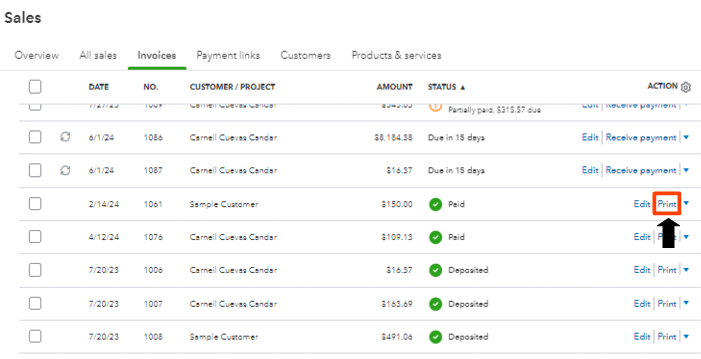
Alternatively, you can directly print them from the Invoices page without QBO asking for a password. You'll have to click Print beside the Edit or tick the dropdown icon to click Print.
To learn more about printing sales forms, please see this article: Email or print multiple sales forms in QuickBooks Online.
If you encounter trouble signing in to your Intuit Account, check out this reference to help you get in: Recover your Intuit Account if you can’t sign in.
Let us know you have more printing issues or any other QuickBooks-related concerns. The Community space is still open for you.


