Turn on suggestions
Auto-suggest helps you quickly narrow down your search results by suggesting possible matches as you type.
Showing results for
Get 50% OFF QuickBooks for 3 months*
Buy nowI have a client that wants to reconnect their Self-Employed QB account. But this message keeps popping up, without the option for the basic Self-Employed option. Anyone have advice on how to reconnect it? I can't even exit the pop up to get to their main homepage or cogwheel.
Thank you in advanced!

Welcome to the QuickBooks Community, MamaShippee! Let's go ahead and do some troubleshooting to see if this is browser-related or if there is a little glitch.
Solution 1: Try logging in using private browsing. This method ensures that the browser would not be able to store cookies, history, or any form of data that could cause issues. Once completed, log in again, and try to re-subscribe.
Solution 2: Clear cache. Overtime collection of data from frequent page visits can cause corruption of data. Clearing the cache will remove those corruptions, allowing the page to load a clean copy. Depending on your browser, follow this link to clear those cache.
Solution 3: Change browser. Trying to use another browser and login in to see if this situation happens on all platforms.
Please let me know if you were able to see that third option come up! I will be here looking out to your response. Take care for now.
Hello SashaMC,
Thank you for your help. Sadly this did not solve the my problem. The pop up still comes up, with no way to exit out of it; nor does a "third option" that it states in the main script of the page show up. Do you have any other solutions? Can I call QB Online Sales department, and have them reopen the account?
Thank you for your time!
Hi there, @MamaShippee.
Thanks for following up with us and giving my colleague's steps a shot.
I recommend reaching out to our Customer Service Team for this one. This way, one of our agents can review your account in a secure environment and reactivate the account for you. You can use the link that I've included below to connect with our team.
I'm only a reply away if you have any questions or concerns. Take care, and have a good one!
Hello @Tori B ,
Thank you for your help. Sadly, I can't access the assist button in this client's account. The only option I can do with this pop up is Sign Out, or to pick the two listed options.
Thank you for your time!
Thank you for coming back, MamaShippee.
I'll show you another way on how you can reach our support.
If you're having trouble accessing the QB Assistant, you can reach them through this link: https://public-consumer-chat.app.intuit.com/app/ccs/consumer?experienceId=sbsegUsQboLogin. Just provide the following information, then click on Start Chat.
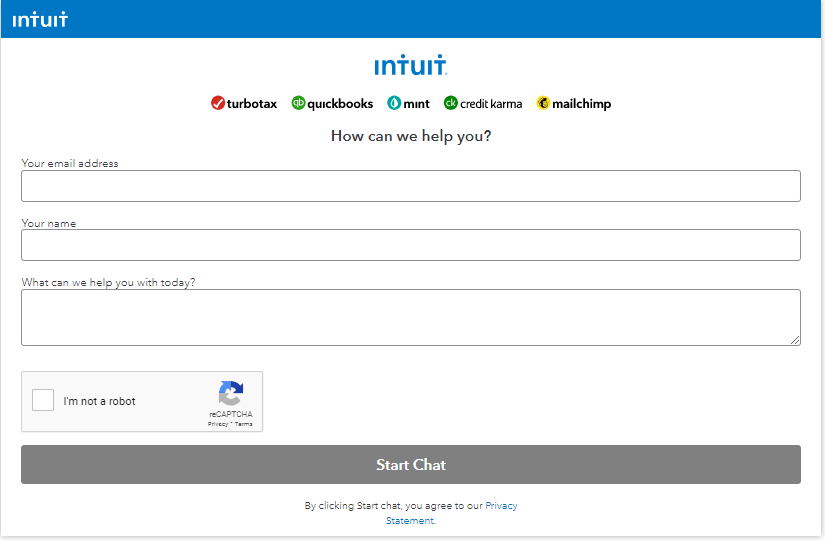
Please return to this thread if you have any further questions. Have a wonderful day!


You have clicked a link to a site outside of the QuickBooks or ProFile Communities. By clicking "Continue", you will leave the community and be taken to that site instead.
For more information visit our Security Center or to report suspicious websites you can contact us here


