Hi there, @b-wood76.
Are you having trouble navigating QuickBooks Online tools? I encourage you to add your vote for this one by sending a feature request in the Feedback section within QuickBooks. Our product development team reviews all the feedback we receive to ensure we’re meeting the needs of our customers.
Here's how:
- Select the Gear icon at the top, then Feedback.
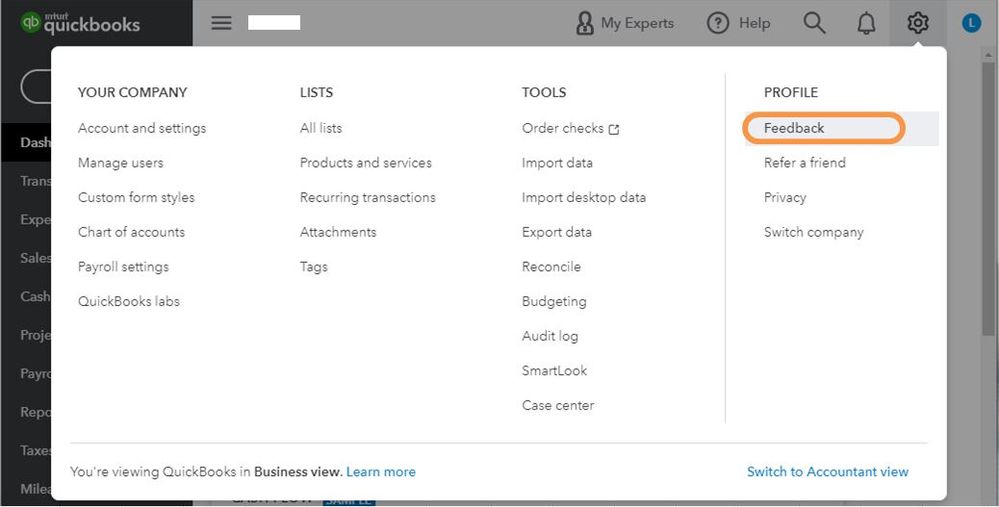
- Enter your comments or product suggestions then select Next.
- You'll be provided a list of suggested Help articles related to your comment. You can read through them or select Skip and send message.
- From the drop-down, choose the appropriate category, then select Send message.
Additionally, this article is for you to make running your business efficient and easy using the program: Getting Started in QBO.
Let me know if you need any more help with managing your QBO. The Community is always here to help.


