I can share the steps to unreconcile added check, WayParker.
You'll have the option to manually unreconcile transactions from your bank account register in QuickBooks Online. I'll show you how.
- Go to the Accounting menu, then Chart of Accounts.
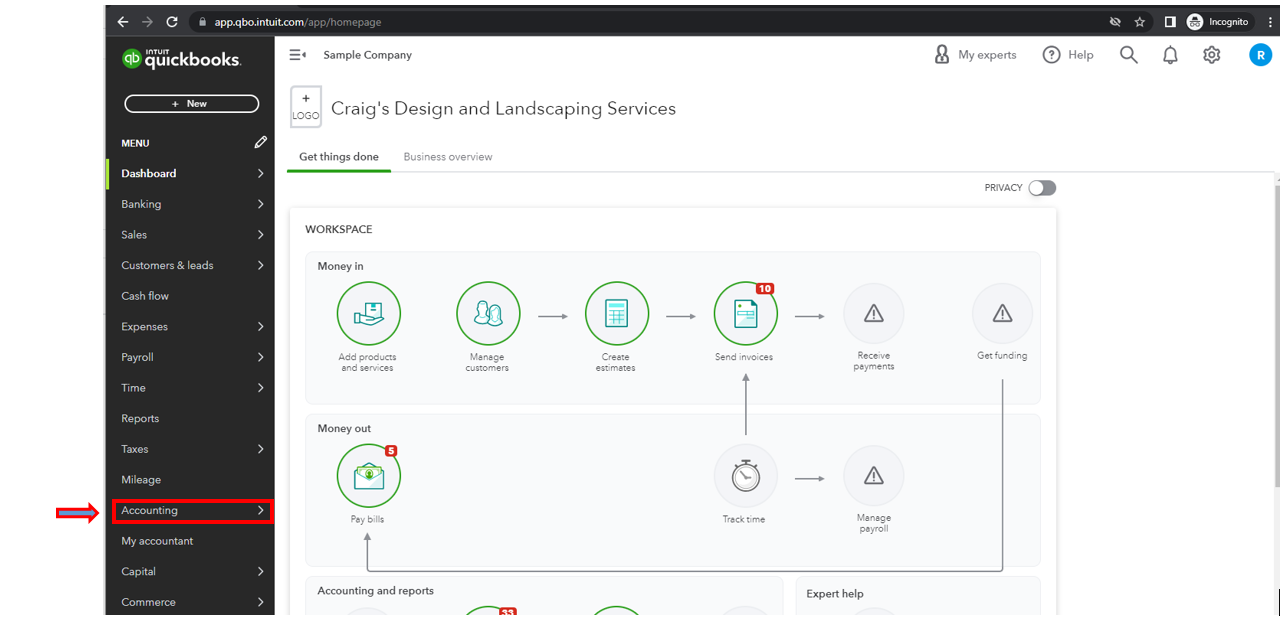
- Locate your bank register and click the View register link.

- Select the check you added, then click the Check column until it is blank.
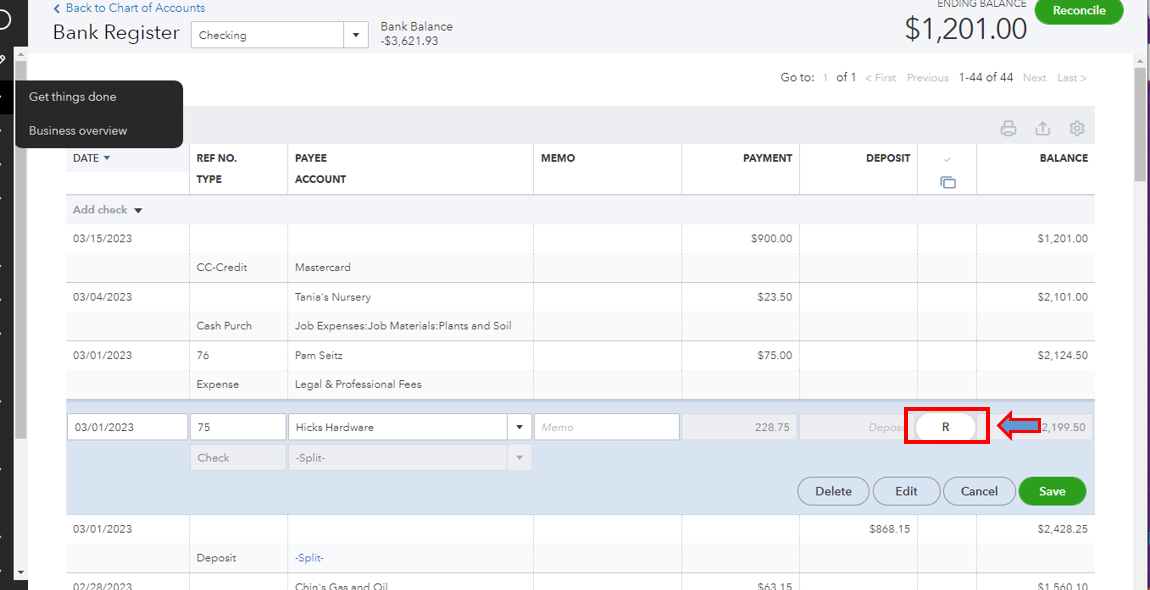
- Once done, hit Save.
- Repeat the same process for the rest of the added checks.
For more information, click this link: Undo or remove transactions from reconciliations in QuickBooks Online.
I've included this resource if you need to see the most information for your business: Customize reports in QuickBooks Online.
You're welcome to post again if you need further assistance with reconciliation or managing your transaction in QuickBooks. I'll be around to assist you.


