It's our top priority to get your bank transactions updated, @tphen.
First, you'll want to manually update your bank account in QuickBooks Self-Employed (QBSE). It helps re-establish the connection between your bank and QBSE.
- Go to the Gear icon at the upper right.
- Select Bank accounts under Transactions.
- Click Refresh all.
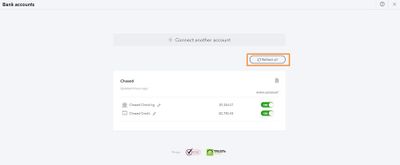
Second, if the manual update doesn't work, I recommend signing in to your bank's website. Then, check if there are any alerts or notifications that may block QuickBooks from downloading new transactions. Once reviewed, click the Refresh all button again.
If there are still missing transactions, I suggest reaching out to our Customer Care Support team. This way, they can further investigate this issue and raise a ticket, if necessary. In the meantime, you can download an updated list of your transactions from your bank's website and upload them to QuickBooks using a CSV file.
Be sure to keep in touch if you need more help with managing your bank feeds. We want to ensure this matter gets resolved. Have a good one!


