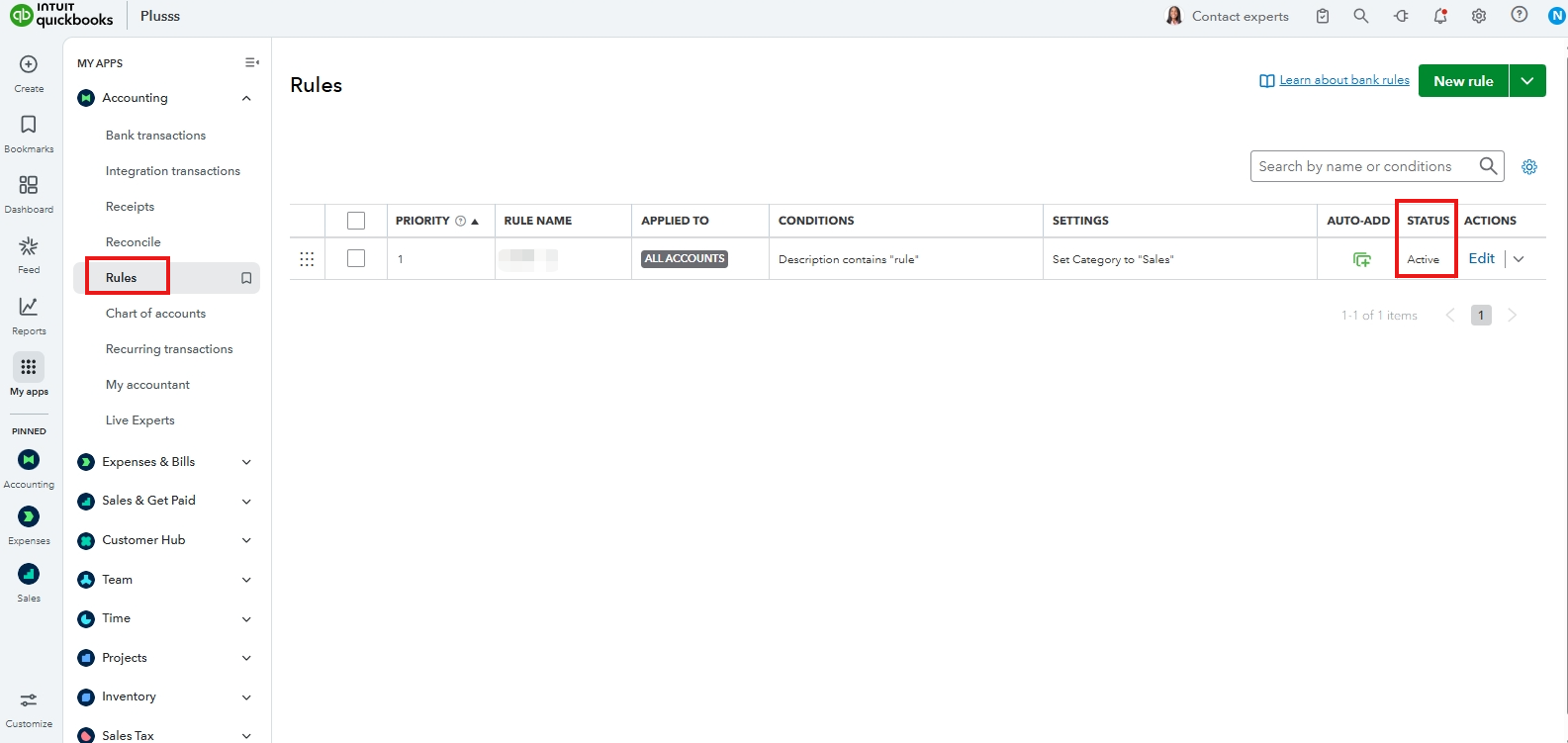
To auto-categorize donations with PayPal, ensure that the status of the bank rules you set is active, Rescue.
To check, here's how:
- Go to Accounting, then Rules.
- Locate the bank rule.
- Under Status, verify if it shows Active.
On the other hand, if you have no bank rules, you'll need to create one to be able to auto-categorize your transactions. Please note that only future transactions will be affected by the new bank rule. Old transactions can only be manually categorized.
For steps, check out this article: Set up bank rules to categorize online banking transactions in QuickBooks Online.
If you already have a bank rule that is currently active, I recommend troubleshooting your browser by clearing cache and cookies. This will refresh your website's preferences. You can also consider using a supported browser to optimize your QuickBooks experience.
Let us know if you need additional assistance with your bank transactions.


