You can set the date range to All Dates to display all transactions in the bank register, @mark389.
Here’s how:
- Navigate to Settings and select Chart of Accounts.
- Locate the account you want to filter and click on View Register.
- Tap the Funnel icon above the Date filter.
- Set the date range to All Dates and customize any other filter options if needed.
- Click Apply.
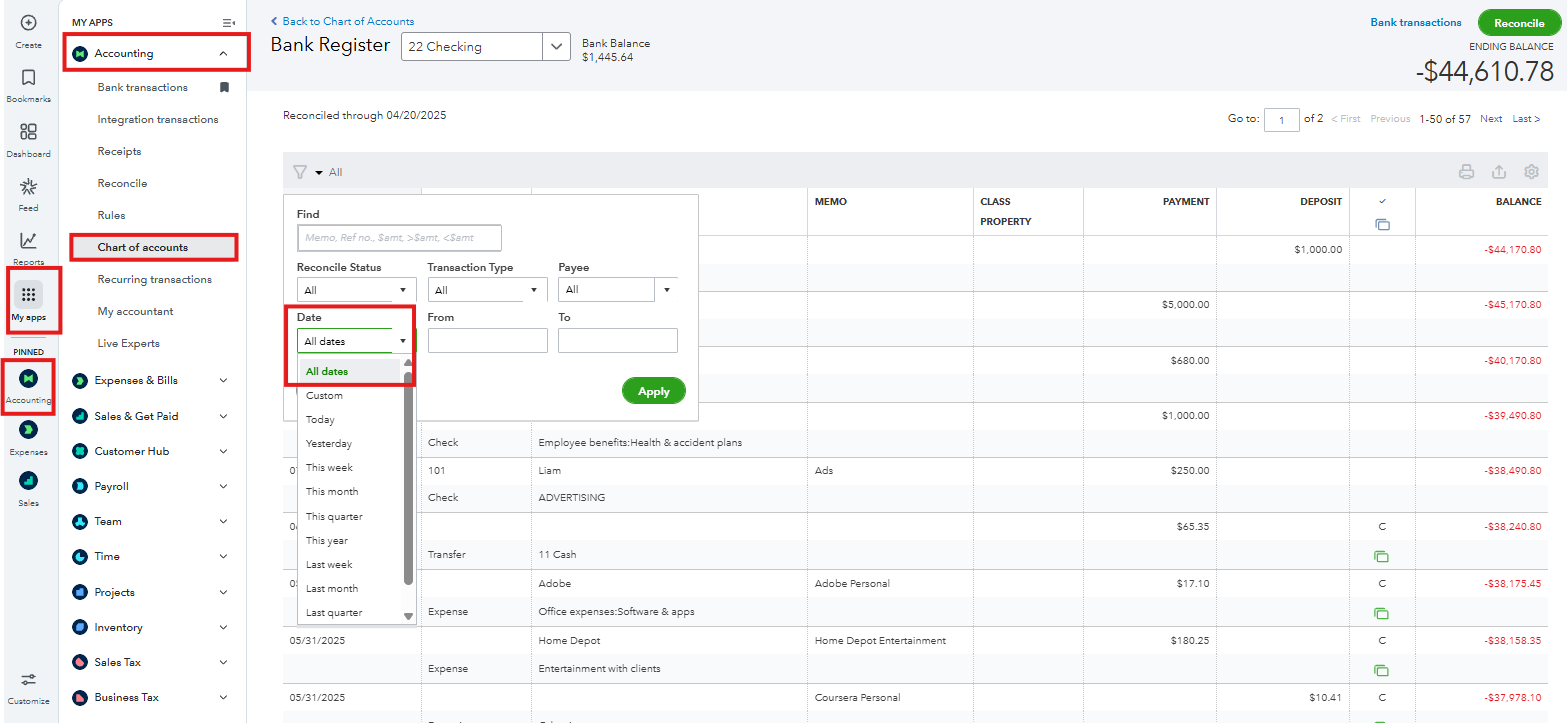
If you have multiple pages of transactions, you can click the Next button at the top right or bottom of the register to navigate through the pages.

You can check this article to help you manage and review your transactions within the registers: Find, review, and edit transactions in account registers in QBO.
On top of that, consider checking out our QuickBooks Live Expert Assisted team. They can also help you with your transactions, accounts, and bank reconciliation.
We’re always here to help you if you have any other concerns.


