Glad to see you in the Community, @numinadigital-ou. I’m here to share information on why the memo info doesn’t show up in your Chart of Accounts section.
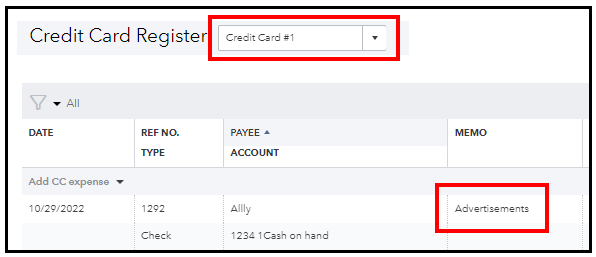
The memo details are on the account you choose in the Bank Account dropdown of your transaction. If the entry’s category is Credit Card account and the bank account selected is Savings/Cash on hand, you’ll want to access the Savings register to view the memo. See the screenshots below for your reference:
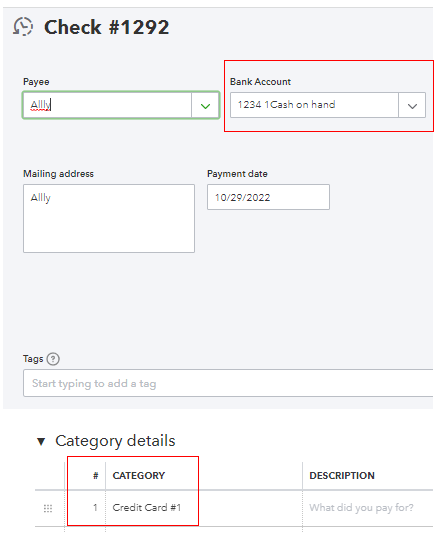
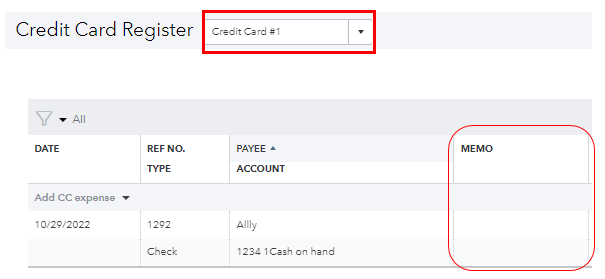
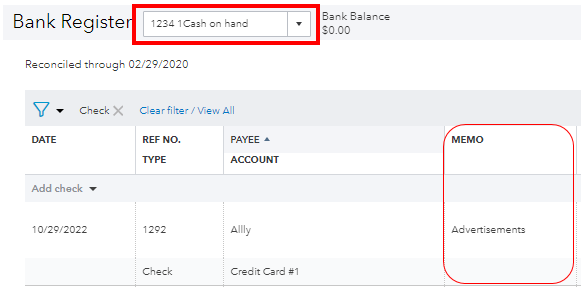
You can add the memo info in the Description field if you want to show it under your category.
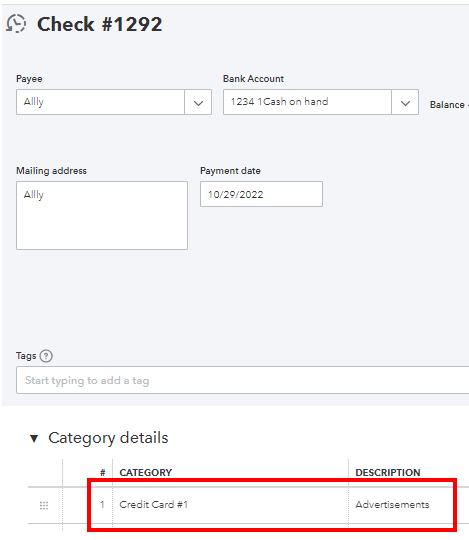
Here's an article in case you need tips to customize your accounts in QuickBooks: How to organize your chart of accounts. This will allow you to quickly determine your financial health so you can make better arrangements moving forward.
Please don’t hesitate to reach back out if you have any other questions or concerns about managing your accounts or transactions. I'll be here to help. Take care always!


