Turn on suggestions
Auto-suggest helps you quickly narrow down your search results by suggesting possible matches as you type.
Showing results for
Get 50% OFF QuickBooks for 3 months*
Buy now
Hello there, Chelsea. Let me share steps and information in connecting your account in Chase (UK) Desktop Only with QuickBooks Online (QBO).
It's possible to connect your Chase (UK) Desktop Only in QBO. To do that, let's first enable connections to banks with different currencies and set up multicurrency in the Company Settings.
Here's how to do it:
After that, we can now start the process of linking your Chase bank account. To do that, let's follow the steps below:
Note: Select an account type that matches your chart of accounts. If you don’t see the correct account type, select + Add new.
Also, I've included this helpful article from another QBO region with the same steps that contain additional information to learn more about this process: Connecting Chase Bank to QuickBooks Online.
For future reference, you can check this article to learn how to categorize your bank transactions: Categorize online bank transactions in QuickBooks Online.
Should you have more questions about Bank connectivity or any other QuickBooks-related concerns, you can always reply to this thread. I'll be here to help you. Keep safe.
I've done all the above steps. Quickbooks just keeps trying to connect to Chase UK until the link expires. I still can't connect.
I tried all the above steps and didn't resolve the issues. The quickbooks still tried to connect Chase UK until the link is expired.
Thank you for performing the steps my previous colleague has provided, Chelsea.
To begin with, may I ask if you've encountered a specific error? This way, we can give you the appropriate solution you need. Any additional information will be highly appreciated.
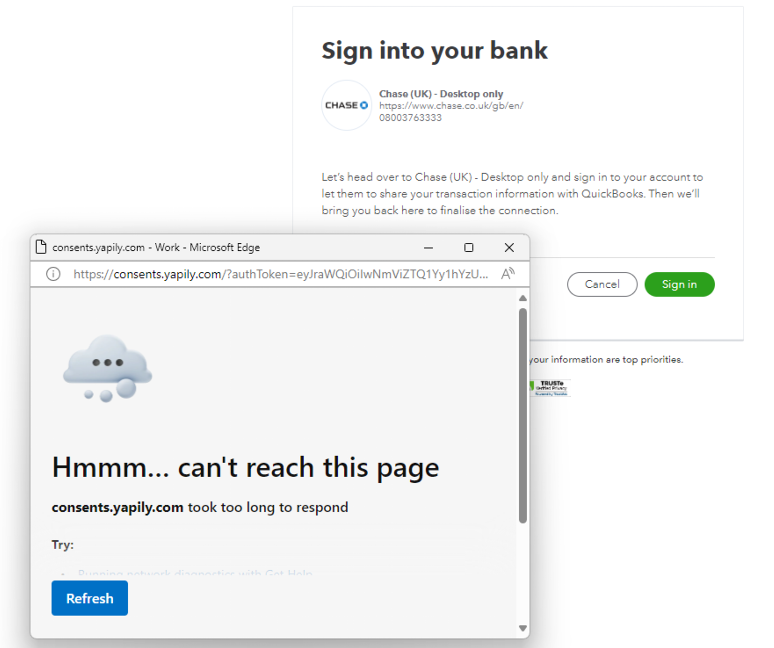
On the other hand, if you didn't receive any error, I recommend logging in to your Chase Bank Account online to check if they are currently undergoing system maintenance. I tried connecting earlier and was unable to do so.
Here's a screenshot for your visual reference:
In the meantime, we can manually upload your bank transactions into QuickBooks Online as a CVS file.
Moreover, you can also contact our QuickBooks Support Team, for they have the necessary tools to investigate this further.
I'll be around if you have further concerns about connecting your Chase Bank account to QuickBooks Online. Keep safe.


You have clicked a link to a site outside of the QuickBooks or ProFile Communities. By clicking "Continue", you will leave the community and be taken to that site instead.
For more information visit our Security Center or to report suspicious websites you can contact us here


