Accurate financial reporting is crucial, and assigning the right amount for every transaction is part of it, Karin.
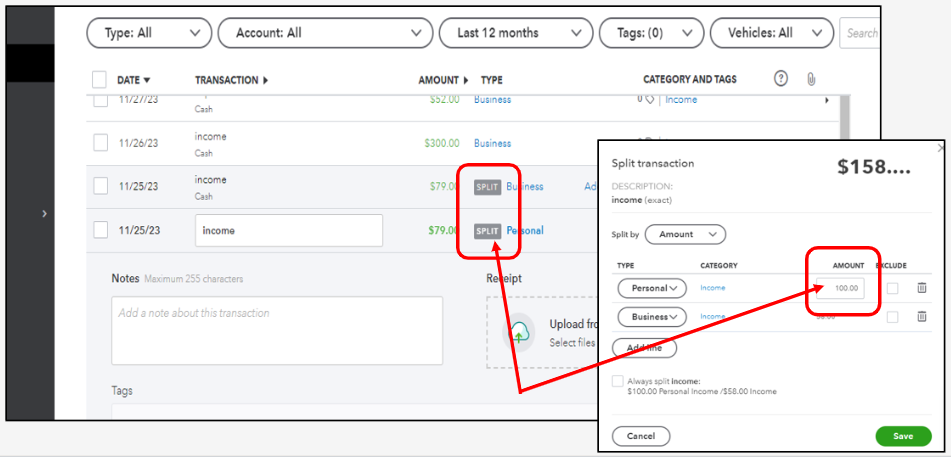
You can click on the transaction itself to edit it. Let me share a quick rundown of the steps you can follow. Here's how:
- Go to the Transactions menu and look for the split deposit.
- Click the Split description under the Type column.
- Change the amount of the personal transaction.
- Click Save.
Here are a couple of resources that might come in handy while you're working with your banking transactions in QBSE:
Please feel free to ask follow-up questions if any other concerns come up while recording or assigning categories to your transactions. The QuickBooks Team would be happy to provide further assistance.


