I’m here to ensure your transactions will be transferred to the correct account, @bderen.
QuickBooks offers a Reclassify tool that helps move multiple transactions to a different account at once. You’ll just need to invite your accountant and ensure they have a QuickBooks Accountant Online account to do it.
You can follow these steps to invite an accountant:
- Sign in to QuickBooks Online as a primary admin.
- Go to the Gear icon and select Manage Users.
- Select the Accounting firms tab.
- Enter your accountant's email and then click Invite.

- Enter your accountant's info and select Save.
Once done, they can use this information to reclassify your transactions. It has complete instructions to update the events successfully.
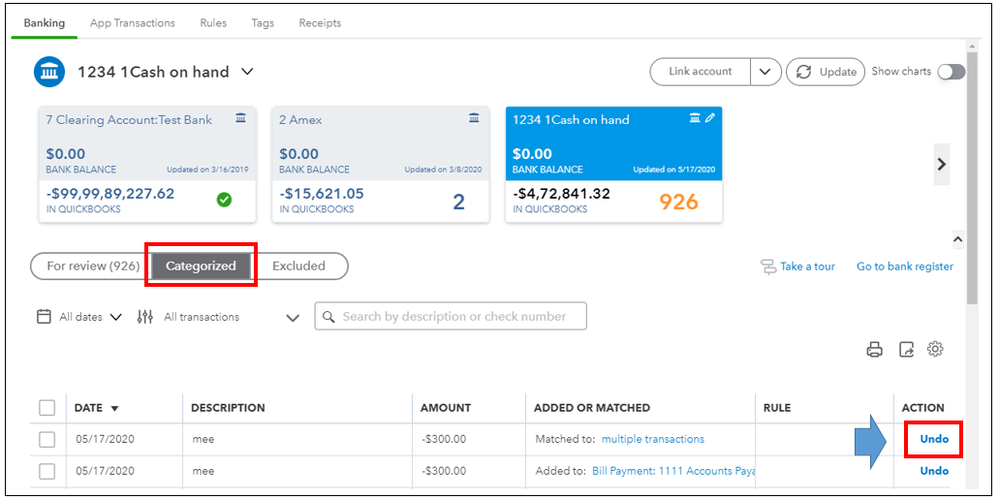
On the other hand, you can manually undo the categorized entries on the banking page to correct the account. If they're already in your bank registers, you can modify them and change the posting account. These options will only apply if you’re unable to utilize the reclassify tool.
I’ve added this reference in advance to learn more about reconciliation in QuickBooks. This helps ensure your books are accurate.
I'll be here to further assist and provide you more details on how to move multiple events if you have additional questions. Have a good one!


