We can utilize the +Add New feature in QuickBooks Online to add a Check as a Payment method, Rhett. I'm here to help in streamlining the processes of your payment.
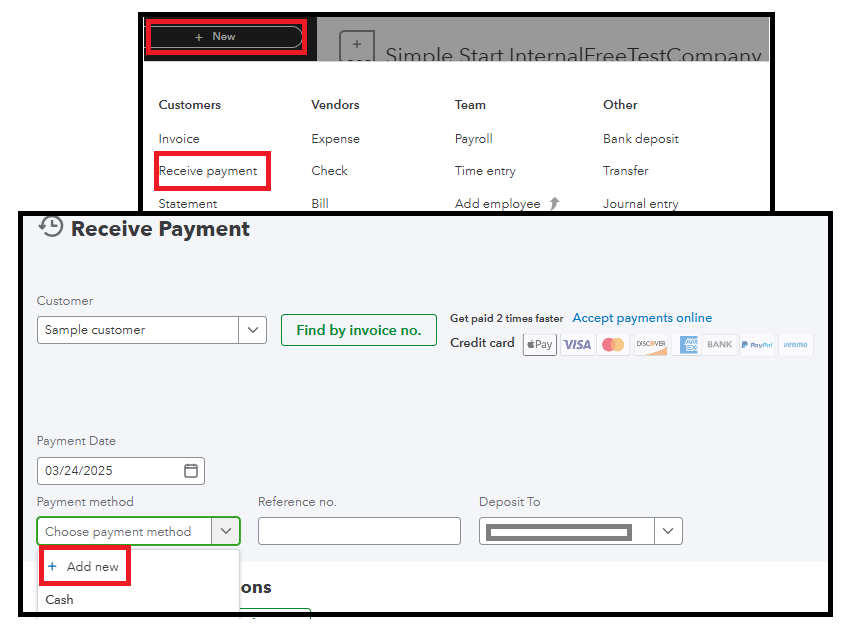
If you currently only have Cash listed as a payment method, you can add a Check as another payment method. Here's how:
- Click + New, and select Receive payment.
- From the Customer dropdown, select the name of the customer.
- From the Payment method dropdown, click +Add new.
- Enter Check as the name of the New Payment method, then Save.
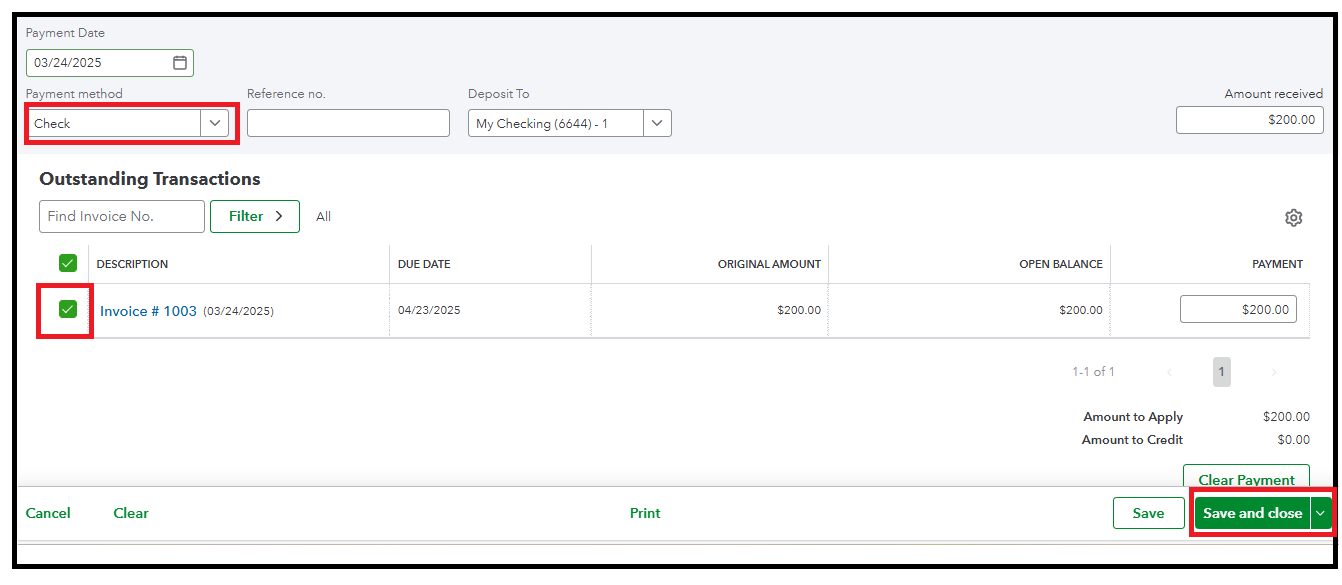
- Select the Check you added.
- In the Outstanding Transactions section, select the checkbox for the invoice you're recording the payment for.
- Select Save and close.
Once done, reconcile your accounts to ensure they match your bank and credit card statements.
Let us know if you require more assistance in recording your payments by adding a reply below. The Community team and I are here to assist you.


