Hi there, Owen. When we delete a bank deposit from your chart of accounts in QuickBooks Online, there's no option to add it back. Allow me to share some insights below.
Before proceeding, can you specify which part of QuickBooks you deleted the transaction from? Providing this information will help us offer a targeted solution to your concern.
If you're referring to the bank feed, there's no option to delete it. Instead, you will only have the option to exclude it, which will be saved in the Excluded tab.
Also, once a deposit is deleted from your chart of accounts, you cannot restore it. I recommend creating a new bank deposit to re-add it.
Consider using the Audit Log feature to review the deleted transaction. You can then reference the details when creating the new deposit.
Here's how:
- Go to the Gear icon.
- Select Audit log.
- Look for the deleted bank deposit.
- You can follow the information there and create a new bank deposit.
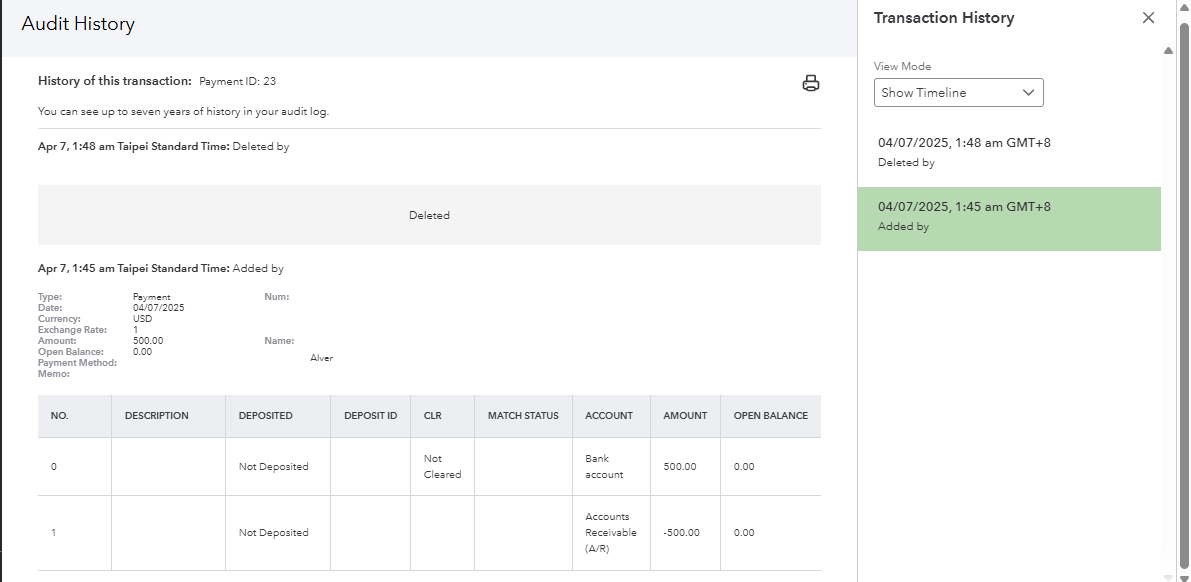
Furthermore, refer to this article for guidance in recording bank deposits in QBO.
Additionally, you can categorize your transactions and then reconcile them to ensure they are accurate and balanced with your real-life records.
As always, reply to this post if you need assistance in achieving your QuickBooks goals. Please remember that we, the Community, are always here to help.


