Hello, Roscott.
I'll show you how you can add a deposit in QuickBooks Online.
You can add a deposit by clicking the + New button, then selecting Bank deposit.
From there, you'll be able to see the Bank deposit form. Simply select the bank account under Account to deposit the funds.
On the Add funds to this deposit section, you'll be able to enter the name of the customer (where you received the deposit) and select the account where you want to track the funds.
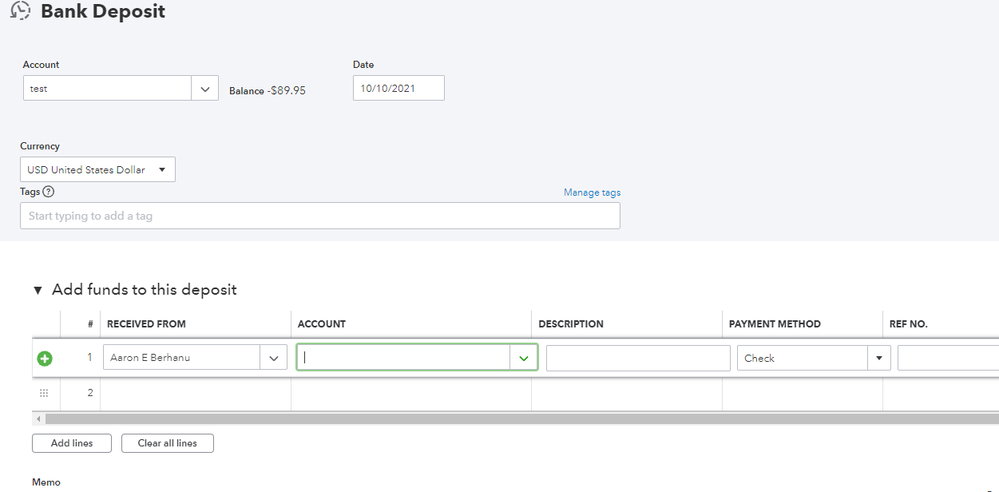
Also, if your customer paid or deposited the funds through check, you can set the PAYMENT METHOD to Check.
If you'd also like to know how to record retainers, check out this article for the full process: Record a retainer or deposit.
This article can help you understand more about recording deposits in QuickBooks: How to Record Bank Deposits in QuickBooks Online.
Do you also need help connecting your bank account in QuickBooks to match and categorize your transactions? This article can guide you through the process: Connect bank and credit card accounts to QuickBooks Online.
If you'd like to learn more about recording other transactions, please let me know. I'd be glad to show you the steps and details.


