Welcome to the Community, Deborah.
When you mention reconnecting to your bank, do you mean that you disconnected your bank account and then connected it again in QuickBooks? Did you receive an error message, even after refreshing and reconnecting to your bank?
Please note that in QuickBooks Self-Employed, disconnecting your bank account will result in your transactions disappearing, as designed by the system.
To resolve your issue, you may first want to check your bank's website for any ongoing system maintenance. If none is reported, make sure that the date range on your Transactions page is broad enough and that no filters are hiding transactions (e.g., selecting "All" under Type/Account).
As a workaround, you can manually upload those missing transactions into QuickBooks. Here's how:
- On the left menu, go to Transactions.
- Click the dropdown arrow next to the Add transaction button, then select the bank associated with the missing transactions.
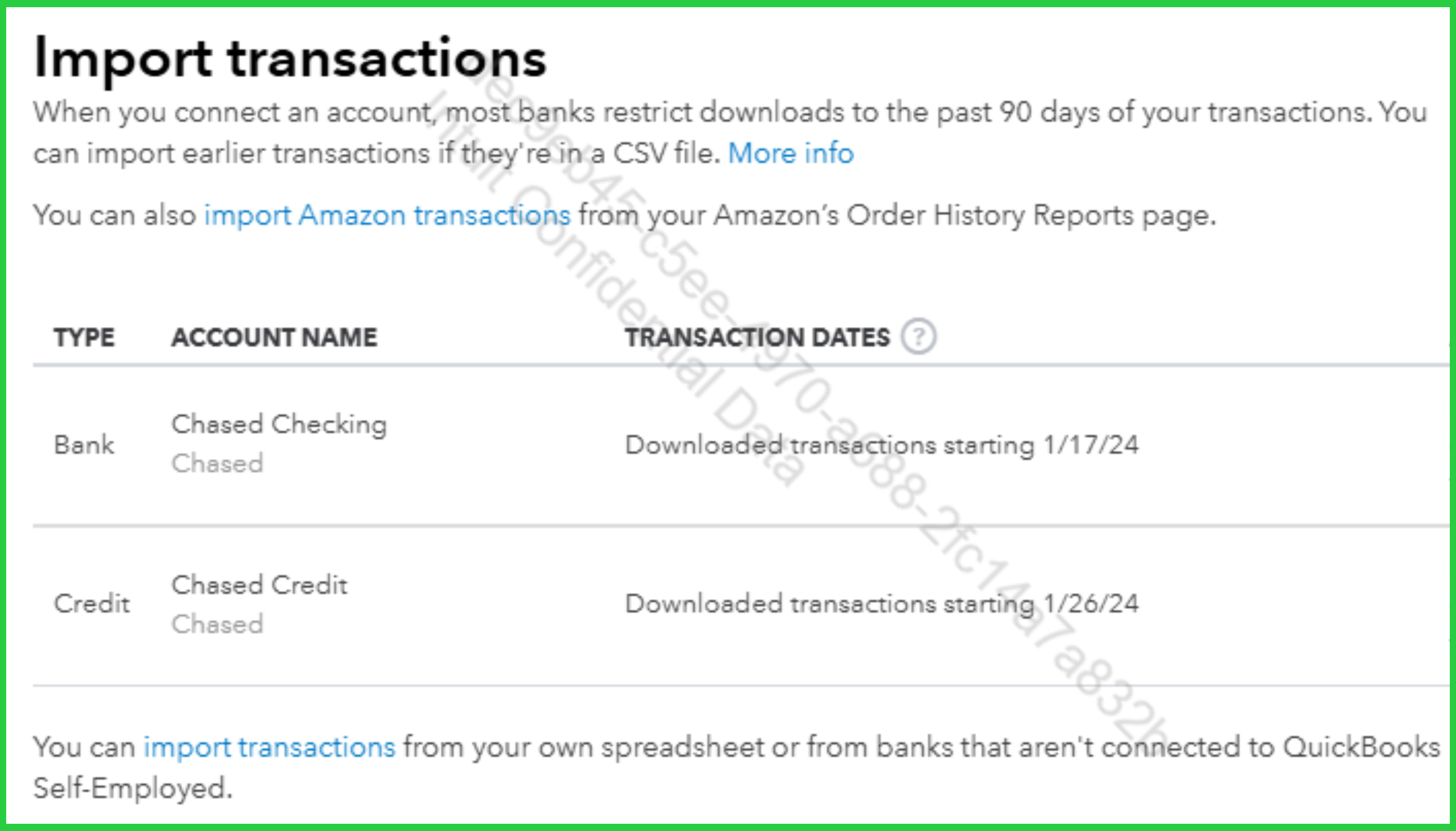
- Sign in to your bank then download/export the missing transactions. Ensure that each transaction includes the date, description, and amount. Save the file in CSV format.
- Browse to the file on your computer, then click Next and follow the instructions to complete the upload.
If you have further concerns or need additional assistance, feel free to leave us a message.


