Welcome to the Community, Rudnyb24! By connecting your bank account to QuickBooks, your transactions will download automatically. It's important to note that some banks let you download the last 90 days of transactions, while others may provide access to transactions up to 24 months old. I'm here to help you connect your bank account to QuickBooks.
Here's how:
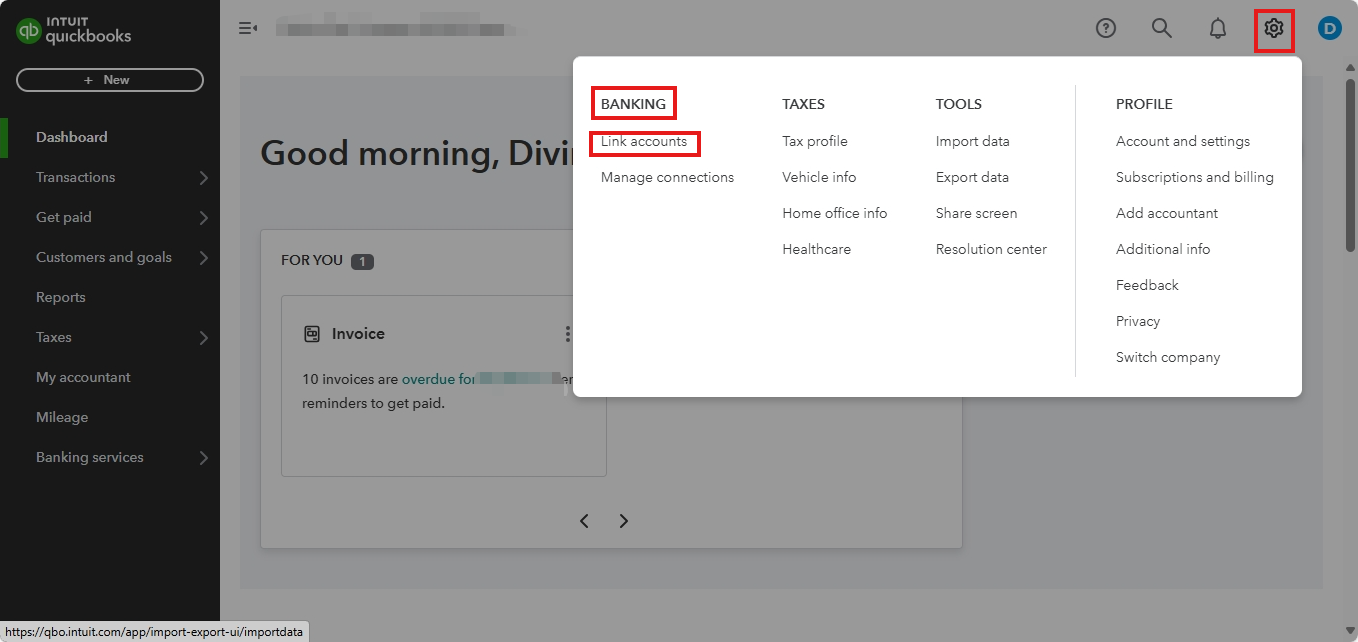
- Navigate to the Gear icon.
- Under the Banking column, select Link Accounts.
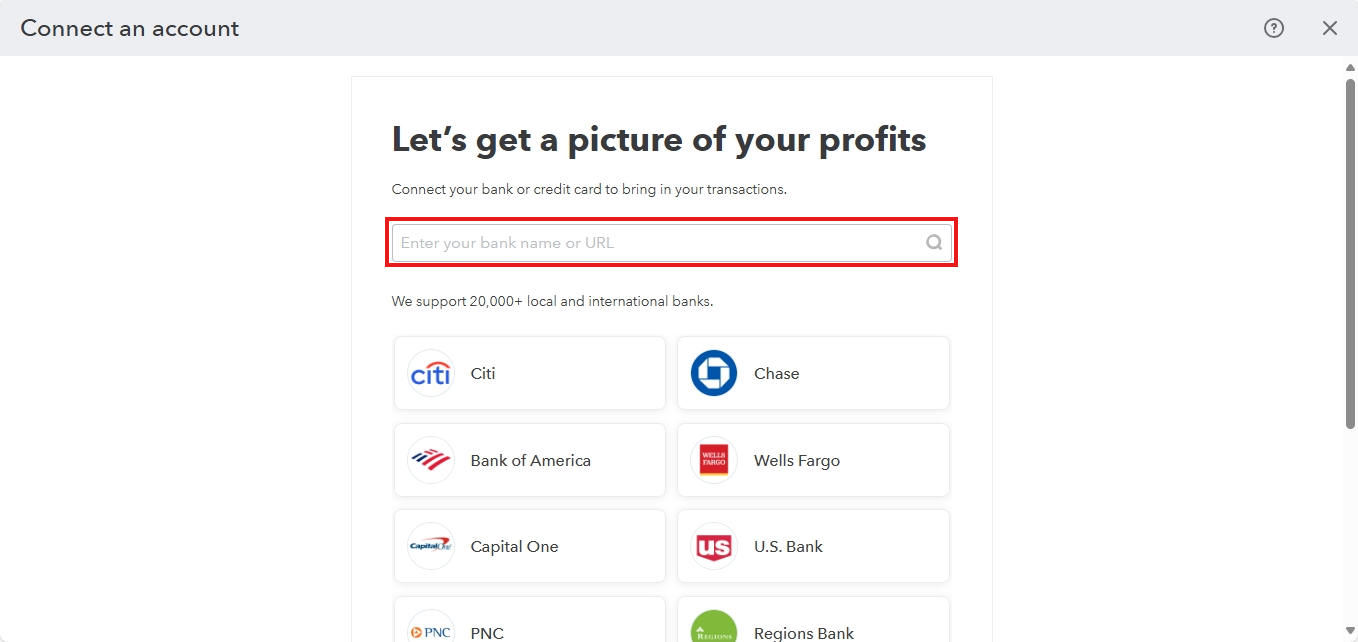
- Use the Search bar to find your bank.
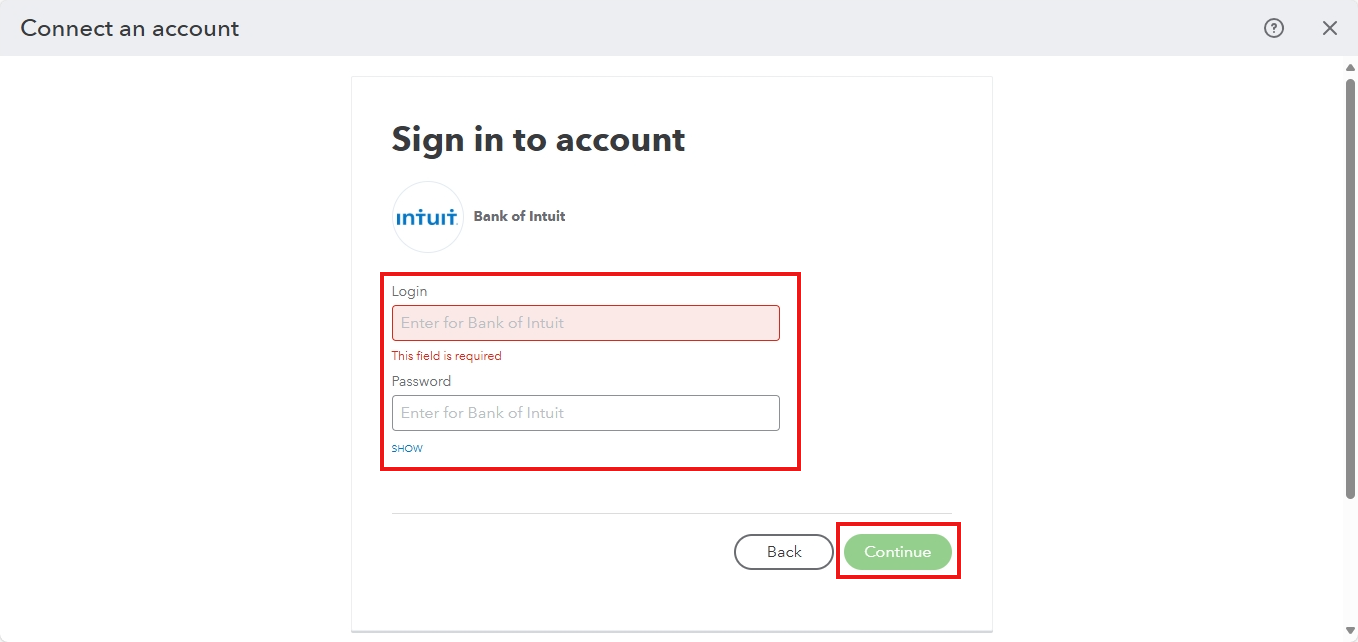
- Enter the sign-in information on your bank's website.
- Click Continue when you're ready.
Once the connection is successfully established, proceed with categorizing your transactions to ensure they are accurately organized and recorded in your financial records.
If you need further assistance connecting your business card account to QuickBooks, please feel free to comment your queries below. I'm here to help you every step of the way!


