Hello, nivekskevin.
I'll share some insight into why it says, "There's a discrepancy because at least one transaction was changed or deleted after it was reconciled."
In QuickBooks, transferring a transaction from one account to another may result in a discrepancy between the actual balance and the beginning balance of the reconciled account. This is because the reconciled transactions determine the beginning balance. When a transaction is moved, it can impact the balance of both the original and destination accounts, leading to a mismatch between the actual balance and the reconciled beginning balance.
To recategorize a transaction that has already been reconciled, you must first undo the reconciliation. Once the transaction is unreconciled, you can edit the category and any other details as necessary. After you have made the necessary changes, you will need to reconcile the transaction again manually.
Please note that it is recommended that you seek the assistance of an accountant before modifying any reconciled transactions to avoid any issues with your accounts. This will ensure the reconciled transaction is handled correctly and prevent potential errors. If you do not have an accountant, you may find one through this link: Accounting professionals.
- Click the Gear icon and choose Chart of Accounts.
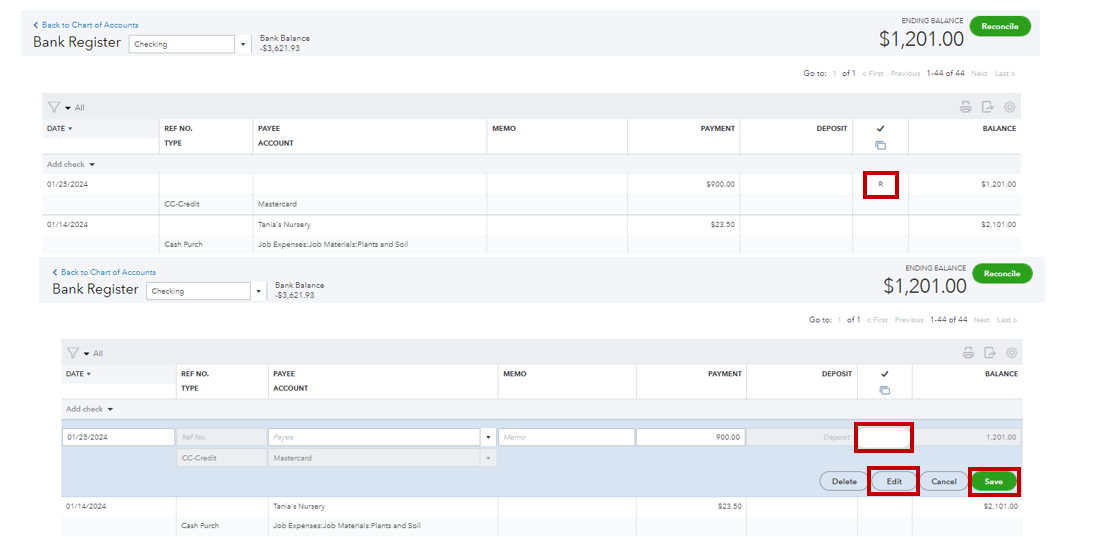
- Select the bank account, then tap View register.
- Locate the transaction to unreconciled.
- Click the transaction, and under the reconcile status indicated with a checkmark, repeatedly click R until you see a blank status (unreconciled or uncleared).
- Press Save.
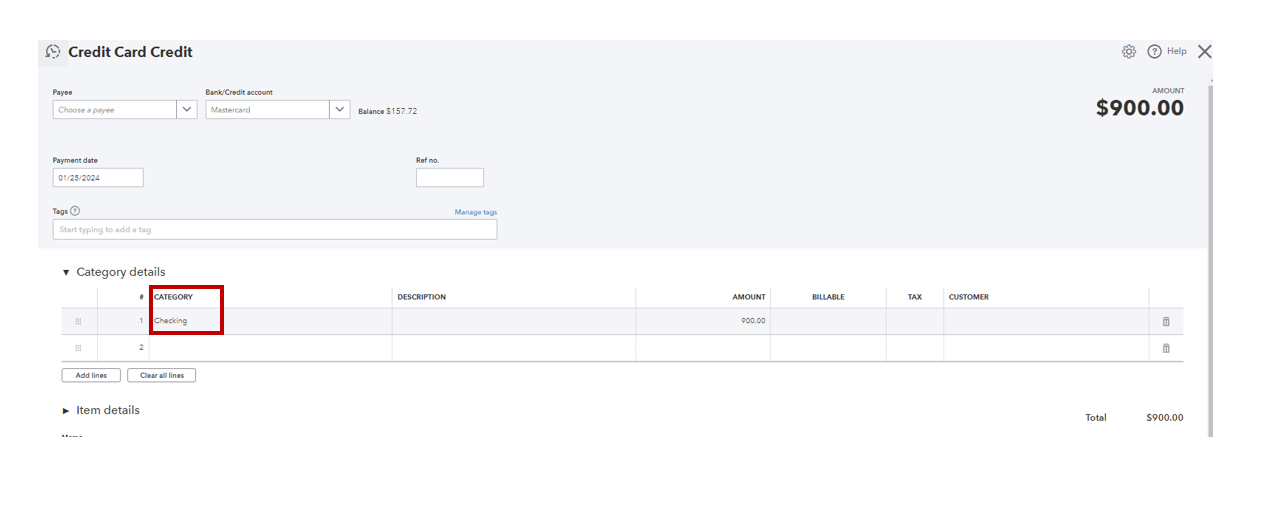
- Select the unreconciled transaction and click Edit.
- Change the category and click Save.
- Return to the bank's register and select the transaction again to manually reconcile (repeatedly click on the blank status until you get R for reconciled).
Please refer to the articles below if your bank statement doesn't match your account's opening balance.
Furthermore, if you want to utilize bank rules to categorize transactions from your bank, please see this article: Set up bank rules to categorize online banking transactions in QuickBooks Online.
Feel free to let me know if you have any questions or need assistance reconciling your transactions in QuickBooks Online. I am always happy to help. Have a great day!


