Turn on suggestions
Auto-suggest helps you quickly narrow down your search results by suggesting possible matches as you type.
Showing results for
Get 50% OFF QuickBooks for 3 months*
Buy nowHi,
I would like to ask if I can edit an invoice that has already been paid and the payment received has already been deposited? What are the steps to be taken? Thanks for your help.

Welcome to the QuickBooks Community, Rachel. I'll lay out the steps to edit your invoices in QuickBooks Online (QBO).
Yes, you can make changes to a paid invoice in QBO. Simply follow these steps to proceed:
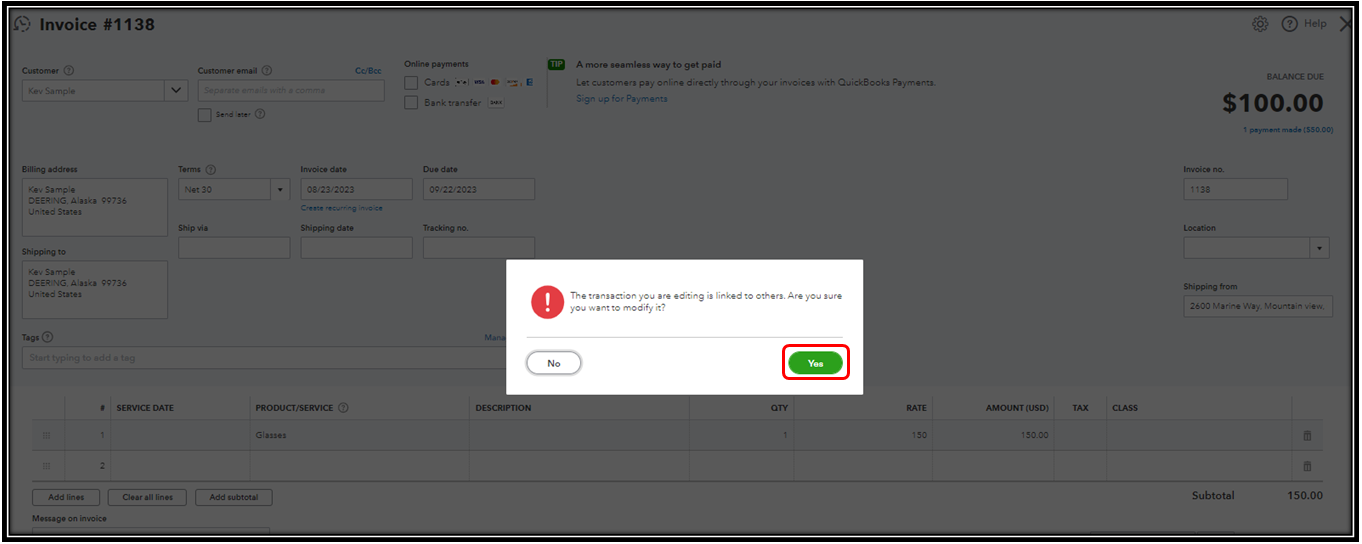
Moreover, if editing your invoice will affect its amount, then it will also affect the applied payment. Here are some articles you can read through for additional guidance in handling customer payments in QBO:
Let me know if you have a follow-up question about editing your paid invoices in QBO. I'm always here to assist. Keep safe.
I received payment in QB but it states "In Review " and its not been deposited. Where are the funds and how can I deposit to my bank account?
The In Review status means that our team is still checking the payment to make sure everything’s alright, @nonos. Let's go over some details to ensure that the funds will be deposited into your account.
For first-time users, the first few payments can take longer to process while we set everything up. Once completed, subsequent transactions will be deposited much faster.
Furthermore, when your deposit is being reviewed, you'll receive an email containing the specific instructions on how to handle the situation. Please note that you'll have to provide additional documents as required, so we can complete our review. This includes a copy of the original invoice you sent to your customer and your bank statements for the last 6 months. Once submitted, we'll complete the review within 2 business days.
If you cannot find the email, check your spam or junk folder. You can also connect with our live support team to follow up on the status of the payment.
Moreover, you may want to visit this article to learn how to reimburse your clients: Void or refund customer payments in QuickBooks Online.
Got more questions about your customer payments and deposits? Don't think twice to post them below and I'll guide you through, step by step.


You have clicked a link to a site outside of the QuickBooks or ProFile Communities. By clicking "Continue", you will leave the community and be taken to that site instead.
For more information visit our Security Center or to report suspicious websites you can contact us here


