Thanks for letting us know that you already made sure the existing transactions are present in your register, the_tile_setters. I'll provide steps to make sure you can see them when matching downloaded transactions.
Aside from the bank account, QuickBooks also uses the transaction’s date and amount to find a matching entry.
By default, it will only show the last 30 days' worth of transactions. To see all transactions, choose Show all.
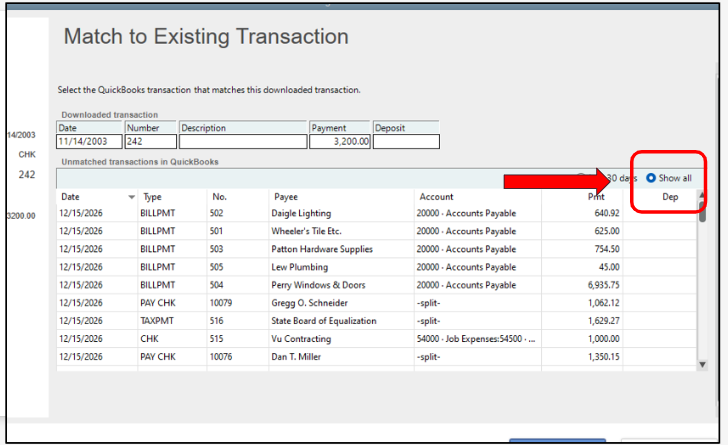
You can also see more details about looking for a match and managing downloaded transactions in this article: Add and match Bank Feed transactions in QuickBooks Desktop.
Just in case you can't still see the transactions, you can use the QuickBooks Tool Hub to further troubleshoot. This tool works as a one-stop shop that can resolve minor program issues, including missing transactions when using the Bank Feeds feature.
Here's an article as a guide on how to use the tool: Fix common problems and errors with the QuickBooks Desktop Tool Hub.
Additionally, these articles will provide extra references for managing your financial data in QuickBooks Desktop:
You can always reach out if you have other questions or concerns when working with your bank transactions and financial data in QuickBooks. We're here to help.


