Hi there, @vmalv00. Bank feeds usually stopped importing for security updates or system maintenance. Refreshing your bank feeds is a great first step, but it’s limited to the most recent 90 days of transactions. Since you need data from further back, a manual CSV import is the way to go.
Before that, make sure to export the transactions from your bank and then import them into your QuickBooks Self-Employed account. To do this, head to the Gear icon menu and select Import transactions. From there, locate the bank account that has missing transactions and use the Import older transactions link to upload your file. Then, follow the on-screen steps.
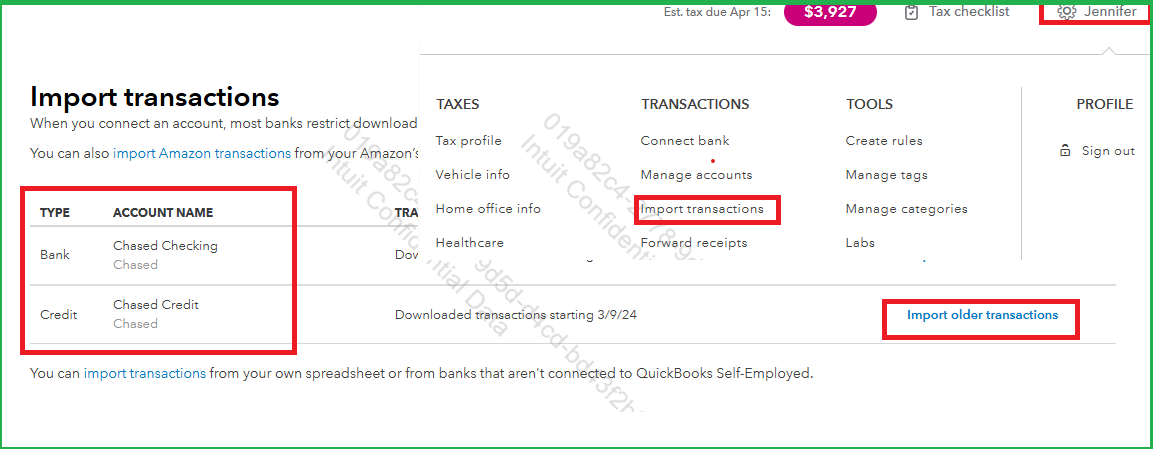
Once done, you can review and categorize your transactions to ensure they are accurate and to avoid duplicates.
Feel free to reply the thread if you have clarifications or additional concern. I'm always here to help!


