Turn on suggestions
Auto-suggest helps you quickly narrow down your search results by suggesting possible matches as you type.
Showing results for
Get 50% OFF QuickBooks for 3 months*
Buy nowI just started working for a company that has not reconciled their checking account for a year. Many entries are marked as cleared as our bank account is linked. I would love to "unclear" all the ones that do not pertain to December of 2021 when I reconcile. Would that cause any problems?
Thank you!

I'll explain to you, @Michelle0531, how the cleared transactions affect your bank accounts. You'll better understand how to handle bank transactions this way.
Cleared transactions are ready for reconciliation. When you next reconcile your bank account, these transactions are already selected to expedite the process. That said, unclearing cleared transactions will not cause any problems in your bank balance. To unclear, follow the steps below:
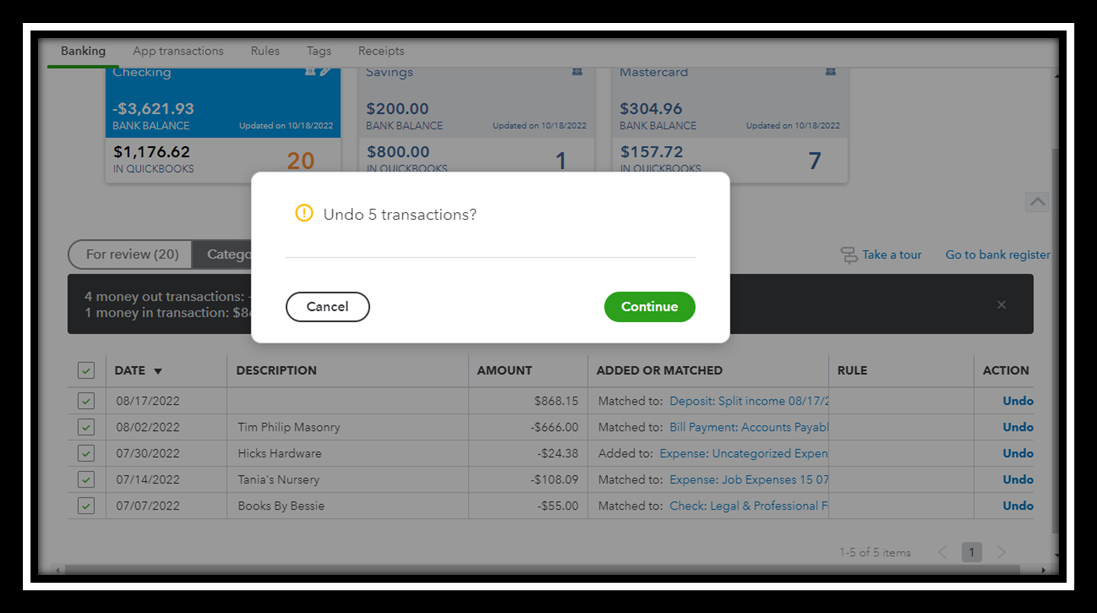
When you're ready, you can refer to the following articles to learn how to reconcile and resolve some issues that may arise during the process:
Additionally, check out these articles below on how to personalize your register and edit some transactions from there:
You're welcome to post here again if you have concerns regarding your bank transactions. I'll guide you through the process. Have a nice day ahead!
Thank you! I am going to give it a try. I think it will help because there is almost a year of transactions that have not been reconciled. Hopefully, when I get the company caught up, I will be able to just leave them cleared.
Thanks again!
Hello again @MichelleBh!
I don't really want to unmatch them, just unclear them. Can I just do that inside the reconciliation instead?
Thank you!!
Thank you for getting back to the thread, @Michelle0531.
When bank transactions come directly from your bank, the Cleared (C) status appears. These could be achieved through bank feeds or by importing bank statements, and they're ready for reconciliation. You can unclear them in View register. Please follow the steps below:
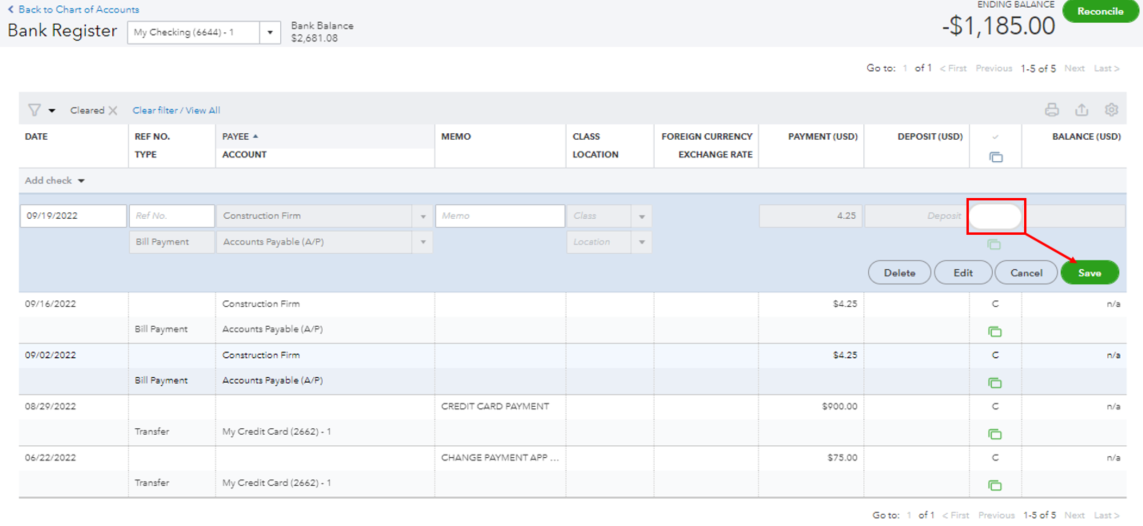
You can also uncheck cleared transactions if you don't want to include them in your reconciliation process: Here's how:
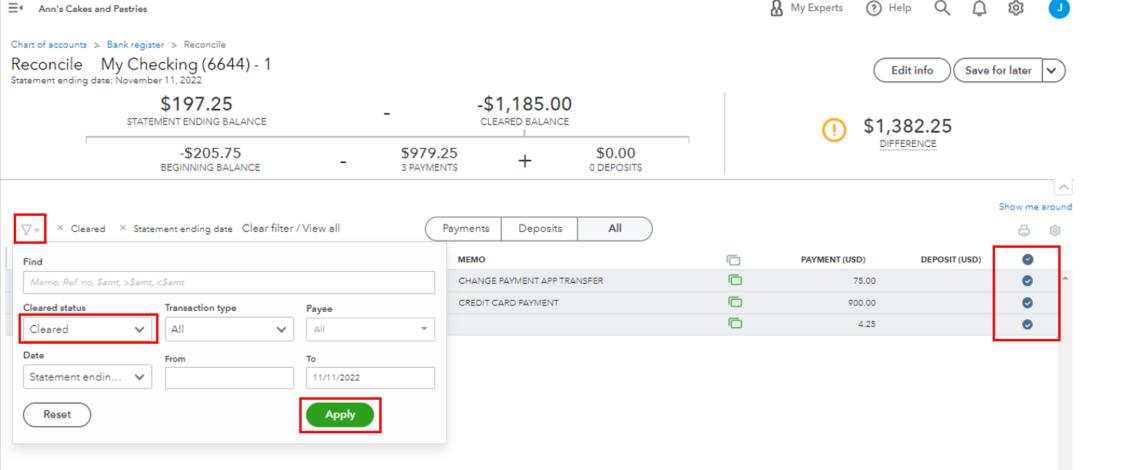
If you need to speed up the categorization of your bank transactions, you can refer to this article for the steps: Set up bank rules to categorize online banking transactions in QuickBooks Online.
Let us know how else we can help with your reconciliation. We're available 24/7. Have a great day!


You have clicked a link to a site outside of the QuickBooks or ProFile Communities. By clicking "Continue", you will leave the community and be taken to that site instead.
For more information visit our Security Center or to report suspicious websites you can contact us here


