If the bank is updated and there are gaps of missing transactions in between the period of what you can see from your QuickBooks Self-Employed (QBSE) account, the possible reason of that is the bank might be under maintenance or there is a setting in your account that needs to be adjusted, 3APPLESLLC.
To avoid this from happening again, I suggest you log in to your bank's website and check for any updates or contact your bank to confirm if there's any maintenance. Ensure that all settings in your account are adjusted correctly.
I also appreciate you trying to add a file manually to fill in the gaps of missing transactions. But before we begin, can you please tell me what is the specific error message you are getting? Any additional information will help me provide the best solution.
We can upload CSV files in either a 3-column or 4-column format, as these are the only formats and order that QuickBooks accepts. Different banks format CSV files differently, we may encounter difficulties importing files from certain banks if their formats don't align with QuickBooks' requirements.
If the file is formatted correctly, follow these steps to upload in QBSE:
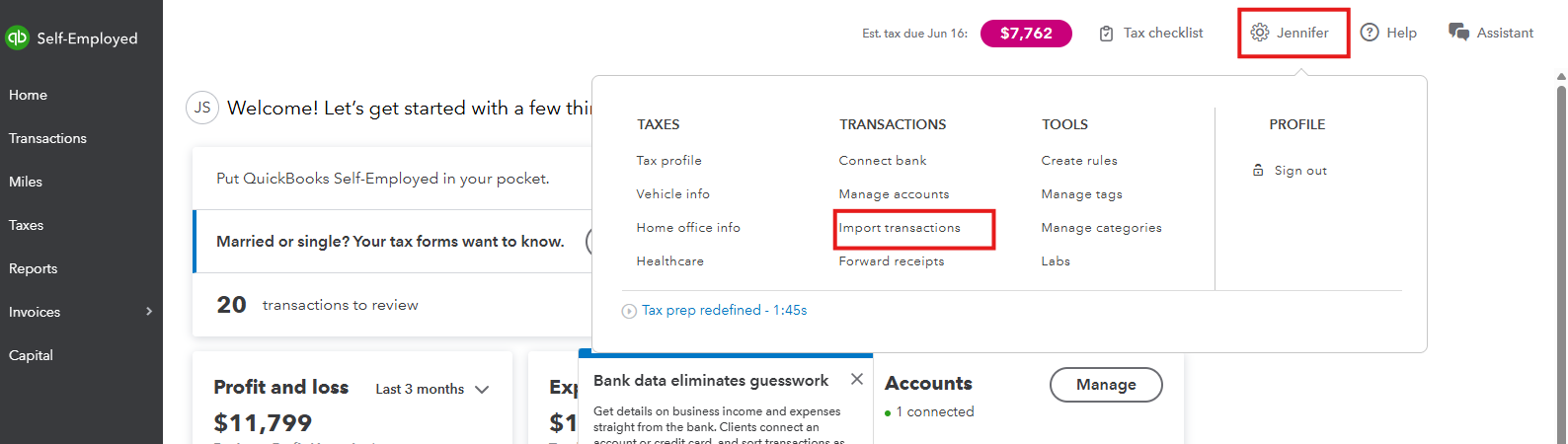
- On the dashboard, click the Gear icon and select Imports transactions.
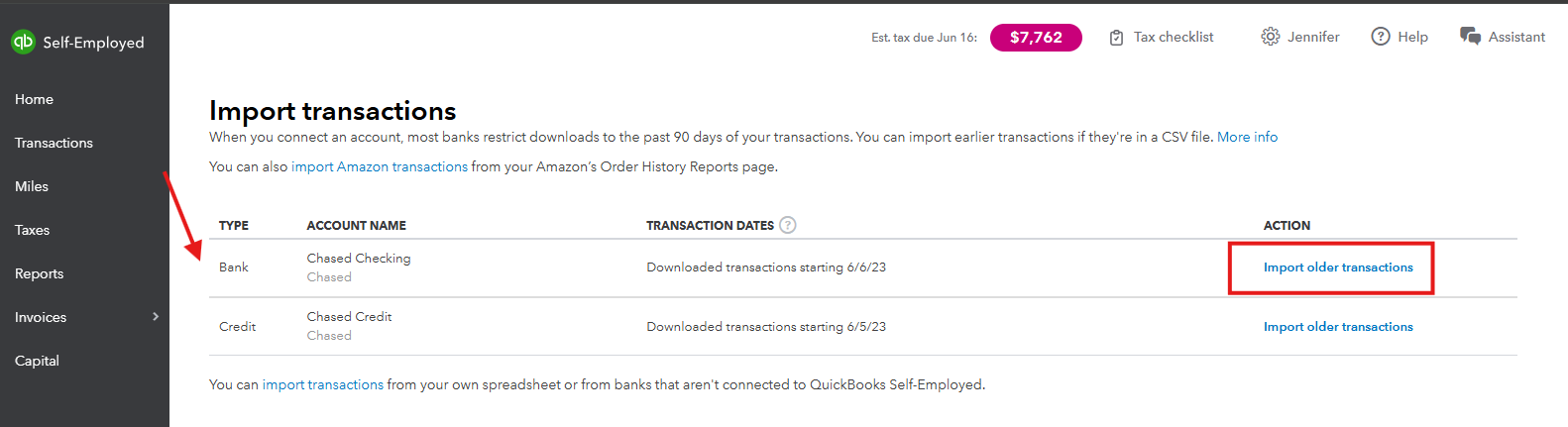
- Choose the bank and select Import older transactions.
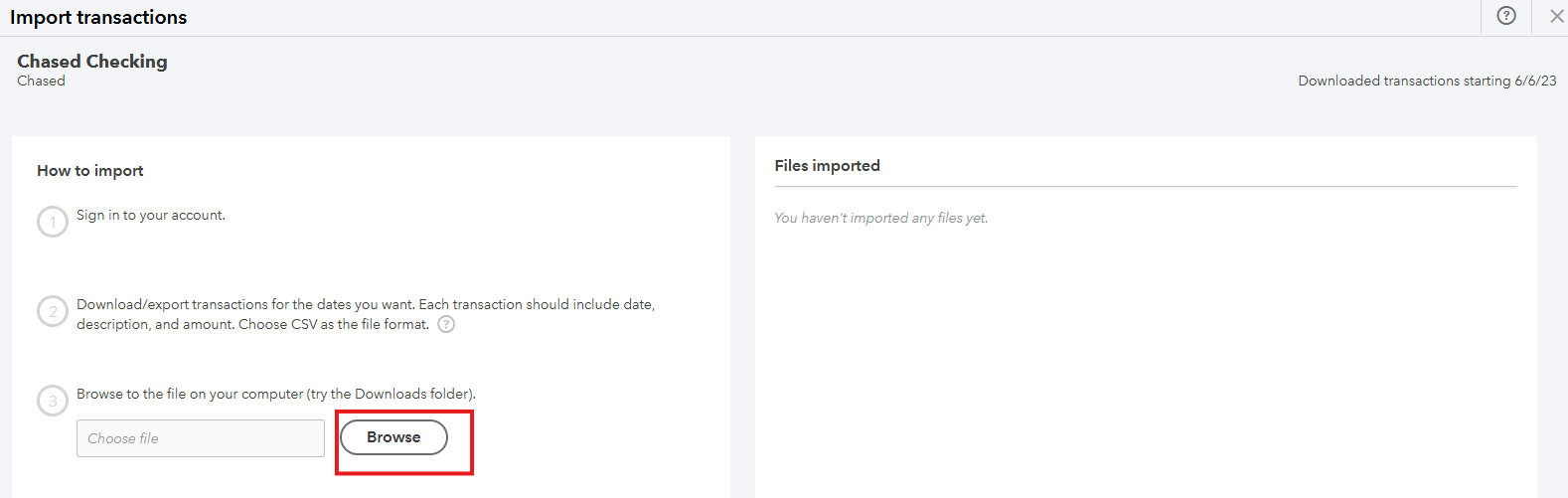
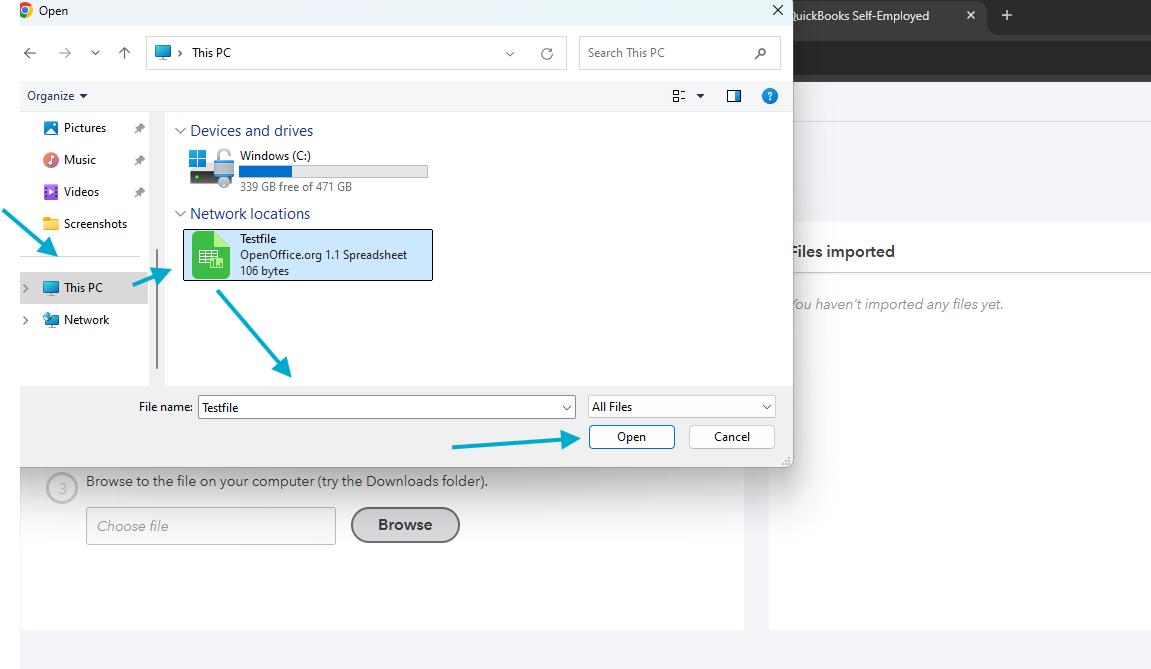
- Click on Browse. Search for the file saved on your device.
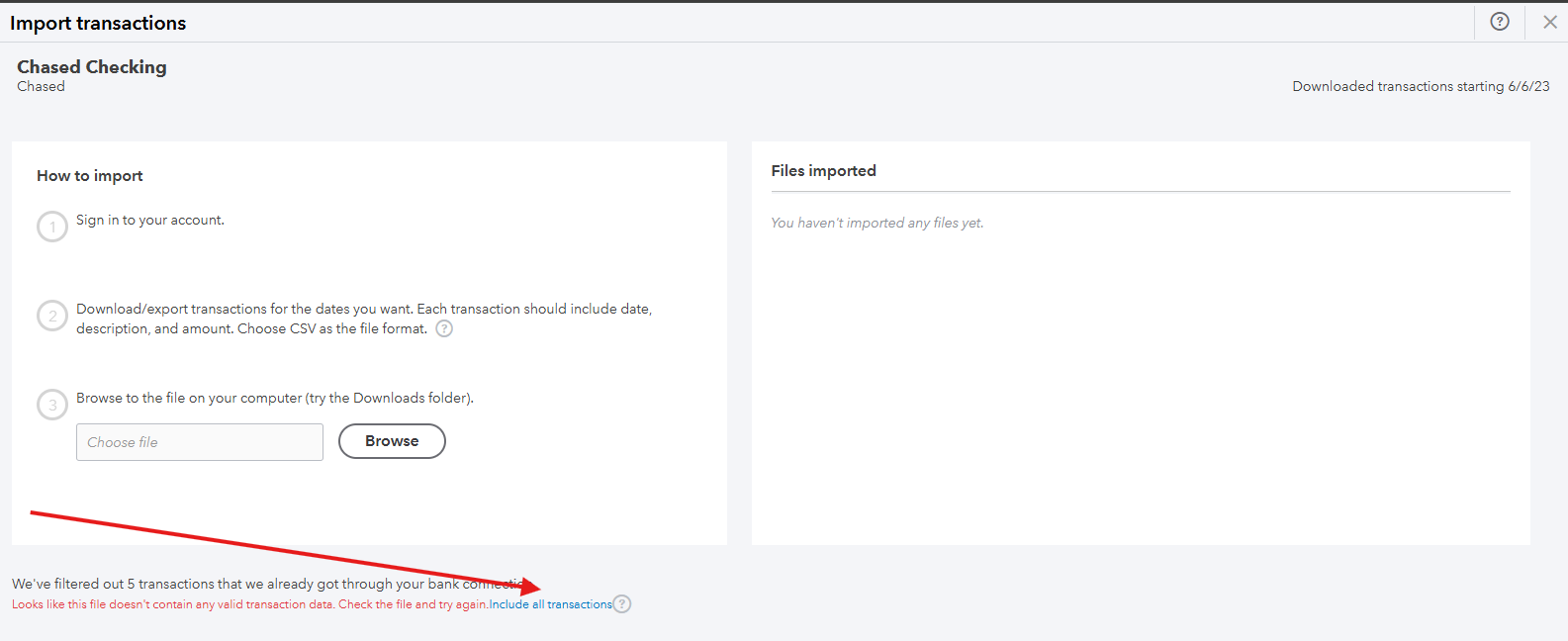
- Follow the onscreen steps to upload the CSV file. Note : If you see this message " We've filtered out 5 transactions that we already got through your bank connection. Looks like this file doesn't contain any valid transaction data. Check the file and try again. Include all transactions". Disregard the message and click on "Include all transactions" to proceed.
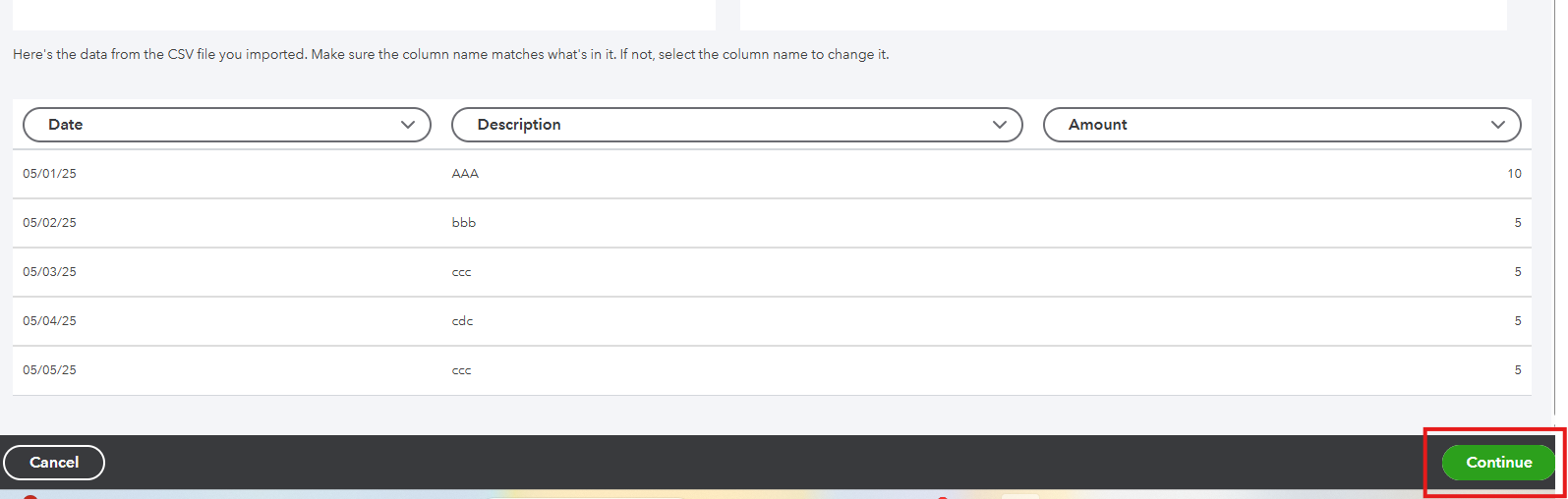
- Once the mapping is correct, click Continue.
I've added screenshots below for your visual reference:
When you're done, review and categorize your transactions to put them in your accounts for effective financial management, tax compliance, and strategic business planning.
After that, check this article to understand how QuickBooks Self-Employed automatically helps you estimate your federal tax payments in preparation for your self-employment tax submission: Automatically estimate your income tax in QuickBooks Self-Employed.
If you need further assistance in adding your file manually with QBSE, just hit the Reply button and we are always here to help. Have a good one.


