Turn on suggestions
Auto-suggest helps you quickly narrow down your search results by suggesting possible matches as you type.
Showing results for
Get 50% OFF QuickBooks for 3 months*
Buy now
Let's figure things out so you can upload your bank transactions and get back to business, Maria.
Beforehand, what financial institution was linked to your QuickBooks Online account? This will help me provide you with specific and relevant information.
Also, I recommend reviewing your bank or credit card's website. Then, check for the following:
If everything is good, go back to QuickBooks and update your bank transactions.
In the meantime, you can manually upload your bank transactions via a CSV file. Before doing so, download the CSV file of your transactions from your bank's website and ensure they are formatted correctly.
Here are the steps to follow:
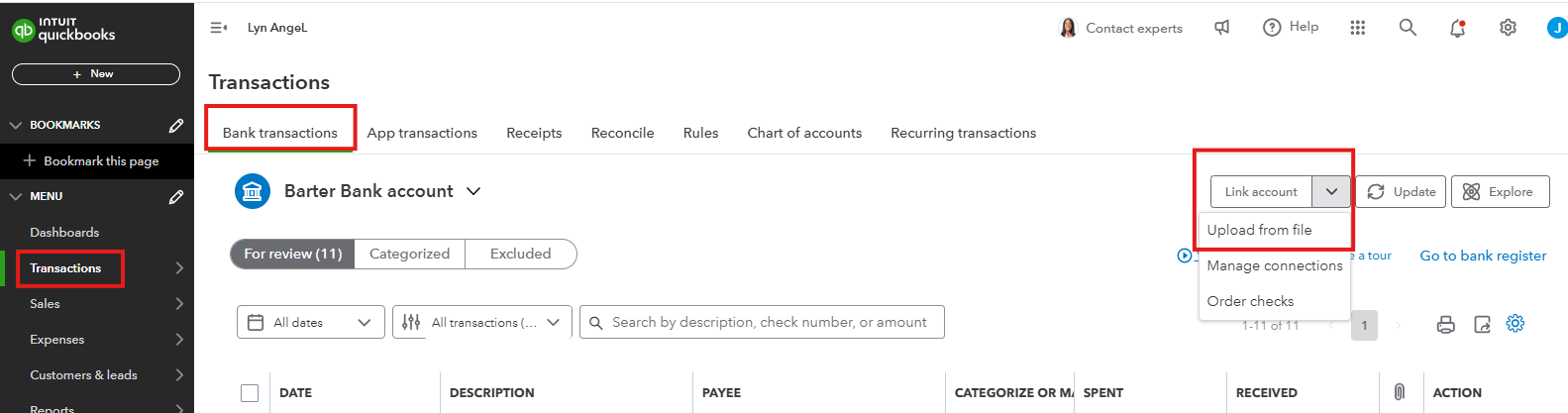
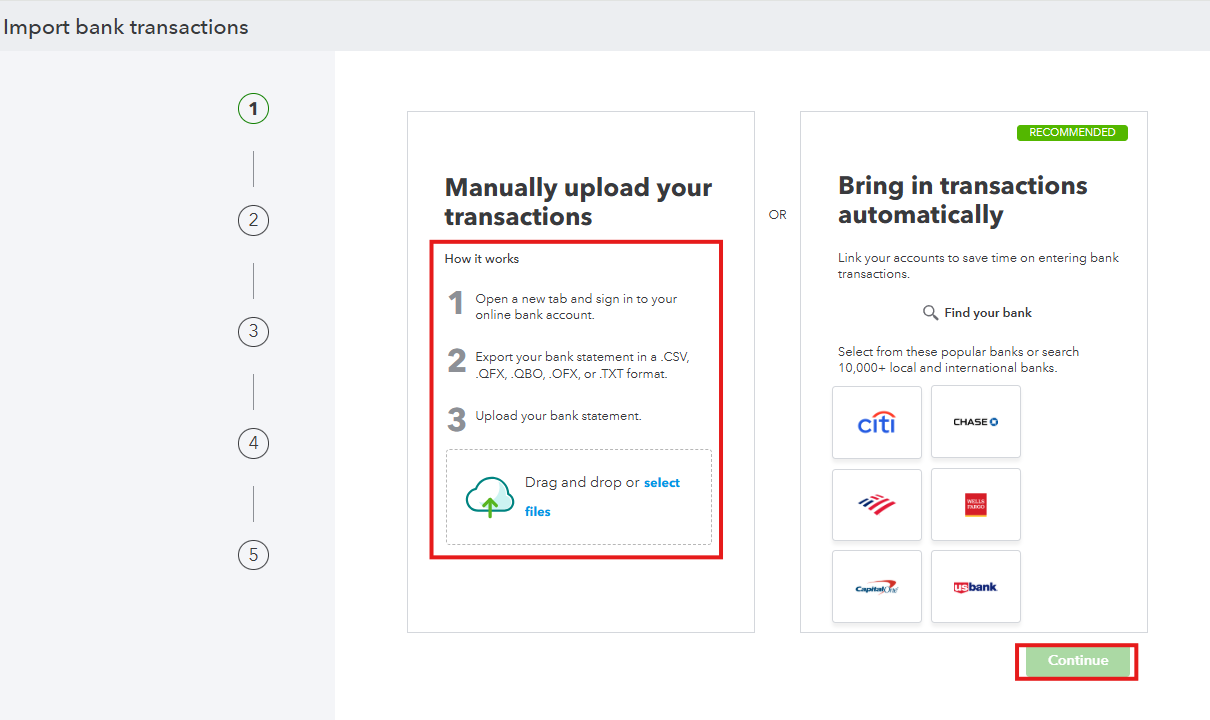
For more details about the process, open this link: Manually upload transactions into QuickBooks Online.
You can also keep these articles below for your reference in handling bank transactions moving forward:
Keep me posted if you have questions or concerns about managing your bank transactions. I'll be around for you.
Resolved in the afternoon by regular upload


You have clicked a link to a site outside of the QuickBooks or ProFile Communities. By clicking "Continue", you will leave the community and be taken to that site instead.
For more information visit our Security Center or to report suspicious websites you can contact us here


