Hi Cyn,
Before we begin, please ensure that you create a backup copy of your company file to safeguard your data.
To manually add bank statement transactions, depends on whether your account for January to March has already been reconciled.
If you have previously reconciled those months, you can undo the reconciliation. This way, you won’t need to re-enter transactions manually. After undoing, you can correct the beginning balance of April.
Here's how to undo:
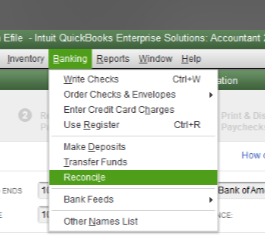
- Go to Banking, and then Reconcile.
- Select Undo Last Reconciliation.
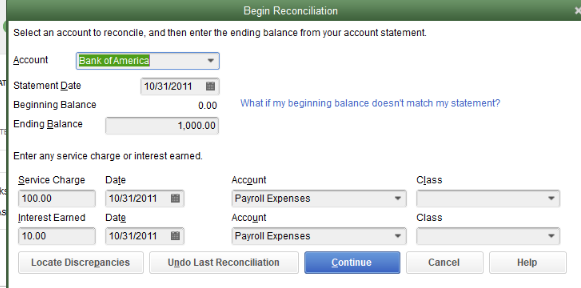
- When prompted, hit Continue and then click OK.
However, if you haven’t started reconciling and are still in January, you will need to enter each transaction manually based on your bank statement. (For example, enter deposits as deposits and checks or payments as checks or expenses). Please ensure that each transaction goes to the correct bank account for accurate reconciliation.
Also, double-check the beginning and ending balances for each month before you proceed to avoid discrepancies.
It's best to consult your accountant for guidance during this process to ensure your records remain accurate.
Please leave us a response if you have other questions or concerns.


