Hi there, MU87.
Yes, you can restore an old file to create a new file in QuickBooks Desktop. Before restoring, make sure to condense the data if you only need records from a specific date onwards. When restoring, QuickBooks uses the backup file (.qbb) to recreate your company file (.qbw), allowing you to recover data or undo changes. Always save the restored file in a separate location or rename it to avoid overwriting the original.
Here’s how:
- Open your QuickBooks Desktop.
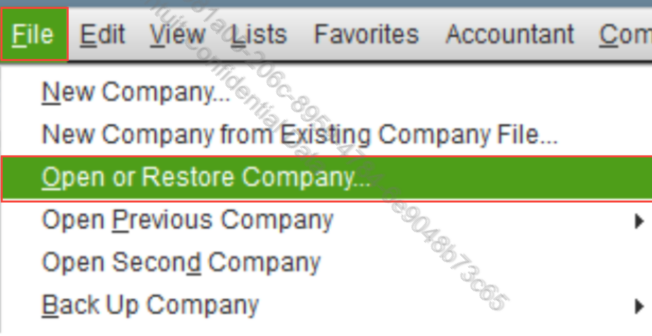
- Go to the File menu.
- Choose Open or Restore Company.
- Press Restore a backup copy, then click Next.
- Pick Local Backup and select Next.
- Select a folder to save your restored file and click Open.
- Tap Save once you’re ready.
For more information, you can refer to this article: Use the Condense Data utility.
If you have any additional questions or concerns related to QuickBooks, feel free to reply to this thread.


